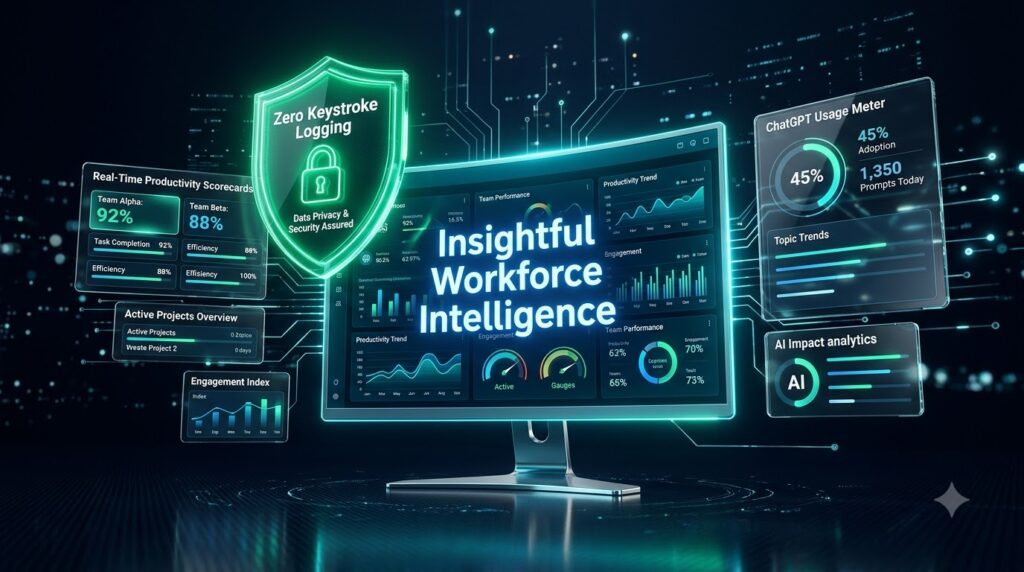
Executive Summary: Measuring ROI in the Age of AI Workforce Transformation
When evaluating an independent Insightful review and workforce intelligence platform, enterprise leaders face a sharp operational reality: while millions of dollars flow into Generative AI licenses—from Microsoft Copilot to ChatGPT Enterprise—executives rarely have direct visibility into whether these tools drive structural productivity gains or merely induce cognitive fragmentation. The rapid transition toward hybrid models and global contractor networks has further complicated performance measurement. Without decision-grade operational data, executive leadership cannot easily distinguish between superficial digital presence, active execution time, and high-value output.
Insightful addresses this challenge by bridging the gap between raw digital activity and workforce intelligence. By combining automated activity tracking, process mapping, software license utilization analysis, and AI tool adoption metrics, Insightful enables enterprises to move past reactive surveillance and focus on data-driven operational optimization.
+-----------------------------------------------------------------------------------+
|                            INSIGHTFUL ARCHITECTURE                              |
|                                                                                   |
|  [ Workstation Endpoint Agent ] -> [ Deterministic Rules & Privacy Processing ]   |
|                                                                                   |
|            +--------------------------+--------------------------+                |
|            |                          |                          |                |
|            v                          v                          v                |
|  [ Activity & Focus Logs ]   [ SaaS & AI Utilization ]   [ Workflow Analytics ]   |
|            |                          |                          |                |
|            +--------------------------+--------------------------+                |
|                                       |                                           |
|                                       v                                           |
|                   [ Executive Dashboards & Decision Engine ]                      |
+-----------------------------------------------------------------------------------+
Deployments consistently show a 20% to 32%+ average lift in organizational productivity within the first 90 days. The platform exposes workflow bottlenecks, identifies underutilized SaaS seats, detects unsanctioned “Shadow AI” applications, and balances workloads across distributed teams. For a standard 100-employee enterprise deployment, recovering just two hours of weekly wasted capacity per worker yields over $60,000 in annualized net operational savings, yielding a software Return on Investment (ROI) exceeding 10x.
Insightful Platform Architecture & Core Module Deep-Dive
Workforce Analytics & Time Tracking
Insightful’s platform architecture relies on an automated desktop client (compatible with Windows, macOS, and Linux) that tracks work activity without requiring manual timers or disrupting employee focus. The platform translates operating system event logs, browser URL transitions, and application active windows into actionable productivity trends.
Workstation activity logs are captured in real time and categorized through a deterministic processing engine. Activity is classified as Productive, Neutral, or Unproductive based on customizable role-based rule sets.
The system aggregates active computer time, idle periods, focus blocks, and meeting overhead to monitor workload balance and capacity in real time. These metrics feed directly into executive dashboards, allowing leadership to reallocate overburdened resources and resolve operational bottlenecks before project deadlines are missed.
| Operational Feature | Technical Mechanism | Strategic Business Impact |
| Automatic Time Tracking | Background event listener tracks workstation active/idle states and computer activity. | Eliminates manual clock-ins/outs, human error, and timecard inflation across internal and contract teams. |
| Dynamic Classification | Rules engine categorizes sites/apps as Productive, Neutral, or Unproductive by role. | Prevents blanket misclassification; customizes performance expectations for developers versus sales reps. |
| Capacity & Workload Tracking | Aggregates daily focus blocks, meeting overhead, active task hours, and idle thresholds. | Enables real-time rebalancing of work allocations, preventing capacity overruns and project stalls. |
| Shift & Attendance Logs | Computer activity-based clock-in/out paired with optional manual shift adjustments. | Generates auditable digital timesheets directly exportable for automated payroll processing. |
AI Tool Adoption & Software Utilization Tracking
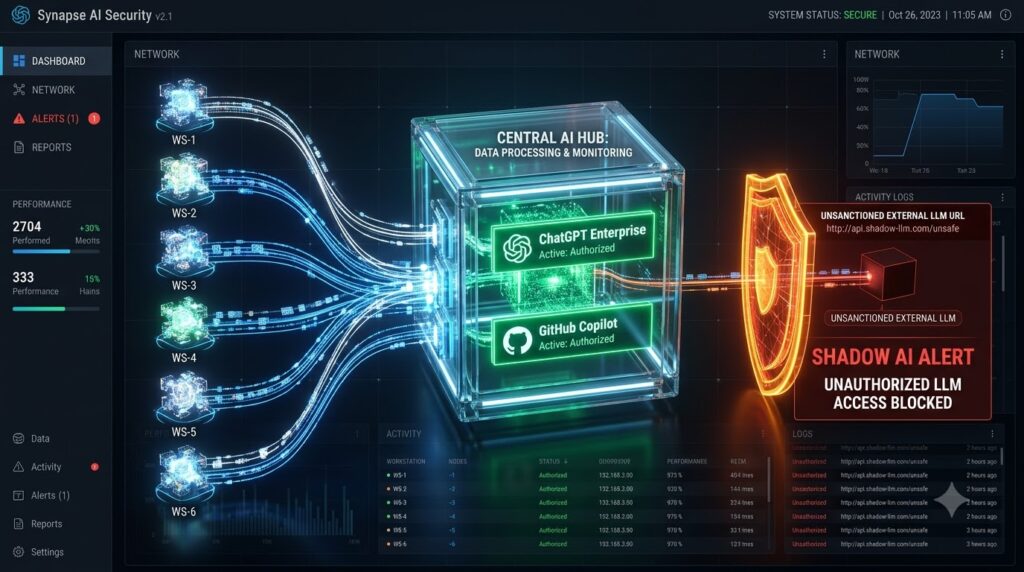
As organizations invest heavily in Generative AI tooling, measuring actual tool adoption and preventing security risks are paramount business imperatives. Insightful incorporates specialized AI Adoption Analysis and Shadow AI Detection modules directly into its analytics suite.
The platform monitors AI applications and web URLs accessed across the enterprise infrastructure. Operations leaders can track the exact frequency, duration, and seat-level engagement for enterprise AI solutions like ChatGPT Enterprise, GitHub Copilot, and Claude. By cross-referencing active usage against monthly SaaS subscription inventories, companies can reclaim unused seats, reallocate licenses to active users, and evaluate net returns on AI investments through output-per-hour metrics.
Simultaneously, the platform acts as an automated governance layer by flagging unsanctioned “Shadow AI” web tools. Ungoverned AI platforms pose data exfiltration risks when employees paste proprietary IP, source code, or PII into public LLM prompt interfaces. Insightful surfaces these Shadow AI apps in real time, enabling IT security teams to establish governance policies or deploy endpoint access restrictions before data leaks occur.
Operational Process Optimization
Beyond static monitoring, Insightful provides a Workflow Optimization suite designed to analyze how work moves across digital tools. By capturing deterministic clickstream patterns, the platform maps out execution steps for complex tasks such as insurance claim processing, support ticketing, loan approvals, and software engineering.
This mapping exposes context-switching overhead, application switching friction, and systemic bottlenecks. If a financial analyst or support specialist switches between five distinct applications to clear a single client file, Insightful quantifies the precise handle time lost to friction.
Furthermore, the system tracks cognitive fragmentation and overwork patterns. By analyzing continuous active computer hours, break frequencies, and late-night digital execution, the platform issues automated burnout risk alerts. Operations managers can redistribute workloads from over-utilized workers to under-utilized team members, reducing voluntary turnover and maintaining delivery performance.

Privacy & Ethical Monitoring Safeguards
A major barrier to deploying workforce analytics software is the potential erosion of employee trust and corporate culture. Insightful addresses this through a privacy-first architectural framework. The platform avoids keylogging and content-level text surveillance, focusing instead on structural productivity metrics.
The system supports two primary operational modes: Visible Tracking Mode, where employees control tracking timers and view their own performance scorecards, and Stealth/Silent Mode, built for insider threat governance and back-office operations.
Privacy controls allow administrators to configure screenshot obfuscation and opt-out rules for sensitive applications such as HR portals, personal banking, or health management sites. All captured data is protected in transit via TLS 1.2 and at rest via AES-256 encryption, backed by strict Role-Based Access Controls (RBAC). Insightful maintains SOC 2 Type II, ISO 27001, HIPAA, GDPR, and CCPA compliance, ensuring legal alignment across global jurisdictions.
| Security & Privacy Dimension | Technical Specification / Standard | Operational Governance Capability |
| Tracking Modes | Visible (Employee Controlled) vs. Stealth/Silent Mode. | Visible mode allows employees to pause tracking; Stealth mode operates quietly for insider risk enforcement. |
| Keystroke Security | Zero Keystroke Logging. | Captures activity intensity (keyboard/mouse event frequency) without recording key inputs or passwords. |
| PII & Screen Governance | Selective Screenshot Blur & App-Specific Screenshot Opt-Outs. | Excludes sensitive apps (e.g., HR portals, banking interfaces, personal messaging) from visual capture. |
| Data Encryption | AES-256 at rest; HTTPS SSL/TLS 1.2 in transit; Google Cloud KMS. | Protects endpoint data from unauthorized interception or physical storage compromise. |
| Access Control | Role-Based Access Control (RBAC), SSO, 2FA, Custom Password Policies. | Restricts managerial oversight to direct reports; prevents organizational data exposure. |
| Compliance Certifications | SOC 2 Type II, ISO 27001, HIPAA, GDPR, and CCPA Compliant. | Ensures legal and regulatory alignment across US, EU, and global enterprise jurisdictions. |
| Data Retention Limits | Screenshots: 60 Days; Activity Logs: 90 Days; Core Metrics: 24 Months. | Automated purging minimizes long-term regulatory exposure and data storage bloat. |
Industry-Specific Applications & Enterprise Deployments
Operational Impact Across Sectors
Insightful’s architecture adapts to diverse operational environments, spanning global BPOs, regulated healthcare entities, hyperscale technology platforms, financial institutions, and physical production firms.
- Large-Scale BPOs & Distributed Enterprises: Maintaining contract compliance and preventing time fraud across thousands of remote contractors is a major challenge. For example, Mercor integrated Insightful as core operational infrastructure to monitor over 30,000 global contractors. Operating at this scale creates vulnerabilities regarding timecard inflation and billing inaccuracies. By deploying Insightful, Mercor scaled its contractor operations without incurring labor losses, achieved a 76% reduction in distracted work time, and realized a 20% increase in overall sales revenue.
- Financial Institutions: A global bank deployed Insightful across its technology and operational business units to evaluate contractor efficiencies and distributed team workflows. By analyzing active workstation data, the institution identified substantial contractor idle time, non-essential application usage, and overlapping SaaS tooling. The bank saved $2.5 million within 3 months, streamlined its contractor resource allocation, and reclaimed hundreds of underutilized software seats.
- Healthcare Operations & Revenue Management: Caduceus Health used Insightful to resolve operational inefficiencies in customer queue management. By analyzing clickstream data and optimizing shift scheduling, the organization reduced its call abandonment rate from 14% to 3% while increasing overall employee engagement by 30%.
- Professional Services & Agencies: Farmers Insurance (Brett Vance Agency) used Insightful to transition from manual hours tracking to transparent performance benchmarking. Baseline team productivity increased from the upper 70% range to 92%. Employees utilized daily productivity scorecards to self-regulate work habits, turning analytics into a positive engagement driver.
On-Premise & Private Cloud Deployment Options
For enterprise organizations operating under strict data sovereignty mandates—such as defense contractors, financial institutions, and healthcare providers—cloud-based SaaS platforms often fail security clearing. Insightful resolves this by offering complete On-Premise and Private Cloud deployment configurations:
- Deployment Minimum: Available for organizations with 250 or more monitored endpoints.
- Infrastructure Hosting: The processing stack, database, visual image assets, and reporting engines can be deployed directly on bare-metal servers, private Kubernetes clusters, AWS GovCloud, or Microsoft Azure isolated instances.
- Air-Gapped Operation: Systems can operate in isolated environments with zero outbound internet dependencies, guaranteeing that sensitive workstation telemetry, process maps, and activity logs never breach enterprise perimeter security controls.
Pricing Structure & Financial ROI Evaluation
Transparent Pricing Tier Breakdown
Insightful utilizes a modular subscription model billed annually (with monthly billing options available at a premium). This structure enables enterprises to license capabilities based on specific departmental needs without overpaying for unnecessary feature sets.
| Pricing Tier / Module | Annual Base Price | Target Audience & Core Capabilities Included |
| Tier 1: Employee Monitoring / Workforce Analytics | $8.00 / seat / mo | Real-time overview, app/website usage, capacity analysis, automated time tracking, periodic screenshots. |
| Tier 2: Work Time Stats / Time Tracking | $10.00 / seat / mo | All Tier 1 features plus productivity labeling, project/task time tracking, manual time entries, and attendance logs. |
| Tier 3: Workflow Optimization / Process Improvement | $12.00–$15.00 / seat / mo | Workflow mapping, bottleneck analysis, process execution tracking, automatic time allocation, project management integrations. |
| Tier 4: Enterprise / Combo Solution | $16.00–$18.00+ / seat / mo | Bundles Analytics and Optimization, payroll integration, dedicated account manager, SSO, audit logs, and on-premise options. |
| On-Premise Deployment | Custom Quote | Full self-hosted deployment for 250+ seats, custom API rate limits, air-gapped support, dedicated engineering SLA. |
Editor’s Note on Add-Ons:
- Workspace Security Plan: +$4.00 / seat / month (Adds insider threat detection, manual shift overrides, risk scoring, and audit trails).
- Data Warehouse Integrations: +$0.50 / seat / month (Direct schema exports to Snowflake, Google BigQuery, and custom BI pipeline connectors).
- On-Demand Screenshots: +$4.00 / seat / month (Instant manager-triggered screen capture with strict privacy opt-out rules).
- Full Screen Recording: +$4.00 / seat / month (Continuous video recording and playback for dispute verification).
Financial ROI Math & Payback Evaluation
To evaluate software value for executive stakeholders, consider a standardized Total Cost of Ownership (TCO) model evaluated over a 100-employee enterprise cohort:
Key Baseline Assumptions
- Enterprise Workforce Size: 100 Full-Time Employees (FTEs).
- Average Fully Loaded Employee Cost: $50.00 / hour ($104,000 annualized base compensation + benefits).
- Deployment Configuration: Enterprise Combo Plan + Security Add-On = $18.00 / seat / month ($216.00 annually per employee).
- Total Annual Software Investment: $18.00 × 100 FTEs × 12 Months = $21,600.00 / year.

Financial Impact Calculations
Identifying just 2 hours of wasted time or unused software licenses per employee per week generates substantial returns:
- Recovered Time Value: 1.5 hours of recovered unproductive time per employee per week equates to $75.00 per worker weekly ($3,750.00 annually per employee). For 100 FTEs, this equals $375,000.00 in recovered operational capacity annually.
- SaaS License Optimization: Identifying 0.5 hours per week of idle or redundant software license usage (e.g., reclaiming unused Copilot or specialized enterprise seats) saves approximately $200.00 per employee annually. For 100 FTEs, this saves $20,000.00 annually.
$$\text{Total Annual Operational Value} = \$375,000.00 + \$20,000.00 = \$395,000.00$$
$$\text{Net ROI Yield} = \frac{\$395,000.00}{\$21,600.00} \approx \mathbf{18.2\text{x ROI}}$$
This return easily exceeds the standard 10x payback threshold within the first few months of operation.
Competitive Comparison: Insightful vs. Hubstaff vs. Teramind vs. ActivTrak
The workforce intelligence market is split into three primary philosophies: field-based GPS tracking (Hubstaff), forensic security surveillance (Teramind), and aggregate performance coaching (ActivTrak). Insightful balances deep operational analytics with privacy safeguards.
| Evaluation Benchmark | Insightful | Hubstaff | Teramind | ActivTrak |
| Starting Price (Annual) | $8.00 / user / mo | $4.99 / user / mo | $15.00 / user / mo | $10.00 / user / mo |
| Primary Target Market | Distributed Enterprises, BPOs, Tech | Field teams, Mobile, Contractors | High-security, Defense, Finance | HR Analytics, Enterprise Coaching |
| Stealth Mode Option | Yes (Supported) | Yes (Supported) | Yes (Deep Inspection) | Yes (Silent agent) |
| AI & Shadow IT Tracking | Advanced (Native module) | None (Basic URL track) | Basic (Requires rules) | Moderate (App visibility) |
| Keystroke Capture | NO (Strictly blocked) | NO (Activity level only) | YES (Full logging + OCR) | NO (Strictly blocked) |
| Screenshot Capabilities | Periodic, On-Demand, Blur | Periodic (Interval capped) | Continuous DVR Recording | None (Excluded by policy) |
| DLP & Threat Prevention | Moderate (Add-on rules) | None | Enterprise DLP Engine | None |
| GPS / Field Tracking | None | Advanced (Geofencing) | None | None |
| On-Premise Deployment | Yes (250+ seat min) | Cloud Only | Yes (Native support) | Cloud Only |
Objective Pros & Cons Analysis of Insightful
Strategic Advantages (Pros)
- Privacy-First Focus: By explicitly excluding keylogging and incorporating built-in PII masking, Insightful minimizes legal exposure under GDPR and CCPA while preserving workplace trust.
- Deep AI Adoption Analytics: Out-of-the-box tracking for Generative AI applications and Shadow IT detection directly addresses the enterprise AI ROI challenge.
- Modular Capital Flexibility: Organizations can launch workforce analytics at $8.00/seat and selectively purchase workflow mapping or security capabilities as operational needs mature.
- Flexible Deployment Configurations: Cloud, private cloud, and air-gapped on-premise deployments satisfy strict enterprise IT security requirements.
- End-User Gamification: Transparent employee-facing dashboards convert tracking metrics into self-coaching tools, boosting output without driving burnout.
Strategic Limitations (Cons)
- Security Gating Behind Enterprise Tiers: Essential security features—such as Single Sign-On (SSO), comprehensive audit logs, and insider threat rules—require upgrades to Enterprise tiers or paid add-ons.
- Lack of Native Mobile Client Tracking: Insightful lacks dedicated iOS and Android tracking clients, making it less suitable for mobile field service workers compared to platforms built specifically for logistics.
- On-Premise Scale Barrier: The 250-seat minimum limit for on-premise deployments restricts small-to-midsize security-conscious organizations.
- Alpha/Beta Status for Advanced Intelligence: High-level workflow process mapping and deep Work Intelligence tools remain in invite-only or beta states, requiring vendor onboarding.
Editor’s Perspective: Should You Buy Insightful?
Editor’s Take:
If your priority is optimizing distributed knowledge workers, reclaiming wasted SaaS costs, and measuring real Generative AI tool adoption without destroying employee trust, Insightful is one of the strongest, most balanced platforms available.
Choose Insightful if you need decision-grade workforce operational data without the legal liabilities or cultural risks of keylogging and heavy-handed surveillance. However, if your primary requirement is strict cybersecurity surveillance and forensic recordkeeping (such as capturing exact keystrokes for regulatory compliance), select Teramind. If your core operational footprint consists of mobile field technicians needing GPS geofencing, opt for Hubstaff.
7-Day Ethical Rollout Checklist
Deploying workforce monitoring software without structured employee communication risks eroding organizational trust and triggering voluntary turnover. Operations and HR leaders can execute this 7-day ethical implementation plan to ensure a smooth rollout:
- [ ] Day 1: Policy & Privacy DefinitionDraft an Acceptable Use & Privacy Policy. Explicitly declare that tracking operates strictly during work hours, that zero keystrokes are recorded, and state how screenshot data is processed.
- [ ] Day 2: IT Security & Architecture SetupDistribute the deployment knowledge base to IT. Configure Role-Based Access Control (RBAC), integrate SSO/MFA, and establish PII screenshot opt-out rules for sensitive systems (e.g., HRIS, banking).
- [ ] Day 3: Transparency Town HallHost an all-hands meeting led by executive leadership. Frame Insightful as an operational tool to eliminate manual timesheets, prevent burnout, and optimize workflows rather than an instrument of micromanagement.
- [ ] Day 4: Visible Mode Soft LaunchDeploy the Insightful desktop agent in Visible Mode to an initial pilot group. Allow employees to view their own activity dashboards to build trust and encourage performance self-coaching.
- [ ] Day 5: Baseline Data CaptureRun data collection across pilot teams to establish baseline focus time, idle capacity, and current software seat usage metrics.
- [ ] Day 6: Privacy Audit & FeedbackReview captured sample screenshots and activity logs with HR and legal counsel. Confirm that PII masking is functioning correctly and adjust screenshot opt-out filters where necessary.
- [ ] Day 7: Full Enterprise Rollout & ReviewExpand agent deployment organization-wide. Establish weekly executive reviews analyzing team utilization, burnout risk flags, Shadow AI usage, and software cost-reclamation opportunities.
🔍 Related Enterprise AI & Workforce Analytics Infrastructure Guides
For COOs, CHROs, and IT infrastructure leaders evaluating operational software, private AI servers, and SaaS ROI, explore our related technical reviews and benchmarks:
- Enterprise AI Hardware: Learn how local AI servers process operational data in Zanus AI Server for Enterprise & Corporate Operations.
- Manufacturing AI Operations: Optimize shop-floor efficiency in Zanus AI Server for Manufacturing & Logistics.
- Multi-Entity Accounting SaaS: Streamline corporate reporting in Joiin Review 2026: Multi-Entity Financial Reporting.
- Automated SEO & AEO Engine: Bypass developer backlogs in Alli AI Review 2026: Enterprise Automated SEO.
- B2B Cold Email Automation: Protect domain deliverability in Woodpecker.co Review 2026: Enterprise Cold Email.
References
- Insightful Official SiteWork Intelligence Platform & Features Overviewhttps://www.insightful.io/
- Insightful Case StudiesProving AI ROI & Enterprise Client Success Storieshttps://www.insightful.io/case-studies
- CurrentWare InsightsAI Insights & Usage Monitoring Software Trendshttps://www.currentware.com/
- Teramind ArchitectureEnterprise Insider Threat & Monitoring Alternativeshttps://www.teramind.co/
- Hubstaff Enterprise IntelligenceEmployee Monitoring & Time Tracking Solutionshttps://hubstaff.com/