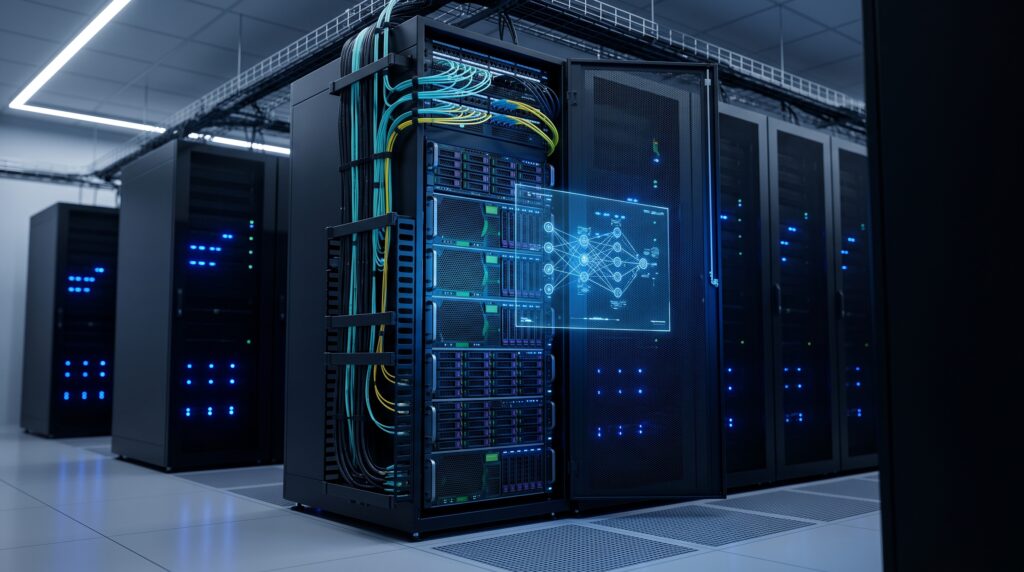
Choosing a Private AI Appliance is no longer just an infrastructure decision—it directly affects security, AI performance, compliance, and long-term operating costs. While public cloud AI offers convenience, many enterprises are now investing in dedicated Private AI Appliances to keep sensitive workloads on-premises.
But a critical mistake many operations leaders make is treating an AI deployment like a traditional database upgrade—buying generic servers, slotting in retail GPUs, and hoping the software stack works seamlessly.
This guide breaks down the architecture of Private AI Appliances: purpose-built, turnkey hardware systems designed to bypass traditional computing bottlenecks and deliver secure, localized intelligence.
Key Takeaways
Before investing in Private AI infrastructure, here are the five most important things to know:
- AI Appliances are purpose-built systems—not simply GPU servers with AI software installed.
- Technologies like GPUDirect Storage (GDS) and NVLink dramatically reduce AI inference latency.
- Built-in Trusted Execution Environments (TEEs) protect sensitive enterprise data at the hardware level.
- Turnkey AI Appliances require far less deployment effort than building a custom GPU cluster.
- For organizations handling regulated or confidential information, AI Appliances provide stronger security, predictable costs, and better long-term operational stability.
The Architectural Divide: AI Appliances vs. Standard Servers
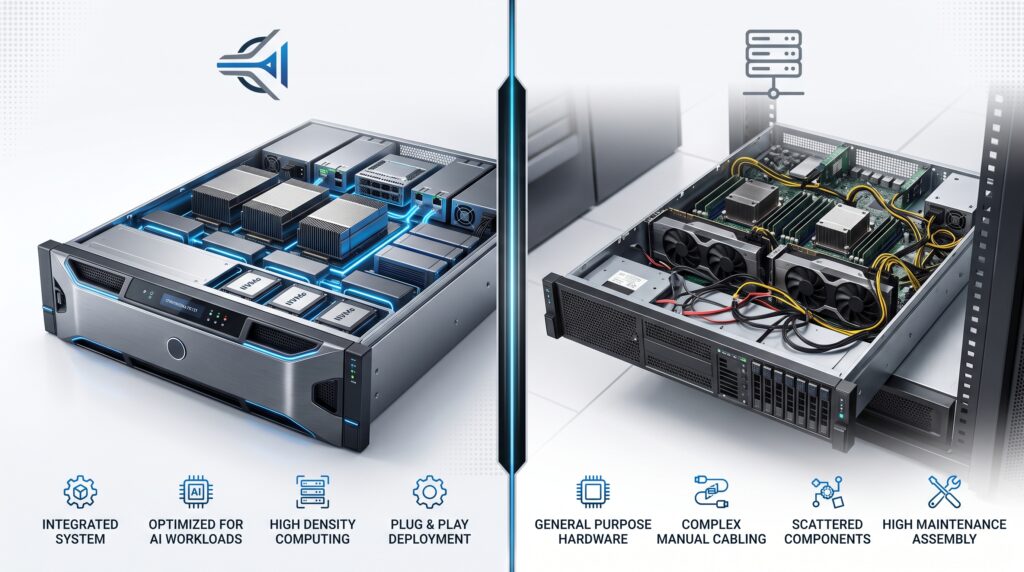
An AI Appliance is not just a server with a GPU inside. It is an engineered ecosystem where silicon, storage architecture, thermal management, the operating system, container orchestration, and localized models are co-designed to eliminate data bottlenecks.
In a standard server running AI software, data must constantly pass through the CPU and system memory (SysMem), creating severe latency. An AI Appliance rebuilds the internal transport pipeline to let the graphics processors work at peak capacity.
Technical Architecture Comparison
| Architectural Feature | Purpose-Built AI Appliance (Private AI) | Standard Server (With AI Software) |
| System Integration | Hardware, OS, runtime, and security layers are pre-configured and unified. | Assembled piecemeal; requires manual configuration of OS, CUDA drivers, and frameworks. |
| Data Pathway | Direct transport via GPUDirect Storage (GDS) and high-speed fabrics. | Data must bounce through CPU and System RAM (SysMem) before hitting GPU VRAM. |
| Resource Allocation | Granular fractional GPU slicing and hardware-level MIG partitioning. | Coarse OS-level or hypervisor-level virtual resource assignment. |
| Security Architecture | Silicon-anchored Trusted Execution Environments (TEEs) and hardware encryption. | Dependent on perimeter software and the integrity of the host operating system. |
| Deployment Time | Turnkey operation; fully functional within 4 to 6 weeks via signed manifests. | 6 to 18 months of engineering overhead to resolve library and hardware conflicts. |
The Decision Matrix: Choose a multi-purpose server if your team is running small-scale, intermittent experimental workloads. Upgrade to an AI Appliance when you need predictable, sub-second latency for continuous production workloads containing highly sensitive corporate data.
Under the Hood: The High-Speed Hardware Pipeline
In large-scale AI workloads like long-context large language models (LLMs) or real-time vision processing, performance is dictated by how fast data moves from storage to the processing cores.
1. Eliminating the CPU Bottleneck (GPUDirect Storage)
Traditional storage systems force data to travel from an NVMe drive to the CPU, sit in system RAM, and then move over the PCIe bus to the GPU’s memory. This creates a massive traffic jam.
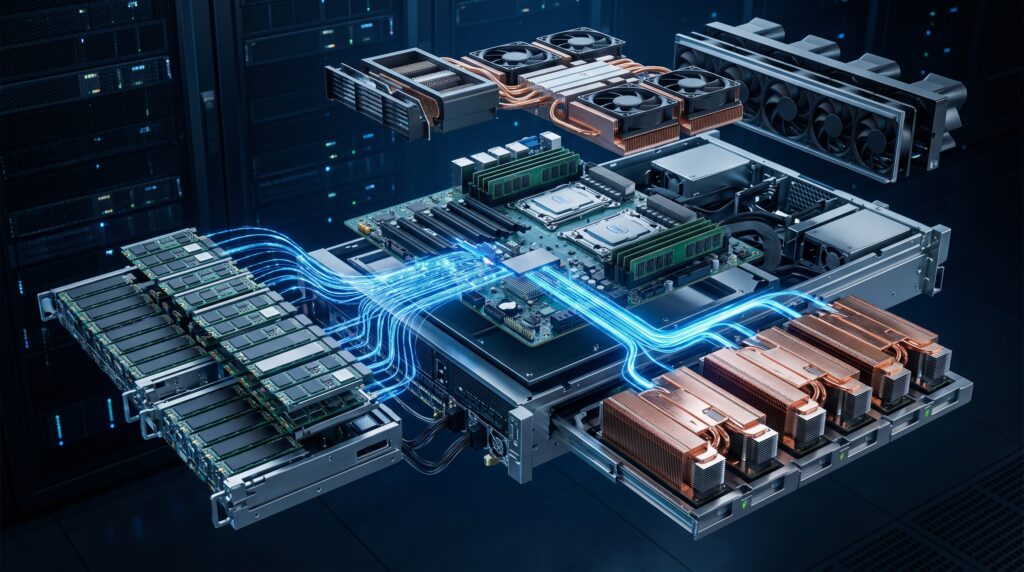
Modern AI Appliances utilize GPUDirect Storage (GDS). This technology establishes a direct memory access (DMA) pathway between the high-speed NVMe storage array and the GPU’s High Bandwidth Memory (HBM). By bypassing the CPU completely, GDS multiplies data throughput by up to 8x and slashes end-to-end latency by more than 70%.
2. Inter-GPU Communication (NVLink & Fabrics)
When a model is too large for a single GPU, its weights are split across multiple processors. Standard motherboards route inter-GPU communication through the standard PCIe bus, which quickly saturates. AI Appliances resolve this using dedicated, high-speed interconnects like NVLink, creating a unified memory space across all processors at bandwidths reaching up to 1.8 TB/s per GPU.
3. Tiered Storage Mechanics
To ensure instant model swapping and rapid retrieval-augmented generation (RAG), appliances organize data into three distinct speed zones:
- Hot Tier (GPU VRAM/HBM): Ultra-fast memory holding active model weights and context caches.
- Warm Tier (Host System DRAM): Multi-gigabyte, NUMA-aware system memory holding alternative model adapters (like LoRA keys) ready to swap instantly.
- Cold Tier (Local NVMe RAID): Local high-capacity storage holding the core model library and massive enterprise vector databases.
4. Thermal Stability and Sustained Performance
AI workloads draw massive amounts of power, causing silicon to generate extreme heat. Under high thermal loads, standard air-cooled systems engage thermal throttling—automatically dropping clock speeds to prevent damage, which destroys processing predictability.
High-end AI Appliances use Direct-to-Chip (D2C) liquid cooling. By circulating specialized coolant directly over the processor dies, these systems maintain optimal operational temperatures, guaranteeing sustained compute performance under a continuous 100% workload.
Editor’s Tip
Many organizations mistakenly assume that installing a GPU into an existing server automatically creates an AI infrastructure.
In reality, enterprise AI performance depends on an optimized combination of hardware architecture, storage throughput, networking, runtime software, and security. A true AI Appliance integrates all of these components into a validated system designed specifically for AI workloads.
Isolated Autonomy: Air-Gapped & Offline Operations
True data sovereignty means zero external dependencies. If your infrastructure relies on a cloud API for licensing check-ins, data vectors, or software updates, it is not fully private.
The Self-Sustaining Software Stack
An enterprise AI Appliance runs a completely closed-loop stack:
- Local Inference Engine: Tailored, high-throughput engines like vLLM or SGLang manage model execution entirely within the physical chassis.
- Offline RAG Infrastructure: Document parsing, embedding generation, and vector indexing happen locally using integrated databases like pgvector or localized libSQL instances.
- Cryptographic Offline Licensing: System validation relies on asymmetric, digitally signed tokens checked against the physical hardware’s Trusted Platform Module (TPM) chip. No internet handshakes required.
System Integrity: The 3-Tier Execution Framework
To prevent user-developed custom integrations or automated scripts from crashing critical operations, the operating environment divides software into three sandboxed layers:
+-----------------------------------------------------------------+
|                    TIER 1: CERTIFIED CORE                       |
|  (OS, Kubernetes Control Plane, vLLM Inference, Core RAG Stack)  |
+-----------------------------------------------------------------+
                                │
                                ▼
+-----------------------------------------------------------------+
|                    TIER 2: RESTRICTED ZONE                      |
|          (Vetted partner data connectors and plug-ins)          |
+-----------------------------------------------------------------+
                                │
                                ▼
+-----------------------------------------------------------------+
|                    TIER 3: SANDBOXED ENVIRONMENT                |
|      (Custom internal apps, automated scripts, experimental LLMs) |
+-----------------------------------------------------------------+
The Operational Fail-Safe: Built-in “Pure Mode” functionality allows system administrators to kill all Tier 2 and Tier 3 processes with a single command. This instantly drops the appliance back to its factory-certified Tier 1 state, isolating rogue scripts, simplifying security audits, and validating system performance during unexpected downtime.
Silicon-Anchored Security: Zero Trust at the Hardware Level
Perimeter security (firewalls and access controls) is no longer enough. If an attacker gains root access to the host operating system, traditional software security fails. AI Appliances counter this by shifting security directly into the silicon.
Confidential Computing & Trusted Execution Environments (TEEs)
Through hardware architectures like AMD SEV-SNP or Intel TDX, the appliance isolates AI operations inside a Trusted Execution Environment (TEE).
- Memory Encryption: All data, active prompts, and model weights are automatically encrypted using hardware keys when sitting in system RAM or GPU memory. Even with direct physical access to the motherboard or root-level software control, an unauthorized user sees only gibberish.
- Hardware Attestation: During boot, the system generates a cryptographic health report tied to a unique ECC key burned into the silicon during manufacturing. The appliance will refuse to load sensitive corporate data if it detects that any system firmware or the underlying OS has been altered.
Financial & Operational Realities: DIY vs. Turnkey Appliance vs. Public Cloud
Evaluating the total cost of ownership requires looking past the initial price tag. While cloud services eliminate upfront capital expenses, their long-term operational costs scale aggressively with usage.
| Financial & Operational Metric | DIY Custom GPU Servers | Partner AI Appliance (Turnkey) | Public Cloud AI APIs (SaaS) |
| Upfront Cost (CAPEX) | Very High (Procuring individual component parts, networking fabric, and specialized cooling setups). | High (Fixed, predictable turnkey equipment fee covering hardware and integrated software). | Zero (No physical hardware to purchase up front). |
| Recurring Cost (OPEX) | Very High (Requires ongoing SRE, MLOps, facilities engineering overhead, and high power bills). | Low to Medium (Predictable, fixed maintenance contracts; no recurring token costs). | Highly Volatile (Scales exponentially based on user seat count, prompt context size, and query volume). |
| Time-to-Value | 6 to 18 Months (Spent engineering solutions for driver incompatibilities and orchestration failures). | 4 to 6 Weeks (Delivered pre-optimized, validated, and ready to plug into local networks). | Immediate (Accessible via basic web integration). |
| Operational Risk | High (The enterprise bears full responsibility for system failures, performance drift, and custom stack patching). | Low (Backed by clear vendor SLAs and hardware-integrated diagnostic systems like Pure Mode). | Low (Infrastructure maintenance is offloaded entirely to the cloud vendor). |
| Data Control & Sovereignty | Very High (Your team owns the bare metal infrastructure). | Absolute (Completely air-gapped environment protected by silicon-level memory encryption). | Low (Corporate intelligence crosses corporate boundaries into external vendor ecosystems). |
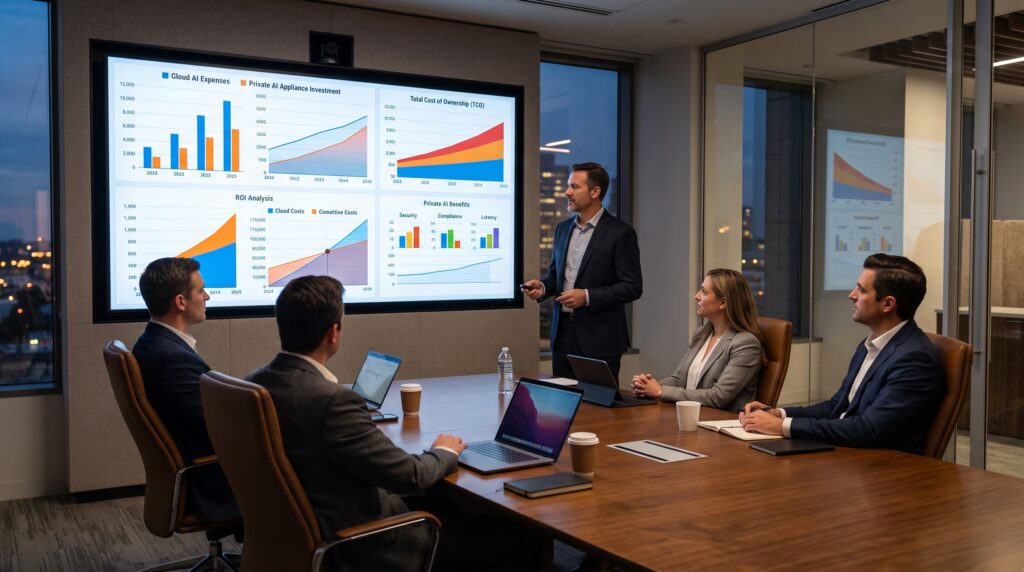
Example Enterprise Deployment
A regional healthcare provider recently replaced cloud-based AI APIs with an on-premises AI Appliance running a local Llama 3 deployment.
After six months, the organization reported several operational improvements:
- approximately 60% lower AI operating costs
- significantly faster document retrieval
- zero outbound transmission of patient records
- simplified compliance with healthcare privacy regulations
Although every deployment is different, this example illustrates why many enterprises are moving toward integrated Private AI infrastructure instead of relying entirely on cloud services.
Who Should Consider an AI Appliance?
An AI Appliance is not the right solution for every organization.
It is best suited for companies that:
- process confidential customer or operational data
- require predictable AI operating costs
- run AI workloads continuously throughout the day
- must comply with strict security or regulatory standards
- want to eliminate dependence on public cloud AI providers
Smaller teams running occasional AI experiments may achieve better value from cloud-hosted AI services before investing in dedicated infrastructure.
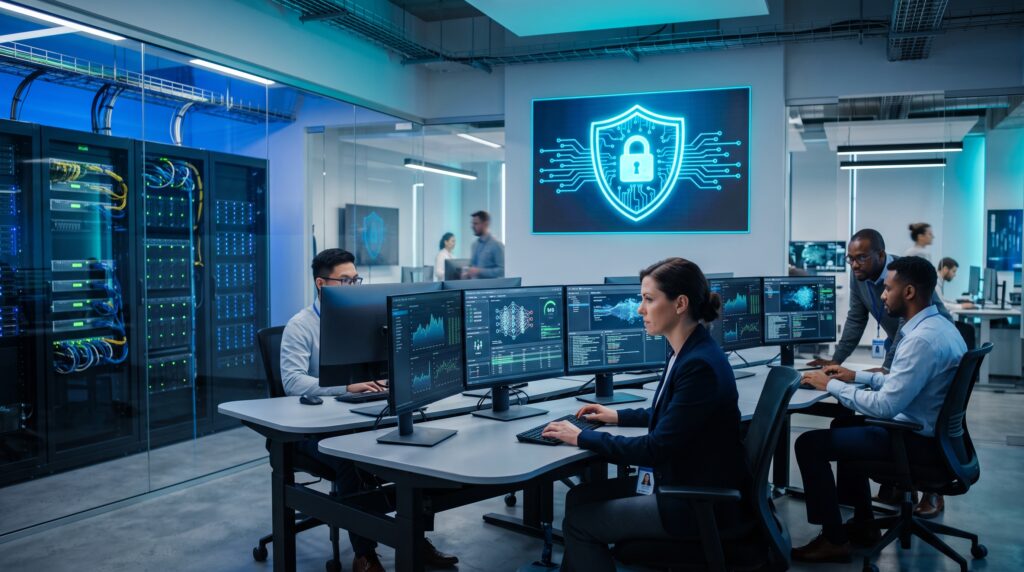
Editor’s Take & Final Recommendation
If your organization operates in a highly regulated industry (such as healthcare, banking, or defense), handles proprietary intellectual property, and requires consistent, low-latency performance for thousands of daily queries, then an optimized, turnkey AI Appliance is your most viable infrastructure path. Because trying to build a custom GPU cluster in-house creates massive engineering overhead, while relying on public cloud APIs compromises your data sovereignty and exposes you to unpredictable, compounding operational expenses.
Frequently Asked Questions
What is an AI Appliance?
An AI Appliance is an integrated hardware and software platform specifically designed to run AI workloads locally. Unlike a traditional server, it combines optimized GPUs, storage, networking, inference software, and security into a single validated system.
Is an AI Appliance different from a GPU server?
Yes. A GPU server provides raw computing hardware, while an AI Appliance includes the complete AI software stack, optimized drivers, orchestration tools, and enterprise security features.
Can AI Appliances work completely offline?
Yes. Many enterprise AI Appliances are designed to operate inside air-gapped environments without requiring internet connectivity, making them suitable for highly regulated industries.
Do AI Appliances improve AI inference speed?
Yes. Technologies such as GPUDirect Storage, NVLink, and optimized memory pipelines significantly reduce latency compared to traditional server architectures.
Are AI Appliances more secure than cloud AI?
For organizations requiring complete control over sensitive data, AI Appliances generally provide stronger security because data remains inside the organization’s infrastructure instead of being transmitted to external cloud providers.
What You Should Do Next:
- Audit Your Workloads: Measure your current cloud AI API token volume. If your monthly spending on tokens and external data pipelines is steadily increasing, map out a 3-year TCO comparison against a fixed-cost on-premises appliance.
- Verify Data Readiness: Before deploying an on-premises appliance, ensure your master data is clean. An advanced hardware pipeline running local RAG will process data at lightning speed, but it cannot fix broken or unorganized source documentation.
- Evaluate Physical Constraints: Assess your target server environment. Determine if your server room can handle the power density and weight of a high-performance cluster, or if you need to choose a vendor that supplies self-contained liquid-cooled chassis that operate quietly outside traditional data centers.
Continue Exploring Private AI
If you’re researching enterprise AI infrastructure for property management, these guides may also help:
- Cloud AI vs. On-Premises AI: The Ultimate Buying Guide for HOA & Property Managers – Compare deployment costs, latency, security, and long-term ROI before choosing the right AI architecture.
- What Is Private AI? A Beginner’s Guide for Property and Real Estate Managers – Learn how Private AI protects sensitive resident information while helping organizations comply with modern privacy regulations.
- Air-Gapped AI for Property Management: Why Some HOAs Need Offline AI – Discover why offline AI systems are becoming the preferred choice for communities that require maximum security and zero internet dependency.
References
- NVIDIA Developer Documentation
- NVIDIA GPUDirect Storage Documentation
- PCI-SIG PCI Express Specifications
- Linux Foundation