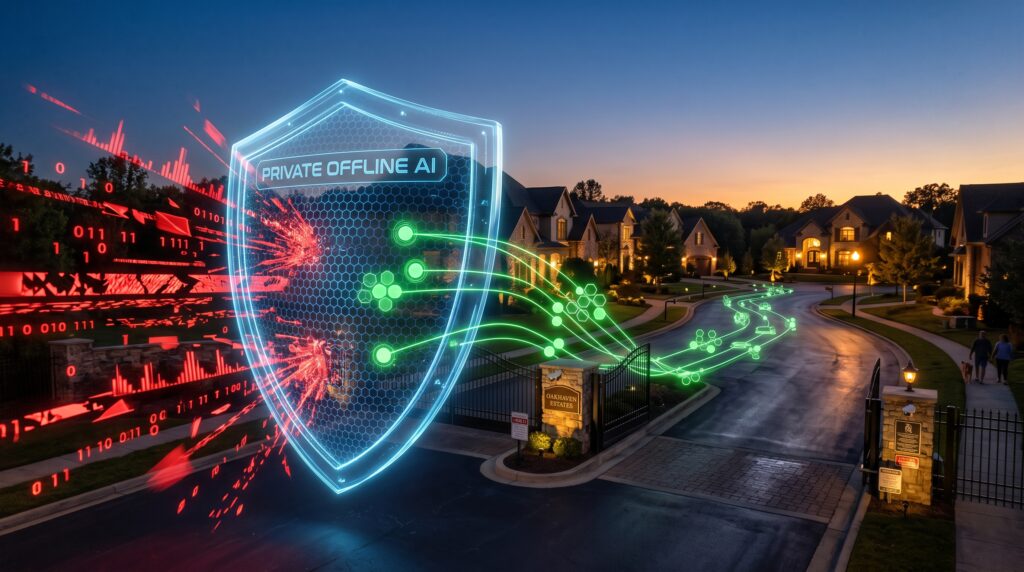
Air-Gapped AI for Property Management is becoming the preferred security architecture for modern HOAs that need complete data privacy, offline AI processing, and regulatory compliance without relying on public cloud services.
Most residential communities do not need another high-priced tech consultant. They need a bulletproof way to manage spiraling security data, enforce community rules, and protect their residents’ private information without getting dragged into an expensive class-action lawsuit.
For Homeowners’ Associations (HOAs) managing premium developments of 500 to 1,000 homes, the traditional route is moving everything to the cloud. But uploading continuous license plate reader (ALPR) logs, facial data, and drone footage to third-party servers exposes your board to staggering legal liabilities under regulations like CCPA, BIPA, and FIPA.
Air-gapped AI—running highly optimized open-source models completely offline on local hardware—is no longer a theoretical security luxury. It is a highly practical, cost-saving operational engine.
Quick Summary
Choosing the right local infrastructure dictates your community’s operational efficiency for the next five years. Consumer-grade hardware introduces fatal system crashes due to non-ECC memory limitations. Meanwhile, legacy enterprise systems lack the raw horsepower needed for modern Vision-Language Models (VLMs).
- The Safe Enterprise Standard: A dual AMD EPYC server paired with dual NVIDIA RTX 6000 Ada cards running Llama 3.3 70B and Llama 3.2 Vision locally. This combination delivers uninterrupted 24/7 localized computer vision inference and automated legal draft generation.
- The Budget-Conscious Alternative: Moving down to previous-generation NVIDIA RTX A6000 setups cuts initial hardware acquisition costs, though it handles simultaneous vision streams with higher latency.
- The Trap to Avoid: Attempting to run operations on consumer-focused NVIDIA RTX 4090 builds. The lack of ECC memory guarantees unpredictable system freezes under constant data loads.
Editor’s Verdict
After evaluating deployment costs, long-term maintenance, and regulatory risks, our recommendation is straightforward:
- ⭐⭐⭐⭐⭐ Best for: Premium HOAs, luxury condominiums, gated communities, and organizations processing sensitive resident data.
- ⭐⭐⭐⭐☆ Good for: Mid-sized property management firms planning long-term AI adoption.
- ⭐⭐☆☆☆ Not recommended for: Small communities with fewer than 100 units or organizations that only require occasional AI assistance.
While an air-gapped AI infrastructure demands a higher upfront investment, it delivers predictable operating costs, stronger data sovereignty, and eliminates dependence on recurring cloud subscriptions.
Local AI Infrastructure Comparison
| Infrastructure Choice | Best For | Standout Feature | Deployment | Learning Curve | Pricing | Free Trial |
| NVIDIA RTX 6000 Ada Setup | High-security, multi-stream master communities (500–1,000 units) | 48GB GDDR6 ECC memory & 4th-Gen Tensor Cores | On-Premises (Air-gapped rack) | Moderate (Requires system integrator) | Premium (High upfront CAPEX) | None (Hardware purchase) |
| NVIDIA RTX A6000 Setup | Mid-sized HOAs seeking a balance of cost and compliance | Cost-effective 48GB workstation architecture | On-Premises (Air-gapped rack) | Moderate | Balanced | None |
| NVIDIA RTX 4090 Setup | Not Recommended for business operations | High consumer clock speeds | Desktop/Workstation tower | High (Prone to memory failures) | Budget | None |
Air-Gapped AI vs. Cloud AI at a Glance
| Category | Air-Gapped AI | Cloud AI |
|---|---|---|
| Internet Required | ❌ No | ✅ Yes |
| Data Privacy | Excellent | Moderate |
| Response Speed | <10ms | 500ms–5s |
| Offline Operation | Yes | No |
| Compliance | Excellent | Depends on vendor |
| Upfront Cost | High | Low |
| Long-Term Cost | Low | High |
| Scalability | Moderate | Excellent |
Top Picks for HOA Local AI Engines
- Best Overall AI Hardware: NVIDIA RTX 6000 Ada Generation
- Best Value for Growing Communities: NVIDIA RTX A6000
- Best Local Core Language Model: Llama 3.3 70B (Quantized Q4_K_M)
- Best Local Infrastructure Automation Tool: Docker with Local Watchdog Automation
Detailed Reviews: Local HOA AI Hardware Setups
1. NVIDIA RTX 6000 Ada Architecture (The Enterprise Standard)
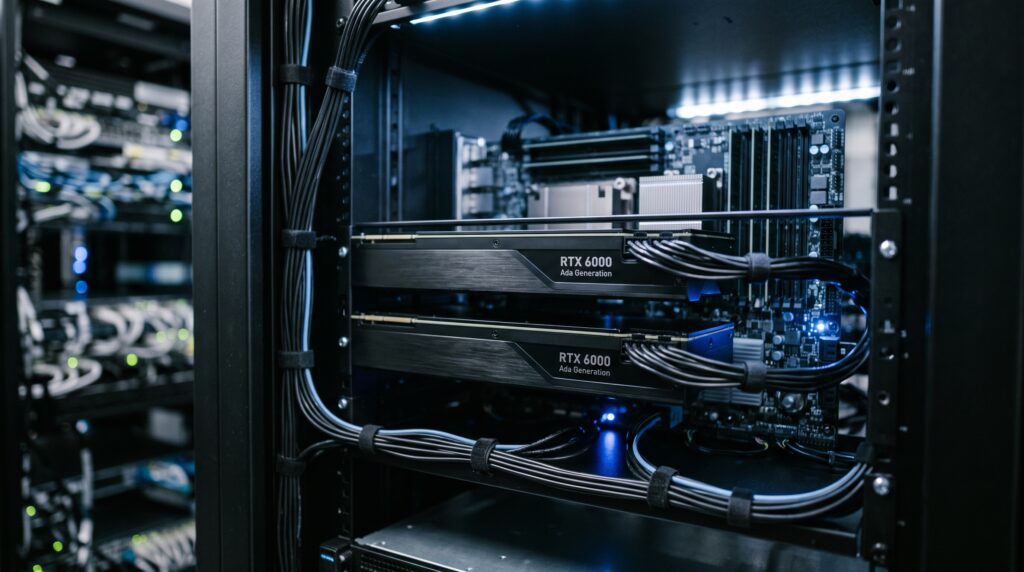
The ultimate architecture for communities demanding zero downtime and processing heavy computer vision pipelines (like real-time gate logging and drone inspections).
[30 High-Res Cameras] ──► [Local Isolated PoE Switch] ──► [Dual RTX 6000 Ada Engine] ──► 100% Local Actions
- Outcome over Features: This hardware combination processes 30 continuous video feeds (including 10 high-resolution 4K ALPR gate cameras) entirely in the security office. It detects unauthorized vehicles, maps property damage from drone photos, and flags perimeter breaches instantly—all without sending a single byte of resident data over the internet.
- Best For: Large, premium communities requiring instantaneous multi-stream analytics and flawless compliance.
- Key Strengths: Features 48GB of GDDR6 ECC memory. In continuous 24/7 environments, cosmic rays or electromagnetic interference can flip data bits. ECC identifies and fixes these errors on the fly. It supports heavy model sharding via ExLlamaV2 and TabbyAPI effortlessly.
- Limitations: The initial price tag requires a significant up-front capital investment.
- Pricing: Custom system builds generally run around $36,000 for the core inference station.
- Pros:
- Zero recurring cloud subscription fees.
- Flawless compliance under BIPA and CCPA regulations.
- Massive performance headroom via 568 4th-Gen Tensor Cores.
- Cons:
- Requires a qualified local systems integrator for initial setup.
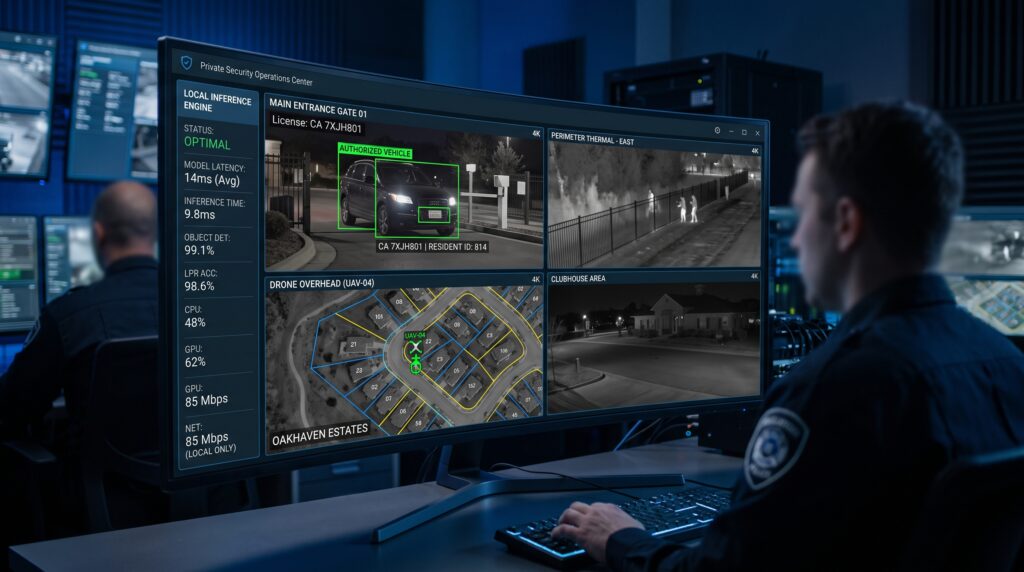
Editor’s Take
If your board manages a premium gated estate with stringent privacy requirements and multiple 4K cameras, then investing in an RTX 6000 Ada infrastructure is your safest path, because it eliminates data leaks while delivering the massive VRAM necessary to host advanced vision-language models smoothly.
2. NVIDIA RTX A6000 Architecture (The Value Alternative)
A reliable, stable previous-generation platform that keeps data safe without stretching capital reserve funds thin.
- Outcome over Features: The RTX A6000 platform processes neighborhood rules compliance (CC&R violations) at a slightly slower inference speed but achieves identical privacy guarantees. It reads license plates at gates and automatically cross-checks them against the community’s local database.
- Best For: Mid-sized communities prioritizing long-term data security over ultra-fast processing speeds.
- Key Strengths: It retains the vital 48GB ECC memory profile, preventing system lockups during extended local model analysis sessions.
- Limitations: Built on older Ampere architecture, its processing throughput for large multi-modal vision tasks is significantly lower than its Ada counterpart.
- Pricing: Mid-tier server setups start around $22,000.
- Pros:
- Lower initial acquisition cost.
- Full support for professional virtualized GPU environments.
- Excellent long-term hardware reliability.
- Cons:
- Higher power draw per token generated compared to newer architectures.
Editor’s Take
If your HOA budget is strictly capped but you refuse to compromise on data security and legal compliance, then the RTX A6000 provides a resilient alternative, because it protects your community from data leaks while keeping memory-heavy local models active.
3. Consumer-Grade NVIDIA RTX 4090 Setups (The Operational Risk)
A high-performance consumer desktop graphics card often mistakenly used by cost-cutting boards to run local software.
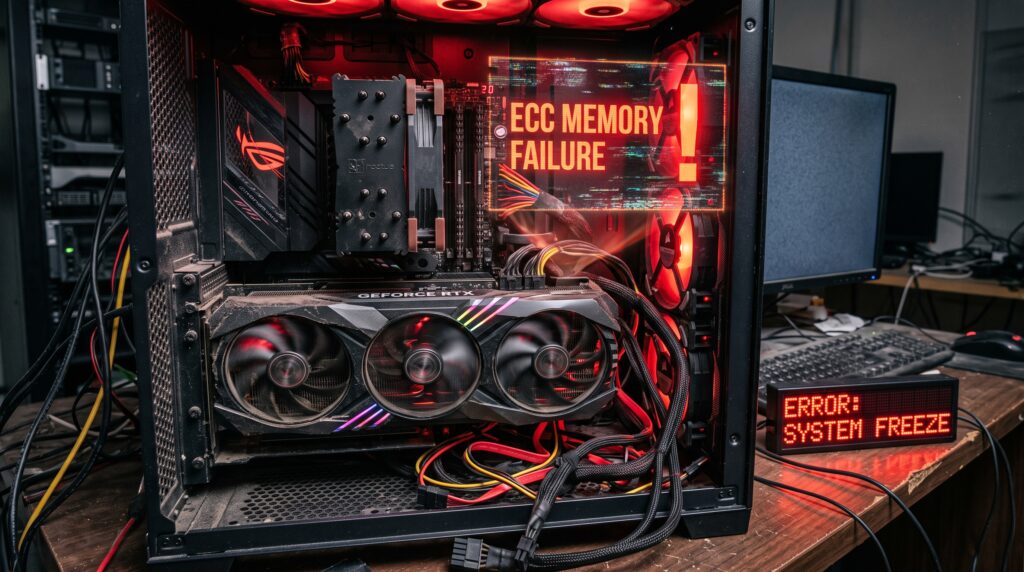
- Outcome over Features: While an RTX 4090 handles individual text requests quickly, using it for continuous community security results in frequent system lockups, corrupted metadata indexes, and gaps in gate log records.
- Best For: Individual AI hobbyists, but completely unsuitable for continuous neighborhood safety operations.
- Limitations: It lacks ECC memory entirely. Running vision pipelines 24/7 on non-ECC memory guarantees unrecoverable system crashes that require manual reboots. Additionally, it features only 24GB of VRAM, making it impossible to hold both large vision and language models simultaneously without massive degradation in performance.
- Pricing: Consumer workstation rigs cost roughly $8,000 to $12,000.
- Pros:
- Cheap upfront purchase price.
- High raw processing speeds for single tasks.
- Cons:
- Lacks ECC memory stability (guarantees system crashes).
- 24GB VRAM ceiling restricts advanced language workflows.
- No enterprise warranty or support agreements.
Who Should NOT Buy an Air-Gapped AI System?
An air-gapped deployment is not the right choice for every organization.
You should avoid investing in dedicated offline AI infrastructure if:
- Your HOA manages fewer than 100 residential units.
- Your community operates fewer than five security cameras.
- You have no secure server room or IT support.
- Your staff only use AI occasionally for document drafting or email generation.
- Your annual technology budget cannot support long-term hardware maintenance.
For these organizations, enterprise cloud AI subscriptions usually provide a better balance between cost and functionality.
Editor’s Take
If you are looking for an enterprise-ready system to run automated community operations, then you should avoid consumer-grade cards entirely, because a system failure at a vehicle entry gate due to a memory error exposes the community to unneeded security risks and operational headaches.
The Core Open-Source Models Evaluated
To make this offline hardware functional, your system integrator will deploy open-source models inside your local network. Here are the two industry standards for community automation:
Llama 3.3 70B (Quantized Q4_K_M)
- The Role: The local brain that understands community rules, regulations, and database queries.
- The Outcome: When the vision model flags an issue (e.g., a commercial vehicle parked on the street overnight outside allowed hours), Llama 3.3 reviews your community’s specific CC&R documents stored in its local cache. It verifies the violation, pulls the homeowner’s name from a secure offline database, and drafts a precise, professional warning letter—complete with the correct rule citation—for the property manager to review and print.
Llama 3.2 Vision 11B
- The Role: The visual eye that processes camera frames and automated drone inspections.
- The Outcome: It analyzes security images frame-by-frame or handles batch files imported via physical SD cards from autonomous drone inspections. Instead of a human spending hours watching video files, the model identifies infrastructure damage, cracks in community walls, or unapproved architectural modifications in seconds, outputting clean data files directly to your internal database.
Related Reading
Choosing the right AI infrastructure is only one part of a successful deployment strategy.
If you’re still comparing different deployment models, read our complete guide on Cloud AI vs. On-Premises AI to understand the long-term cost, compliance, and performance differences.
If your primary concern is protecting sensitive resident information, our Private AI Beginner’s Guide explains how organizations can deploy secure local language models while maintaining full control over proprietary data.
Buying Advice: How to Calculate Your Real Costs
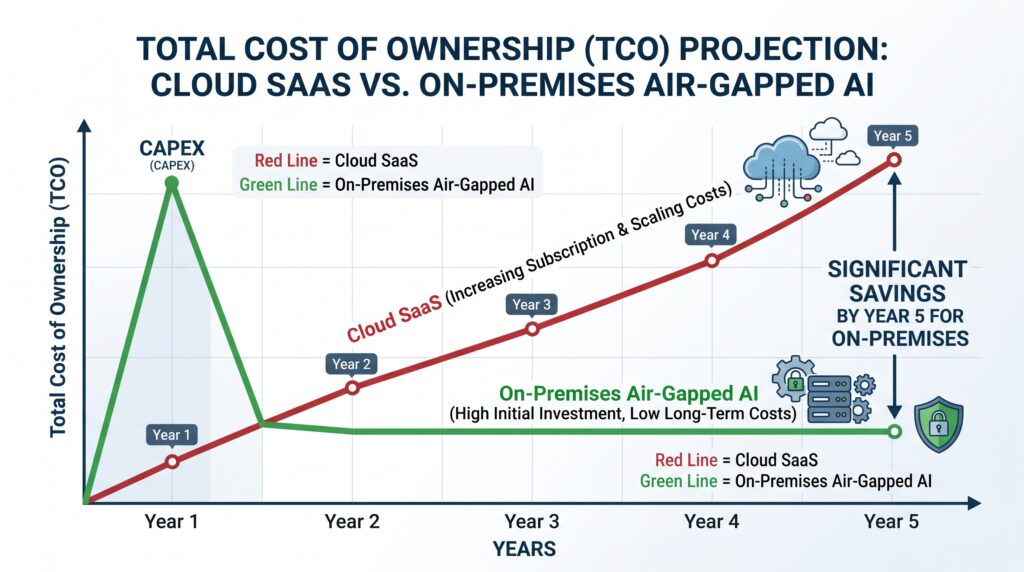
Choosing between cloud-based software as a service (SaaS) and local air-gapped hardware requires looking at the total cost of ownership (TCO) over a standard five-year cycle.
The chart below breaks down the financial path for a 1,000-home community comparing traditional cloud platforms to an on-site, air-gapped system.
Five-Year TCO Progression (1,000 Homes)

Cloud SaaS:   [$$$ $59.7K] ──► [$$$$$$ $119.4K] ──► [$$$$$$$$$$$$$ $298.5K]
Air-Gapped:   [$$$$$$$ $72.5K] ──► [$$$$$$$$ $80.1K] ──► [$$$$$$$$$$ $102.8K] (Saves ~$195K!)
The Financial Breakdown
- The Cloud SaaS Approach (High Ongoing Costs): At a typical $4.00 per home monthly fee, plus cloud camera licenses and API token usage for processing drone imagery, a 1,000-home HOA spends approximately $59,700 every single year in operational costs. This expense never ends and often rises over time.
- The Air-Gapped Approach (One-Time Setup): Purchasing an enterprise server with two RTX 6000 Ada cards, a large 120TB local storage vault, an automated inspection drone, and professional setup costs roughly $65,000 upfront. Yearly running costs (electricity and local tech support) hover around $7,576.
The numbers prove that an offline AI system pays for itself in just 15 months. By year five, the community saves $195,616—funds that can be redirected into neighborhood improvements or lowering resident dues.
Who Should Use What?
Choose an On-Premises Air-Gapped System if:
- Your community operates under strict privacy laws (such as in California, Illinois, or Florida) and handles biometric or vehicle movement data.
- You want predictable, capped expenses over a five-year horizon without worrying about shifting software fees.
- Your security team manages extensive perimeter cameras and automated physical inspections.
Choose a Standard Cloud Platform if:
- Your HOA manages fewer than 100 units and does not collect sensitive license plate or identity logs.
- You do not have a secure room or office to house a local server.
- The board is comfortable with ongoing, variable monthly subscription fees.
Alternatives to Local AI Infrastructure
- Hybrid Local VMS Platforms: Systems that use smart cameras on-site to handle basic motion alerts while keeping video storage on local network drives. This avoids advanced automation but limits data upload exposure.
- Standard Non-AI Manual Management: Keeping an operational staff on-site to manually log entries and walk the neighborhood for rules enforcement. This avoids upfront tech expenses but remains slow, subjective, and expensive over time due to labor hours.
Frequently Asked Questions
How does the system update if it has no internet access?
Updates are handled through a secure service agreement. Every six months, a technician physically loads updated open-source model updates onto the server using a secure, encrypted external drive.
What happens if the local software experiences an error?
Enterprise setups use self-healing code containers (Docker). If the local system encounters a memory freeze or processing loop, an independent script detects the issue, flushes the system’s temporary memory cache, and restarts the engine automatically in seconds without requiring human intervention.
Will the system automatically fine residents without a human checking?
No. The system is designed to use a strict human-in-the-loop workflow. The AI acts purely as an administrative filter, flagging potential issues and drafting the necessary paperwork. Property managers must review the evidence on an internal dashboard and approve it before any notices are sent out.
Can an Air-Gapped AI system connect to the internet later?
Yes. Administrators can temporarily connect the system for software updates or security patches. However, most enterprise deployments keep internet access disabled by default to maintain maximum security.
Is Air-Gapped AI more secure than Private Cloud?
In most situations, yes. Since an air-gapped system operates without continuous internet connectivity, the attack surface is significantly smaller than even a well-configured private cloud environment.
Can ChatGPT run inside an Air-Gapped network?
No. ChatGPT requires OpenAI’s cloud infrastructure. Organizations that require fully offline AI generally deploy open-source models such as Llama or DeepSeek instead.
How much maintenance does an Air-Gapped AI server require?
Most enterprise systems require periodic hardware inspections, software updates, storage monitoring, and backup verification every few months. Many organizations outsource these tasks to certified local system integrators.
Key Takeaways
Air-gapped AI is no longer reserved for government agencies or defense organizations. As privacy regulations become stricter and AI workloads continue to grow, offline infrastructure is becoming a practical option for premium property management companies.
The right deployment ultimately depends on balancing operational requirements, regulatory compliance, available IT expertise, and long-term financial planning rather than simply choosing the fastest hardware.
Final Recommendation
- If your priority is long-term data privacy, zero recurring subscription fees, and protection from data liability, choose an enterprise NVIDIA RTX 6000 Ada Server Build combined with localized Llama models. The system completely removes your community’s data footprint from the internet and pays for itself within its first year and a half.
- If your priority is low upfront capital costs and minimal local infrastructure, skip the custom hardware entirely and stick with a basic cloud-based video provider, but make sure your legal counsel prepares a robust liability waiver for resident data exposure.
Your Next Step: Have your community manager map out all active security cameras and check your state’s current compliance rules regarding license plate storage. Use those numbers to get a formal quote from a local enterprise infrastructure provider.