The classroom environment is going through a quiet but profound shift. Artificial intelligence has moved past the experimental phase and is now a core piece of daily educational infrastructure, reshaping how lesson plans are built, classrooms are managed, and academic performance is tracked.
Data from the Stanford Institute for Human-Centered Artificial Intelligence (Stanford HAI) 2026 AI Index Report reveals that nearly 80% of high school and college students now routinely rely on automated systems for their academic tasks. On the flip side, the OECD TALIS Digital Education Outlook Survey shows a different pace for educators: only 37% of middle school teachers have integrated these systems into their daily routines. Still, among those who have, 57% agree that it significantly cuts down the time needed to draft lesson plans, though a resounding 72% remain deeply concerned about academic integrity and fairness in grading.
For a smart educator, choosing an AI assistant isn’t about chasing the flashiest software. It is about finding practical, secure tools that actually reduce the administrative burden. This evaluation cuts through the marketing hype to review the top automated grading, lesson planning, and engagement platforms on the market, giving you a clear look at where to invest your time and budget.
Best AI Tools for Teachers: Which Type Do You Actually Need?
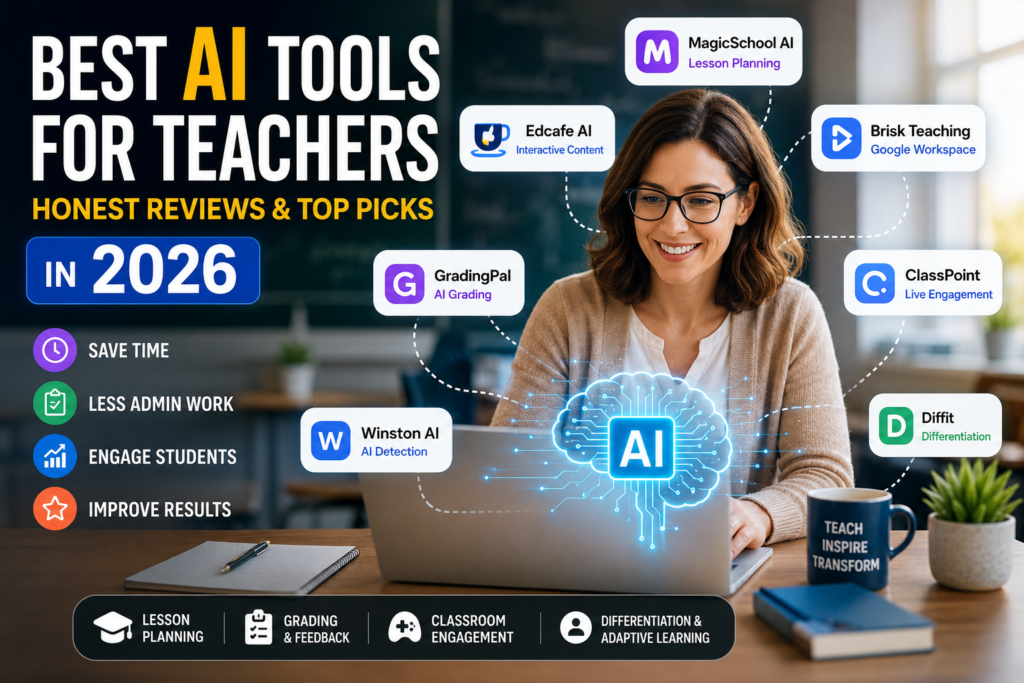
To build a streamlined workflow, it helps to match specific platforms to your actual teaching tasks. The current market separates these systems into four distinct buckets:
- Content Design and Lesson Planning: These platforms focus on cutting down the hours spent drafting raw lesson outlines, generating slide decks, and building aligned student activities. Top options include MagicSchool AI, Edcafe AI, and Brisk Teaching.
- Assessment and Feedback Engines: Moving past old-school multiple-choice builders, modern systems use optical character recognition (OCR) to read handwritten student work or analyze long-form essays against custom rubrics. GradingPal and CoGrader lead this space.
- Gamification and Live Engagement: These tools turn static presentations into interactive discussions by embedding real-time questions directly onto student devices, led by platforms like Quizizz AI and ClassPoint.
- Differentiation and Adaptive Learning: These platforms help teachers adapt a single piece of source material for multiple reading levels, using tools like Diffit or secure data environments like Google NotebookLM.
Head-to-Head: Top Educational Platforms At a Glance
| Tool Name | Core Function | Target Audience | Free Tier | Starting Cost (2026) |
| MagicSchool AI | Administrative & Lesson Planning | K-12 Teachers | Yes (Limited features) | $12.99 / month |
| Edcafe AI | Interactive Content & Output Tracking | K-12 & Higher Ed | Yes (100 credits/mo) | $7.99 / month |
| Brisk Teaching | Workspace & Browser Integration | Google Workspace Users | Yes (Limited frequency) | $14.99 / month |
| GradingPal | Handwritten Work & OCR Grading | STEM & Primary Teachers | Yes (Basic essays) | Tiered Lite & Pro plans |
| Winston AI | Plagiarism & AI Generation Scanning | Reviewers & Professors | Yes (2,000 words total) | $10 / month |
| ClassPoint | Live Presentation Interactive Add-on | PowerPoint Presenters | Yes (Max 25 students) | $8 / month |
| Diffit | Reading Level Differentiation | Mixed-ability & ESL Classes | Yes (Basic text) | Approx. $8 / month |
In-Depth Reviews: The Best AI Tools for Educators
1. MagicSchool AI — The Best All-in-One Administrative Assistant
Overview
MagicSchool AI is one of the most widely adopted platforms in the K-12 space. Instead of forcing teachers to learn complex prompt engineering, it packages complex backend models into simple, clickable forms tailored to daily school tasks.
Key Features
The platform offers a massive library of dozens of specialized tools for both instructors and students. A notable feature is Studio Mode inside its Raina chat assistant, which lets you edit the layout and structure of generated text directly on the screen without copying it to an outside document. It also includes an automated curriculum podcast generator that turns text into natural audio, alongside an educational song builder designed to turn dry formulas into catchy melodies.
Pros & Cons
One major benefit is how approachable it feels; you do not need technical expertise to get useful results. The form-based setup covers almost everything from lesson outlines to parent emails. Here’s the catch: because it relies so heavily on rigid templates, the writing style can sometimes feel formulaic. Additionally, the free version enforces strict character limits that can interrupt your workflow if you use it heavily throughout the day.
Pricing
The basic free version lets you test the water. Unlocking unlimited generation and advanced features requires the Plus plan at $12.99 per month (or $99.96 if paid annually). District-wide Enterprise plans start around $3.999 per year, scaling with student enrollment.
Buying Advice
- Who Should Use It: K-12 teachers who find themselves drowning in paperwork and want a single, central platform to reclaim 7 to 10 hours of administrative time each week.
- Who Should Skip It: Higher education professors who require deep academic research or highly custom, non-templated analysis.
- Best Alternative: Brisk Teaching or Edcafe AI.
- Is It Worth Paying For? Yes. If you routinely write IEP accommodations, lesson plans, and newsletters, the annual plan pays for itself in time saved.
- Quick Verdict: A reliable, wide-reaching platform that serves as the perfect entry point for teachers looking to reduce their administrative workload.
- Overall Rating: 9.3/10
2. Edcafe AI — The Best for Closed-Loop Student Interaction
Overview
While many tools leave you to figure out how to share generated work with your class, Edcafe AI handles the entire lifecycle. It connects content creation directly to student distribution and data tracking within a single dashboard.
Key Features
The workflow is exceptionally smooth. You paste a educational video link or drop in a PDF research paper, and the system automatically extracts the core concepts to build a reading comprehension assignment with quizzes. Using the “Assign” feature, the platform generates a unique QR code. Students scan this code to complete the work on their own devices without needing to create an account, and their scores stream instantly back to your dashboard. It also lets you train custom chatbots using only your classroom’s specific materials.
Pros & Cons
The account-free student login via QR codes is a massive time-saver in real-world classrooms. The Google Drive-style folder structure also makes it easy to organize materials. One limitation is that the platform is completely designed for digital screens; it does not output clean, print-ready worksheets for paper-based classrooms. Furthermore, the free tier restricts you to 100 generation credits per month.
Pricing
The Free tier gives you 100 creation actions per month. Stepping up to the Pro plan starts at $7.99 per month, making it one of the more affordable interactive options on the market.
Buying Advice
- Who Should Use It: Instructors running 1:1 device classrooms or blended learning environments who want a quick way to turn web content into trackable assignments.
- Who Should Skip It: Traditional teachers who do not allow devices in class and need to print out physical handouts.
- Best Alternative: Quizizz AI.
- Is It Worth Paying For? Yes, especially if you want real-time insight into how students are interacting with digital reading materials.
- Quick Verdict: An excellent bridge between automated content generation and active classroom tracking.
- Overall Rating: 8.9/10
3. GradingPal — The Best for Handwriting and STEM Evaluation
Overview
Grading papers is arguably the most draining part of teaching. GradingPal tackles this problem for physical classrooms by applying advanced visual scanning to traditional, paper-based student work.
Key Features
Powered by updated optical character recognition (OCR), this system reads handwritten primary school penmanship, complex math equations, and drawn physics or chemistry diagrams from a photo or scanned PDF. It breaks down student answers against your specific rubric, manages partial credit step-by-step, and syncs the final scores directly back to major learning management systems like Google Classroom with one click.
Pros & Cons
The ability to read handwritten text drastically cuts down the time spent squinting at student papers. It also delivers detailed, qualitative comments using established pedagogical frameworks like the “Glow & Grow” model. However, the accuracy of the visual scanning depends heavily on photo quality. If a student uploads a blurry image taken in low light, the system can misinterpret the answers. There is also an upfront time investment required to build and calibrate your rubrics before you can scan assignments.
Pricing
GradingPal offers a basic free tier for standard essay reviews and class roster syncing. Paid options are split into a monthly Lite plan (with capped assignment volume) and an unrestricted Pro plan that unlocks advanced grade distribution analytics and shared rubric libraries.
Buying Advice
- Who Should Use It: STEM teachers and elementary educators who grade a massive volume of handwritten worksheets but want to maintain a digital gradebook.
- Who Should Skip It: Educators who already conduct 100% of their assessments via computer-based testing platforms.
- Best Alternative: Gradescope for university-scale grading, or CoGrader for humanities-focused writing.
- Is It Worth Paying For? If you spend your Sundays grading stacks of math worksheets, the time saved makes this a highly practical investment.
- Quick Verdict: A standout tool that brings old-school paper assignments into the digital age.
- Overall Rating: 8.7/10
4. Brisk Teaching — The Best Zero-Interface Chrome Extension
Overview
Brisk Teaching takes a completely different approach to design: instead of making you log into an outside website, it lives directly inside your browser, working invisibly alongside your current digital environment.
Key Features
Once installed as a Chrome or Edge extension, a small Brisk icon sits quietly in the corner of your screen. Whenever you open a Google Doc, a slide deck, a web article, or a YouTube video, a single click lets you transform that page. Brisk can analyze a student’s essay in Google Docs to write a detailed feedback rubric, lower the reading level of a news site for struggling readers, or generate quiz questions from a video. It also features Brisk Boost for creating safe student workspaces and Brisk Next to suggest immediate pedagogical changes based on class data.
Pros & Cons
The absolute biggest draw is convenience; you never have to change tabs or leave Google Workspace. The processing speeds are remarkably fast. The good news is that the free tier is incredibly generous, providing access to more than 35 core tools. Still, there is a catch: you are locked into Chromium-based browsers. If your school relies on Safari or Firefox, the extension won’t load, and you must work entirely within cloud ecosystems like Google or Microsoft.
Pricing
The Educator Free plan is genuinely useful for daily use, though it limits how frequently you can run generations. The individual Educator Pro tier costs $14.99 per month, while school-wide deployment requires a custom institutional quote.
Buying Advice
- Who Should Use It: Teachers who run their entire class through Google Classroom and Google Docs and don’t want to learn how to navigate a complicated new software interface.
- Who Should Skip It: Instructors who work entirely with offline software or prefer the native Safari browser on Mac.
- Best Alternative: MagicSchool AI.
- Is It Worth Paying For? Try the free version first—it handles most daily tasks. Upgrade to Pro only if you hit the frequency limits during heavy grading weeks.
- Quick Verdict: The most natural, frictionless utility available for teachers working in the cloud.
- Overall Rating: 9.5/10
5. Winston AI — The Gold Standard for Academic Integrity
Overview
With students having widespread access to large language models, verifying the originality of academic work has become a major challenge. Winston AI serves as a strict digital filter to ensure grading remains fair and transparent.
Key Features
Winston AI boasts a verified 99.98% accuracy rate when identifying text generated by commercial models like ChatGPT, Claude, and Gemini. What stands out is its ability to spot text that has been run through automated rewriting software or “humanizing” algorithms. It simultaneously cross-references submissions against a massive plagiarism database containing over 400 billion web pages and academic journals, outputting an easy-to-read, color-coded heat map.
Pros & Cons
The detection accuracy is arguably the highest on the market, keeping false accusations to a minimum. The heat map generation also gives teachers clear, visual proof to show a student during a face-to-face meeting. Here’s the catch: the platform charges based on word count rather than offering a flat, unlimited plan. Checking a document for AI use costs one credit per word, scanning for plagiarism costs two, and checking an image for deepfakes burns through 200 to 500 credits. Costs can skyrocket quickly if you are reviewing long-form research papers across multiple classes.
Pricing
The platform gives you a 14-day trial capped at 2,000 words. The Essential plan costs $10 per month (billed annually) for up to 80,000 words, while the Advanced plan runs $16 per month for 200.000 words and supports small team access.
Buying Advice
- Who Should Use It: University professors, humanities instructors, and academic reviewers who deal with long-form writing where original authorship is critical.
- Who Should Skip It: Math or science instructors whose assignments consist primarily of formulas, code, or short answers.
- Best Alternative: Copyleaks or GPTZero.
- Is It Worth Paying For? Yes, especially if your institution demands verifiable evidence to back up academic integrity violations.
- Quick Verdict: The most precise and professional platform for maintaining authorship standards in writing-heavy courses.
- Overall Rating: 9.1/10
6. ClassPoint — The Best Interactive PowerPoint Add-in
Overview
Instead of forcing students to close your lecture slides to log into a completely separate game website, ClassPoint transforms your existing Microsoft PowerPoint deck into a live, interactive environment.
Key Features
The software embeds a specialized toolbar directly into the PowerPoint ribbon. Its automated question engine scans your current slide content to instantly generate multiple-choice, fill-in-the-blank, or short drawing prompts. Students join via their smartphones by scanning a screen code. The highlight here is the complete built-in gamification engine, which allows you to award experience stars, level up student badges, and display live leaderboards directly on the main projection screen.
Pros & Cons
Because it lives inside PowerPoint, you do not have to abandon your existing catalog of lecture slides. The live leaderboards and star rewards are excellent for keeping middle and high school students focused. One limitation is that it demands a totally stable internet connection for both the teacher’s computer and every single student device throughout the lesson. Furthermore, the free version strictly caps your audience size at 25 students, which makes it unusable for standard-sized public school classrooms without upgrading.
Pricing
The Basic plan is free but limits you to 25 students and a maximum of 5 questions per PowerPoint file. The Pro plan costs $8 per month (billed annually at $96) to expand capacity to 200 students and unlock full gamification tools.
Buying Advice
- Who Should Use It: Instructors who give live, slide-based lectures and want an integrated way to check for understanding without swapping programs.
- Who Should Skip It: Educators who prefer Google Slides or Apple Keynote, or those teaching in schools with unreliable Wi-Fi networks.
- Best Alternative: Quizizz AI or Curipod.
- Is It Worth Paying For? Yes. For slide-driven classrooms with adequate student device access, it completely changes the energy of a live lecture.
- Quick Verdict: A seamless upgrade that turns passive lectures into high-energy, interactive review sessions.
- Overall Rating: 9.0/10
Macro Shifts in Educational Technology
Stepping back to look at the broader landscape, three major movements are fundamentally changing how school systems operate:
From Fragmented Utilities to Unified Ecosystems
The era of teachers juggling passwords for a dozen separate apps is coming to a close. The current market favors integrated academic platforms where data flows freely between tools. Student performance metrics from an interactive quiz or grading engine need to sync automatically into the school’s core Learning Management System (LMS like Canvas or Moodle) without requiring tedious CSV exports. Software that stands alone without smart API integrations is rapidly losing its competitive edge.
Shift from Raw Grades to Adaptive Progress Tracking
Learning analytics are moving far past end-of-term grade tallies. Intelligent algorithms now track how a student actively engages with learning materials—measuring how long they linger on a specific digital textbook page, which question patterns consistently trigger mistakes, or when their attention flags. This data allows platforms to generate custom review tracks, letting administrators intervene long before a student actually fails a formal exam.
The Rise of the Custom-Trained Assistant
Instead of relying on general-purpose chat models, modern teachers are building virtual assistants trained exclusively on their own coursework. By feeding a secure, closed system their specific syllabi, reference texts, and grading guidelines, educators can deploy an assistant that answers student questions late at night. This ensures responses stay perfectly aligned with what was taught in class that morning.
Data Security and Academic Ethics
With these conveniences come serious legal and ethical responsibilities that institutions cannot afford to ignore.
Student Data Exposure Risks
A common, dangerous mistake occurs when teachers copy student essays, grades, or disciplinary notes—complete with names and identifiers—and paste them into commercial AI models to quickly generate report card comments or parent emails. This inadvertently exposes sensitive student data to commercial training datasets outside the school’s control, violating core privacy standards.
Educational institutions must verify that any software used meets strict compliance frameworks like FERPA (protecting educational records) and COPPA (protecting children under 13). Student data must remain encrypted and entirely isolated from public training cycles.
Algorithmic Bias and Fairness
Automated text scanners are typically calibrated on language datasets written by native English speakers. For English as a Second Language (ESL) students, who often rely on structured, highly formal grammar patterns, their natural writing style can trigger false positives on AI detectors. Their lower vocabulary variance can cause a tool like Winston AI or GPTZero to flag an entirely original essay as machine-generated. Educators who treat detector scores as absolute proof risk alienating students and damaging trust within the classroom.
Metacognitive Laziness vs. Productive Friction
Handing homework over to a chatbot can create a surface-level illusion of success: flawless homework grades covering up a total lack of actual comprehension. When a system handles all the heavy lifting—like building arguments or synthesizing data—the student loses the cognitive exercise required to build critical thinking skills. To combat this, the teaching community must separate two concepts:
                  ┌─────────────────────────────────────┐
                  │      CLASSROOM COGNITIVE FRICTION   │
                  └─────────────────────────────────────┘
                                     │
            ┌────────────────────────┴────────────────────────┐
            ▼                                                 ▼
┌───────────────────────────────────────┐         ┌───────────────────────────────────────┐
│        UNPRODUCTIVE FRICTION          │         │          PRODUCTIVE FRICTION          │
├───────────────────────────────────────┤         ├───────────────────────────────────────┤
│ • Formatting document styles          │         │ • Deep text comprehension             │
│ • Organizing assignment calendars     │         │ • Structural outlining and drafting   │
│ • Sourcing raw material links         │         │ • Iterative editing and argument fix  │
├───────────────────────────────────────┤         ├───────────────────────────────────────┤
│    Automate to free up teacher time   │         │    Protect at all costs for student   │
└───────────────────────────────────────┘         └───────────────────────────────────────┘
- Unproductive Friction: Administrative tasks like styling documents, setting up calendars, or hunting down research links. These are great candidates for automation.
- Productive Friction: The hard work of close reading, structural drafting, and iterative editing. This is where deep learning happens, and it must be protected from total automation.
Strategic Recommendations for the Modern Educator
To stay ahead of these technological shifts while keeping your classroom grounded, consider these three structural changes:
- Overhaul Your Assessments: Move away from standard take-home essays, which are the easiest assignments to automate with outside assistance. Shift toward process-based grading: live classroom presentations, small-group debates, or requiring students to share their Google Docs Version History Log to prove their writing process over time.
- Establish Clear Usage Tiers: Set transparent rules for when and how students can use automated utilities. A simple three-tier framework works best: Tier 1 (Unrestricted) for spelling and grammar adjustments; Tier 2 (Guided) for brainstorming or structural outlines, provided the prompts are cited; and Tier 3 (Prohibited) during formal exams to protect core analysis skills.
- Keep a Human in the Loop: Always remember that technology should only serve as an administrative assistant. Final grading choices, long-term mentoring advice, and the emotional encouragement students need must remain the sole territory of the teacher. The pairing of smart software with a dedicated educator is what ultimately builds a successful modern classroom.
Frequently Asked Questions (FAQ)
Are AI writing detectors completely accurate?
No. Even top-tier platforms like Winston AI can produce false positives. An originality score should only serve as an initial flag, never as the single piece of evidence used to penalize a student. Always follow up with a direct conversation about the student’s research process.
How do I keep student records secure when using these platforms?
Always sign up using an official Education account managed by your school district rather than a personal consumer account. Never paste identifiable data like full names, student IDs, or contact details into standard text entry fields.
If I have zero budget, which platform should I adopt first?
Brisk Teaching is your best starting point. Its free tier gives you access to an incredible number of core lesson-planning and text-leveling utilities directly inside your browser without forcing you to change your daily workflow.
If you’re exploring more AI solutions for education and productivity, you may also find these guides helpful:
- ChatGPT Review – Discover how ChatGPT can help teachers create lesson plans, classroom activities, quizzes, and educational content more efficiently.
- Google Gemini Review – Learn how Gemini supports research, lesson preparation, and multimodal teaching workflows.
- Claude AI Review – See why many educators choose Claude for long-form writing, document analysis, and thoughtful classroom content.
As AI continues to evolve, choosing the right tool depends on your teaching style, classroom needs, and workflow. Exploring different platforms can help you find the combination that saves the most time while improving the learning experience.