1. Introduction: The Bottleneck in Scaling Globally
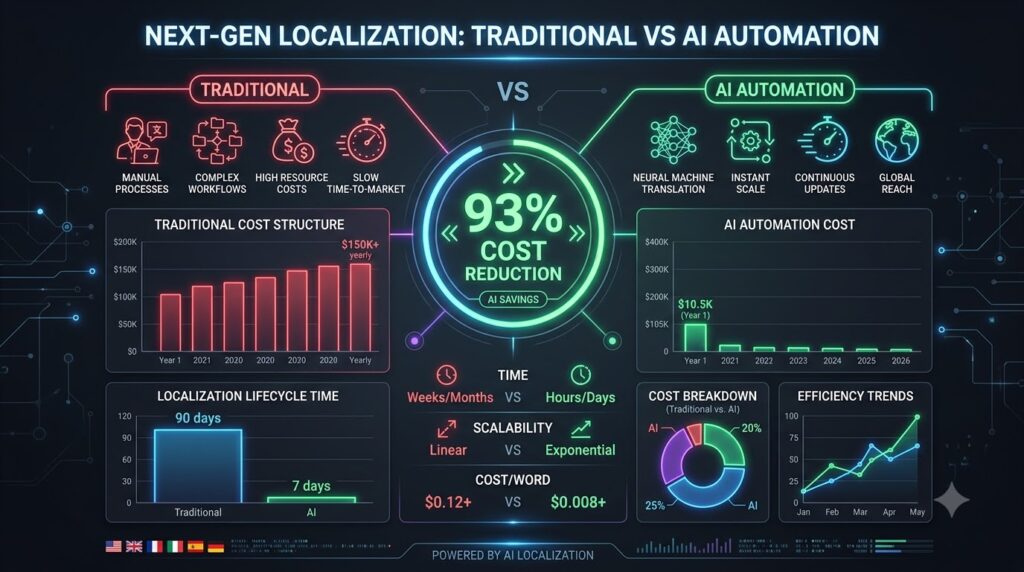
In this Palabra.ai vs Lokalise comparison, we will analyze which AI solution helps your SaaS scale globally fastest. If your SaaS product has reached a stable Product-Market Fit (PMF) domestically but your Monthly Recurring Revenue (MRR) growth is hitting a plateau, the problem usually isn’t your features or product quality. The core issue is that your application is locked behind a single language barrier.
However, expanding internationally the traditional way is a constant headache for both Founders and Engineering teams:
- Exorbitant Upfront Costs: Traditional translation agencies quote anywhere from $10,000 to $25,000 per new language. If you want to cover 5 to 10 markets, your budget quickly skyrockets into six figures.
- Sluggish Time-to-Market: Every time your Product team rolls out a new feature or tweaks a UI string, you end up waiting 3 to 4 weeks for the agency to translate and return the files.
- Accumulating Technical Debt: Tech Leads and Developers waste dozens of engineering hours every month manually extracting, managing, resolving Git merge conflicts, and testing i18n files (JSON, PO, YAML) instead of shipping core features.
“Localization isn’t just about translating words. It’s about shipping velocity and building a scalable, cost-effective global infrastructure.”
Even when upgrading to legacy TMS (Translation Management System) platforms like Lokalise or Crowdin, budgets get continuously eaten away by seat-based pricing models and strict word count quotas.
The industry shift in 2026 is crystal clear: The breakthrough solution isn’t hiring more translators or buying clunky TMS tools—it’s automating your entire localization workflow with Palabra.ai’s real-time AI infrastructure.
2. The Hidden Technical Debt of Manual i18n Workflows

Many founders only focus on surface-level translation costs while ignoring the massive hidden cost of engineering hours. When executing localization the old-fashioned way, your dev team suffers from:
- i18n File Bloat: Managing hundreds of files like
en.json,es.json,ja.json, etc. As your codebase grows, missing translation keys trigger broken UI components or throw raw error codes right in front of end users. - UI Truncation & Layout Overflow: English words are significantly shorter than their German or French equivalents. A simple “Submit” button in English turns into “Kostenpflichtig bestellen” in German, overflowing containers, wrecking responsive layouts, and tanking landing page conversion rates.
- Loss of Context: Passing raw JSON strings containing variables like
Hello {user_name}, you have {count} messagesto external linguists leads to out-of-context translations that break grammar rules—or worse, break your code syntax.
3. Palabra.ai vs Lokalise: The Operational & Cost Comparison Matrix
To help leadership teams make an informed decision, here is a complete side-by-side comparison of the three most popular localization approaches:
| Metric / Criteria | Traditional Translation Agency | Legacy TMS Platforms (Lokalise, Crowdin) | Palabra.ai Automated AI Engine |
| Pricing Model | Per-word ($0.10 – $0.25/word). Recurring cost with every code update. | Subscription ($144 – $999+/mo) + per-seat / per-word add-ons + AI fees. | Transparent, predictable subscription based on API scale (Starting at $150/mo). |
| Deployment Speed | 2 to 4 weeks per release cycle. | 3 to 7 days (dependent on manual translation & approval turnaround). | Near-instantaneous (<1s latency) via real-time AI processing. |
| Engineering Overhead | Extremely High. Manual extraction and injection of JSON/YAML files. | Medium. Requires CLI setups, webhooks, and complex Git pipelines. | Minimal. Fast integration via JS/Python SDKs & REST APIs. |
| Contextual Accuracy | High, but inconsistent across different linguists. | Dependent on manually building and maintaining Translation Memories. | High precision via Custom Business Glossaries & AI context-awareness. |
| Scalability | Low. Time and cost scale linearly with each additional language. | Moderate. Capped by seat tiers and advanced user permissions. | Unlimited. Automatically scales across 60+ languages with a single setup. |
4. In-Depth Look: Palabra.ai’s AI Infrastructure
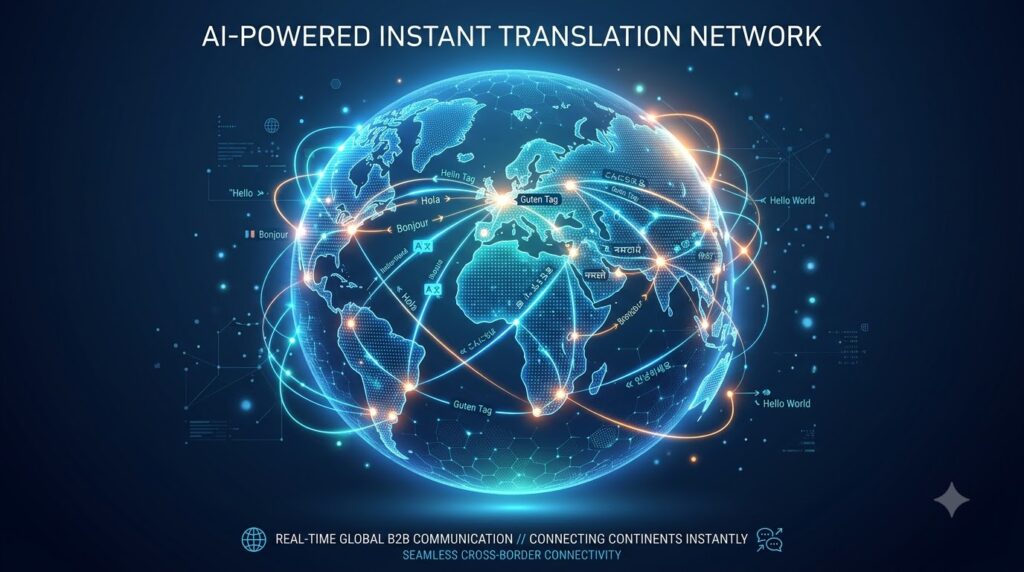
Palabra.ai isn’t just a translation tool; it is a full-fledged Localization-as-a-Service (LaaS) infrastructure engineered specifically for modern SaaS products.
+-------------------+      +-----------------------+      +-----------------------+
|    SaaS App       | ---> |  Palabra.ai AI Engine | ---> | Multilingual UI Render|
|  (Web/Mobile/App) |      | (Context + Glossary)  |      |   (Latency < 1s)      |
+-------------------+      +-----------------------+      +-----------------------+
Streamlined 3-Step Integration
Palabra.ai completely rewrites the software localization workflow by cutting out technical friction:
- Connect Infrastructure: Drop the Palabra SDK into your Web/Mobile application (React, Vue, Flutter, iOS/Android) or connect via WebRTC/WebSocket APIs with just a few lines of code.
- Configure Business Context: Upload your core brand terminology (Custom Business Glossaries) and brand rules so the AI understands your specific product vernacular.
- Automated Real-Time Translation: The AI engine automatically detects source strings, processes context in under 1 second, and renders a fully localized interface to global users.
Core Features Built for Product Teams
- Sub-Second Latency (<1s): Engineered for ultra-low latency, ensuring your page load speed and Core Web Vitals remain completely unimpacted.
- Custom Business Glossaries: Lock in proprietary feature names, brand terms, and domain jargon (e.g., keeping “Dashboard” or “Workspace” consistent across all markets).
- Voice Cloning & Audio Localization: Purpose-built for EdTech, Event, and Real-Time Communication platforms—allowing audio streams to be translated on the fly while retaining the speaker’s original voice tone and cadence.
- Automated QA & Layout Protection: The AI calculates string length dynamics to prevent UI overflow while safeguarding code variables (
{variable_name}) from being corrupted.
5. The Financial Model: Proving the ROI
Let’s run a real-world scenario for a mid-market SaaS company planning to localize a 40,000-word application into 6 target languages (Total processing volume: 240,000 words).
Option 1: Traditional Agency Costs
- Initial translation cost: $240,000 \text{ words} \times \$0.12/\text{word} = \$28,800 \text{ USD}$.
- Annual maintenance updates (estimated 20% codebase drift): $\$5,760 \text{ USD/year}$.
- Total Year 1 Cost: $\$34,560 \text{ USD}$ (excluding hundreds of engineering hours).
Option 2: Legacy TMS (Lokalise / Crowdin)
- Platform tier: $\$350 – \$999 \text{ /month}$.
- Seat add-ons for dev/PM/translator seats: $\sim \$1,500 \text{ USD/year}$.
- Total Year 1 Cost: $\$5,700 – \$13,488 \text{ USD/year}$ (plus ongoing manual review time).
Option 3: Palabra.ai (Pro Plan)
- Flat subscription fee: $\$150 \text{ /month}$.
- Total Year 1 Cost: $\$1,800 \text{ USD/year}$ (100% automated).
Cost Savings Formula:
$$\text{Savings} = \left( 1 – \frac{\text{Palabra.ai Cost}}{\text{Legacy Solution Cost}} \right) \times 100\%$$
Plugging in the figures comparing Palabra.ai to a traditional agency:
$$\text{Savings} = \left( 1 – \frac{1,800}{34,560} \right) \times 100\% = 94.78\%$$
Actual ROI: Businesses slash direct translation costs by 94.78% instantly while eliminating over 80% of ongoing engineering overhead.
6. Quickstart Guide for Developers
To test Palabra.ai’s real-time rendering speed and latency in your staging environment without touching production code, follow these three steps:
Step 1: Create a Sandbox Account
Sign up for a free trial on Palabra.ai’s platform (no credit card required).
Step 2: Retrieve Your API Key & Install the Library
Open your terminal and install the official SDK package:
Bash
# For Node.js / React / Web Applications
npm install @palabra-ai/translator

# Or using Yarn
yarn add @palabra-ai/translator
Step 3: Initialize the Integration
JavaScript
import { PalabraTranslator } from '@palabra-ai/translator';

const translator = new PalabraTranslator({
  apiKey: 'YOUR_API_KEY_HERE',
  targetLanguage: 'es', // Target Language: Spanish
  fallbackLanguage: 'en'
});

// The AI dynamically handles string translation and context
const translatedText = await translator.translate("Welcome back to your dashboard!");
console.log(translatedText);
7. Final Recommendation
Choosing the right localization strategy depends on your operational model and growth stage:
- CHOOSE a Traditional Agency if: You require heavily regulated legal documentation, enterprise contracts with legal certification, content that rarely changes, and have a massive budget.
- CHOOSE Lokalise / Crowdin if: Your organization has already built a heavily human-dependent translation pipeline with a large team of in-house translators who want granular manual control over every string.
- CHOOSE Palabra.ai if: You are a SaaS Founder, Tech Lead, or Product Manager looking to scale globally at maximum velocity, automate your entire i18n pipeline, and eliminate unnecessary operational overhead.
Editor’s Closing Thought: In the 2026 SaaS landscape, execution speed is survival. Delaying localization—or paying thousands of dollars for manual string translations—means handing global market share directly to more agile competitors.
Related Infrastructure & Deployment Guides:
As you scale your SaaS globally, optimizing your translation layer is just one part of building a modern tech stack. If you’re evaluating broader enterprise systems, check out our in-depth guides on top enterprise AI deployment strategies and our detailed breakdown of SaaS AI infrastructure vs dedicated servers to ensure your technical architecture is built for maximum efficiency and cost savings.
References
- Phrase Official Documentation. The Complete Guide to Software Localization. Available at: https://phrase.com
- Crowdin Blog. AI Localization: Automating Content Workflows in 2026. Available at: https://crowdin.com
- Lokalise Official Portal. Lokalise Pricing & Feature Comparison. Available at: https://lokalise.com
- Palabra.ai API Documentation. Real-Time AI Translator for Software & Live Audio Integration. Available at: https://docs.palabra.ai
- Capterra Software Reviews. Palabra.ai Profile, Features & Enterprise Pricing Overview. Available at: https://capterra.com