Executive Summary
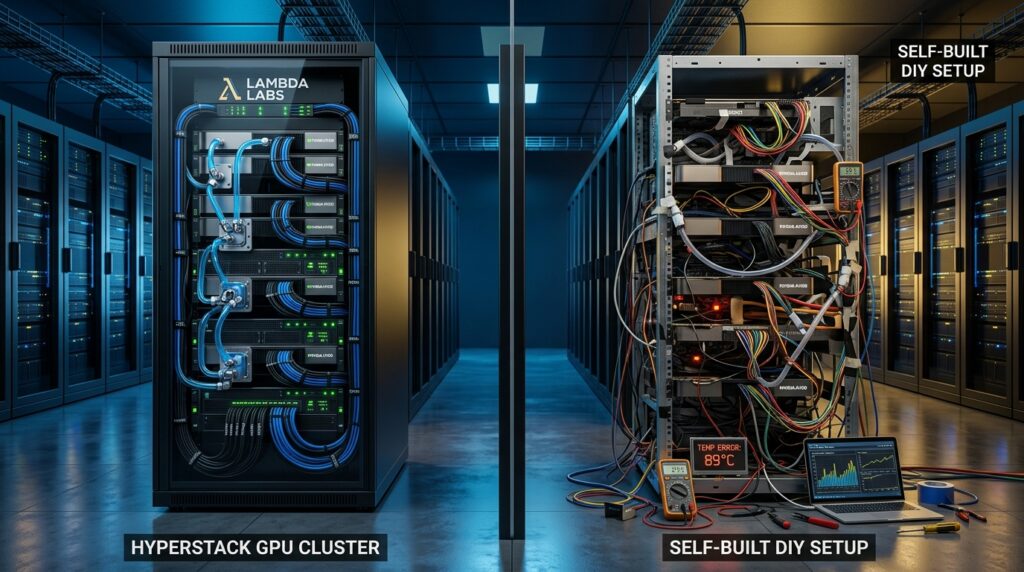
When evaluating options for Turn-Key vs DIY On-Premise GPU Nodes in 2026, choosing between pre-integrated GPU clusters and custom, self-built configurations is no longer just a hardware procurement question. It is a critical business decision that directly impacts model development timelines, operational stability, and total cost of ownership (TCO).
While a DIY bare-metal build may look attractive on a purchase order—often showing a 5% to 8% upfront hardware discount—that initial savings is quickly eaten away by engineering setup time, ongoing software driver maintenance, component warranty delays, and system downtime risks.
For most enterprise teams, fully integrated turn-key systems yield a lower total three-year expenditure, eliminate integration delays, and ensure predictable performance.
Turn-Key vs DIY On-Premise GPU Nodes: 3-Year TCO Analysis
Evaluating GPU infrastructure requires looking beyond the initial hardware purchase order. You have to factor in three years of power draw, colocation rack space, system assembly labor, and driver orchestration maintenance.
Key Procurement & Cost Dynamics
- Hardware Procurement Bottlenecks: Sourcing standalone NVIDIA HGX H100 SXM5 baseboards involves strict allocation limits and lead times ranging from 12 to 24 weeks. Turn-key vendors like Lambda aggregate these components into factory-validated SKUs, taking the supply chain burden off your internal team.
- Power Delivery & Thermal Constraints: An 8x H100 SXM5 node continuously draws around 8.5 kW to 10.2 kW under full Tensor Core load. Operating at this baseline requires roughly 74,460 kWh per node annually.
- Colocation Rates: Enterprise wholesale colocation space averages $196 to $265 per kW per month across key North American markets. Accounting for facility Power Usage Effectiveness (PUE) factors, effective 3-year power and cooling expenses run between $75,000 and $85,000 per 8-GPU node.
                        +---------------------------------------+
                        |    3-Year Total Cost of Ownership     |
                        +---------------------------------------+
                                            |
                +---------------------------+---------------------------+
                |                                                       |
   +--------------------------+                               +-------------------+
   |      CAPEX Factors       |                               |   OPEX Factors    |
   +--------------------------+                               +-------------------+
   | - Baseboard & GPUs       |                               | - Datacenter Colo |
   | - CPUs, ECC RAM, NVMe    |                               | - Power & Cooling |
   | - PCIe Gen5 Switches     |                               | - Maintenance SLA |
   | - 400G ConnectX-7 NICs   |                               | - Engineering Labor|
   +--------------------------+                               +-------------------+
3-Year TCO Comparison Table
Below is a single-node financial breakdown comparing turn-key deployments (such as the Lambda Hyperplane or Lambda Vector) against custom self-built configurations:
| Financial Metric | Turn-Key 8x H100 SXM5 (Lambda Hyperplane) | Custom Self-Built 8x H100 SXM5 (Supermicro Barebone) | Turn-Key 4x RTX 6000 Ada (Lambda Vector) | Custom Self-Built 4x RTX 6000 Ada (Threadripper PRO) |
| Initial System CAPEX | $285,000 | $260,800 | $42,000 | $41,300 |
| Infrastructure Prep (PDU/CDU) | $4,500 | $8,500 | $500 | $1,000 |
| 3-Year Colocation & Power | $83,000 | $83,000 | $7,880 | $7,880 |
| System Assembly & Stress Labor | Included | $11,250 (75 hrs @ $150/hr) | Included | $3,750 (25 hrs @ $150/hr) |
| 3-Year Software & Admin Labor | $9,000 (60 hrs total) | $27,000 (180 hrs total) | $4,500 (30 hrs total) | $13,500 (90 hrs total) |
| Warranty & Support | Included (3-Yr NBD Onsite) | $12,195 (Supermicro NBD) | Included (3-Yr NBD) | Component RMA only |
| Downtime Risk Allowance | $5,000 | $22,000 | $1,500 | $6,000 |
| Estimated 3-Year TCO | $386,500 | $414,745 | $56,380 | $73,430 |
Editor’s Perspective: The initial hardware discount on DIY builds is an illusion. Once you factor in assembly hours, kernel maintenance, and multi-vendor RMA delays, self-building actually costs 7% to 30% more over a 3-year lifecycle.
Software Orchestration & Interconnect Realities
Hardware specs don’t matter if your software stack is unstable or your GPU interconnects choke on gradient transfers.
+-----------------------------------------------------------------------------------+
|                            APPLICATION LAYER                                      |
|                 PyTorch / TensorFlow / Megatron-LM / vLLM                         |
+-----------------------------------------------------------------------------------+
                                         |
+-----------------------------------------------------------------------------------+
|                          ACCELERATION LIBRARIES                                   |
|                      cuDNN / TensorRT / FlashAttention                            |
+-----------------------------------------------------------------------------------+
                                         |
+-----------------------------------------------------------------------------------+
|                     COLLECTIVE COMMUNICATION LAYER                                |
|                 NCCL (Ring / Tree / NVLS Topology Drivers)                        |
+-----------------------------------------------------------------------------------+
                                         |
+-----------------------------------------------------------------------------------+
|                     CUDA RUNTIME & DISPLAY DRIVER                                 |
|                     CUDA Toolkit 12.x / Driver 550.x                              |
+-----------------------------------------------------------------------------------+
                                         |
+-----------------------------------------------------------------------------------+
|                    KERNEL & HARDWARE ABSTRACTION LAYER                            |
|             Linux Kernel (DKMS) / PCIe Switch / NVLink Fabric                     |
+-----------------------------------------------------------------------------------+
Turn-Key Stack Management vs. DIY Operational Overhead
- Turn-Key (e.g., Lambda Stack): Managed repos lock together working combinations of display drivers, CUDA toolkits, cuDNN, NCCL, and PyTorch. DKMS hooks auto-recompile NVIDIA kernel modules on OS updates, preventing system crashes during host reboots.
- DIY Risk: Automated OS upgrades often update Linux kernels without recompiling driver modules properly. This leads to the infamous
nvidia-smifailure state (“cannot communicate with the driver”), crashing active training jobs and requiring manual engineer intervention.
Interconnect Performance: NVLink 4.0 vs. PCIe Gen5
Interconnect bandwidth dictates how fast GPUs share parameters during multi-GPU training:
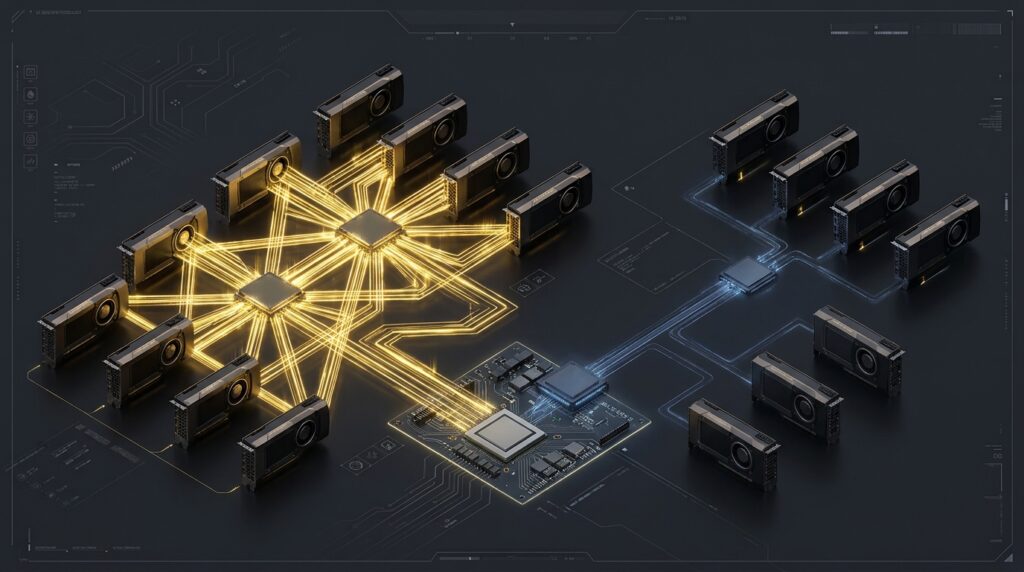
- NVIDIA NVLink 4.0 (SXM5): Delivers 900 GB/s bidirectional bandwidth per GPU across an integrated 4-NVSwitch fabric, providing 7.2 TB/s aggregate mesh bandwidth.
- PCIe Gen5 x16 (Standard Expansion Cards): Provides only 128 GB/s bidirectional bandwidth per card. Inter-GPU traffic must traverse host PCIe switches or CPU sockets, causing bottlenecks during large parameter exchanges.
   [ Intra-Node Interconnect Architecture ]

   NVIDIA HGX H100 SXM5 Topology:
   [ GPU 0 ] <--- NVLink 4.0 (900 GB/s) ---> [ 4x NVSwitch Fabric ] <--- (900 GB/s) ---> [ GPU 1..7 ]
                                                      |
                                          (7.2 TB/s Mesh Fabric)

   PCIe Expansion Card Topology (RTX 6000 Ada / PCIe Nodes):
   [ GPU 0 ] <--- PCIe Gen5 x16 (128 GB/s) ---> [ Host PCIe Switch / CPU ] <--- (128 GB/s) ---> [ GPU 1..3 ]
Thermal Management & Service SLA Risk
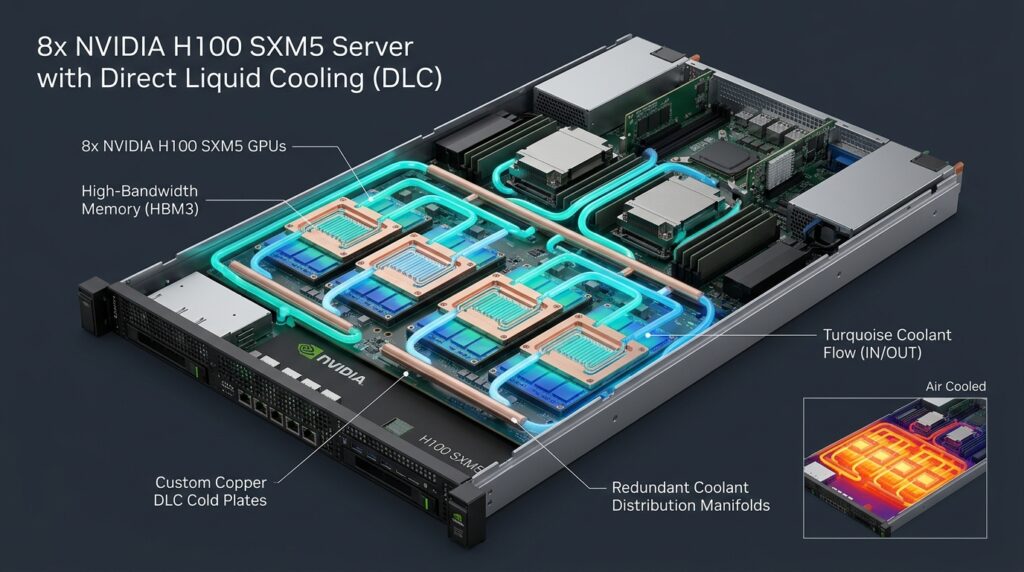
High-density nodes generate extreme heat. An 8-GPU SXM5 chassis generates over 7.5 kW of heat in an 8U footprint.
                           [ Thermal Equilibrium State ]
                                         |
             +---------------------------+---------------------------+
             |                                                       |
   < Ambient Air Intake >                                  < Direct Liquid Cooling >
   - Max Airflow limit (~7,850 CFM @ 50kW)      - Supply Temp: 30°C - 40°C
   - Delta-T Intake > 25°C Risks Throttling                 - Maintains HBM3 < 65°C
   - Fan Power Consumption Scaling Spiral                  - Zero Fan Throttling
   - Acoustic Levels > 85 dBA                              - Consistent Max Boost Clock
             |                                                       |
             v                                                       v
   [ 15%-35% TFLOPS Throttle Drop ]                        [ 100% Sustained Performance ]
Air Cooling Limits vs. Direct Liquid Cooling (DLC)
- Air Cooling Throttling: As ambient rack temperatures rise above 25°C, high-density air-cooled fans run at max capacity. High-density HBM3 memory stacks (~85°C thermal limit) often hit thermal thresholds, forcing GPUs to downclock frequencies and causing 15% to 35% performance drops during long training runs.
- Direct Liquid Cooling (DLC): Cold plates placed directly over processors maintain HBM3 temperatures below 65°C under 100% load, enabling sustained maximum boost clocks without dynamic throttling.
The True Cost of System Downtime
If an 8x H100 cluster fails during a critical training run, component-level RMA cycles on DIY builds can take 2 to 6 weeks to resolve.
Assuming a team of 6 Senior AI Engineers ($175/hr loaded rate) experiences a 4-week outage:
- Idle Staff Labor Loss: $175/hr × 160 hrs × 6 engineers = $168,000
- Capital Depreciation Loss: $280,000 system over 36 months = $7,168 in wasted asset life
- Total Exposure: Over $175,000 in lost productivity and wasted capital from a single hardware issue.
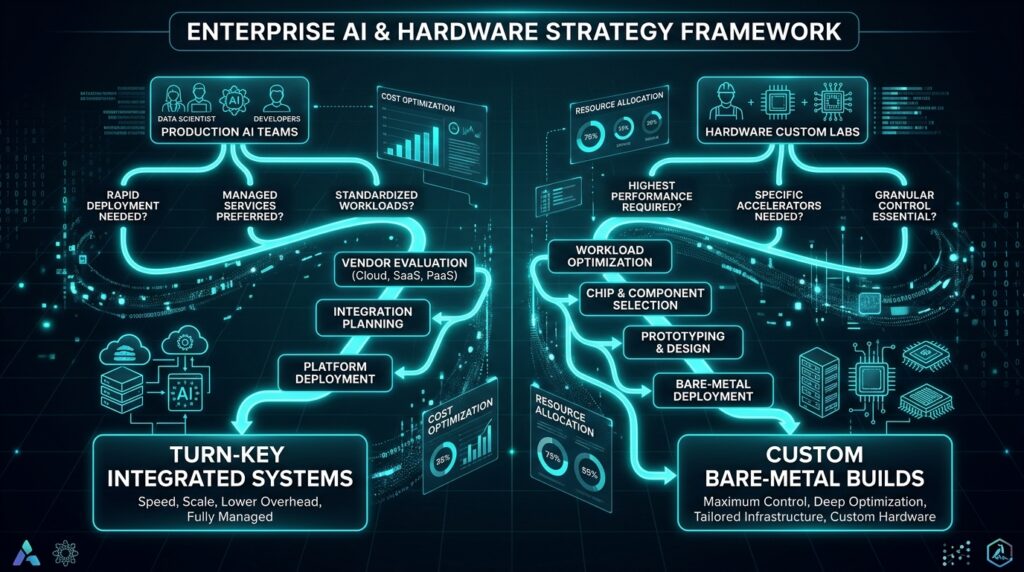
Decision Matrix: What Should You Choose?
                        [ Enterprise AI Workload Strategy ]
                                         |
             +---------------------------+---------------------------+
             |                                                       |
   < Production AI & LLM Focus >                           < Hardware Customization Focus >
   - Engineering Team < 50                                 - Dedicated Bare-Metal Infra Team
   - Rapid Time-to-Market Required                         - Custom Liquid Loop Requirements
   - High Multi-GPU Scaling (SXM5/NVLink)                  - Extended Node Fleet (>100 Nodes)
             |                                                       |
             v                                                       v
   [ Choose Turn-Key Systems ]                             [ Choose Custom DIY Builds ]
   (Lambda Hyperplane / Vector)                            (Supermicro / Component DIY)
| Decision Factor | Turn-Key Systems (e.g., Lambda Hyperplane) | Custom Self-Built (DIY Barebone) |
| Best For | Teams focusing on model performance and fast deployment | Infrastructure labs with dedicated hardware engineering teams |
| Deploy Time | 1 to 2 days from unboxing to full training | 3 to 8 weeks for assembly, tuning, and driver alignment |
| Software Maintenance | Automated via single-command repository updates | Manual driver recompilation and DKMS troubleshooting |
| Warranty SLA | Unified 3-Year Next Business Day Onsite support | Fragmented component warranties (2–6 week RMA cycles) |
| Risk Profile | Low operational risk; predictable cost and support | High operational risk; relies on internal staff troubleshooting |
Final Recommendation
- Choose Turn-Key Systems if you are building production AI applications, need rapid time-to-market, have a lean infrastructure staff, and depend on high-bandwidth NVLink scaling.
- Choose Custom DIY Builds if you operate massive deployment fleets (100+ nodes), employ full-time bare-metal system engineers, and require custom liquid-loop designs or non-standard hardware extensions.
To evaluate how turn-key GPU nodes compare with dedicated hosting and cloud network economics, explore our technical benchmarks and ecosystem reviews across AI infrastructure and bare-metal platforms:
- AI Compute & Hardware Benchmarks: Explore model sizing hardware in our DeepSeek-R1 Hardware Review, alongside evaluation guides on the Top 5 On-Premise AI Platforms, SambaNova SN40L RDU Review, and HPE Private Cloud AI Review.
- Bare-Metal Deployment & Network Optimization: See how single-tenant compute optimizes inference in Deploying DeepSeek-R1 on NovoServe Bare-Metal and learn how to reduce bandwidth costs in How to Slash Cloud Egress Fees.
- Infrastructure Hosting Reviews: Compare flat-rate hosting economics in our NovoServe vs Hetzner vs DigitalOcean Review. Bookmark AI Review Zones for continuous developer tooling and hardware coverage.
References
- Lambda Labs: Lambda Hyperplane Enterprise GPU Servers
- NVIDIA: NVIDIA H100 Tensor Core GPU Architecture Overview
- Supermicro: SuperServer 821GE-TNHR Specifications
- CBRE Research: Global Data Center Trends & Colocation Costs
- Introl Engineering: Liquid Cooling vs Air: High-Density GPU Rack Guide
- Deploybase: NVLink vs PCIe Performance Benchmarks