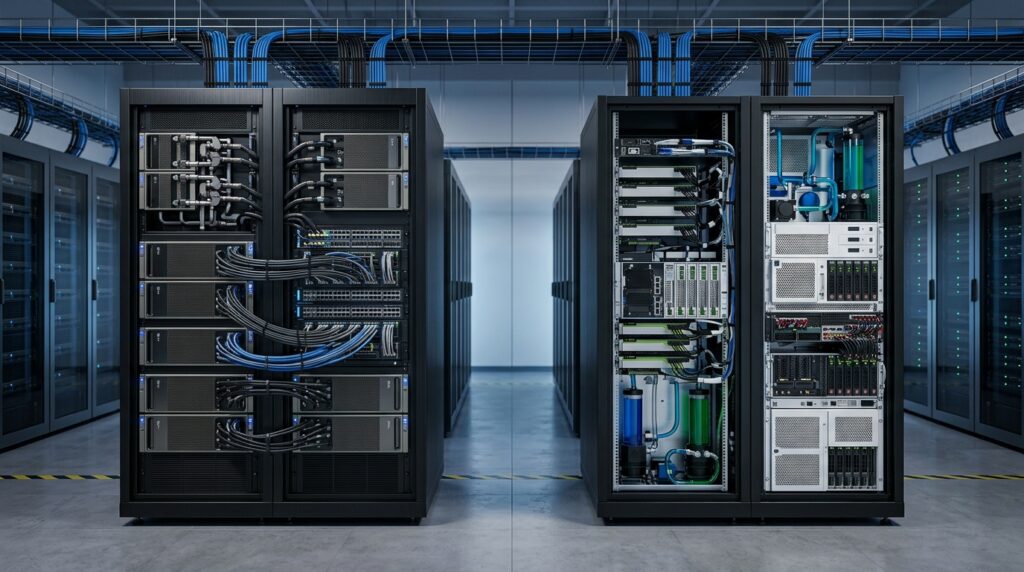
When comparing an AI Appliance vs. Dedicated AI Server, choosing the wrong AI infrastructure can lock your data center into years of unnecessary complexity and runaway operational costs.
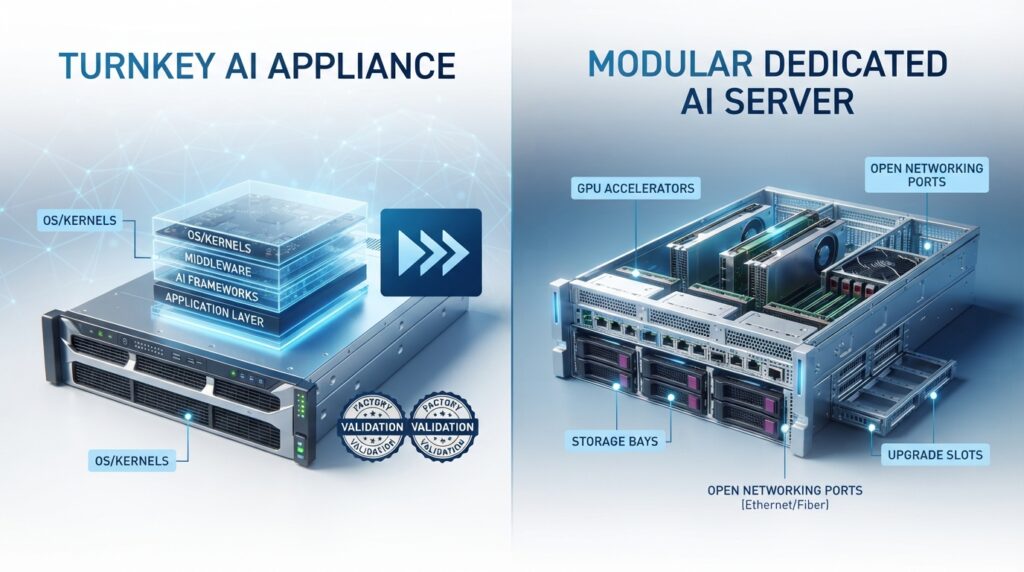
For data center procurement directors and systems architects, this decision boils down to two distinct paths: purchasing a pre-configured turnkey AI Appliance (known as “AI in a Box”) or building a custom, modular Dedicated AI Server using standardized architecture.
If your organization has limited infrastructure engineering talent and needs to run large-scale distributed training clusters immediately, the AI Appliance is the safest, most performant choice. However, if your primary workload is regional model inference, local data analysis, or custom retrieval-augmented generation (RAG) pipelines—and you have the engineering resources to manage driver compilation—Custom Dedicated AI Servers deliver significantly better long-term hardware margins and memory scaling.
Quick Summary: The Bottom Line
- The Winner for Speed & Scale: Pre-Configured AI Appliances. Platforms like the NVIDIA DGX series eliminate months of driver errors and scale out seamlessly into massive compute clusters.
- The Winner for Cost & Flexibilty: Custom Dedicated AI Servers. Building your own stack using modular standards (like OCP DC-MHS) cuts massive single-vendor hardware premiums and lets you optimize memory layout for specific inference workloads.
Infrastructure At A Glance
| Evaluation Vector | Pre-Configured Turnkey Appliance | Custom Dedicated Server (DC-MHS) |
| Primary Workload | Large-scale LLM training & distributed computing | Regional model inference, custom RAG, local analytics |
| In-House Expertise Needed | Standard systems administration & container runtimes | Low-level driver compilation & hardware engineering |
| Physical Infrastructure Requirements | Rigid 8U+ footprints; high-density power/cooling | Flexible layouts; customizable liquid or immersion cooling |
| Software Strategy | Single-vendor validated, production-grade stack | Open-source runtimes & direct hardware access |
| Upfront Capital Cost | Premium pricing ($300K – $520K per node) | Lower per-component cost; flexible sourcing |
1. Pre-Configured Turnkey Infrastructure: The AI Appliance Path
AI appliances are factory-integrated machines designed to minimize the painful friction that typically occurs between high-performance hardware and deep learning software layers.
Strengths
- Rapid Deployment: These systems arrive with custom, hardened operating environments (like DGX OS or Zanus AI OS) pre-loaded. The base operating system, kernel configurations, PCIe pathways, and CUDA drivers are factory-aligned. This compresses your deployment timeline from months to less than two weeks.
- Linear Scale-Out Performance: Built to exact reference architectures, appliances maximize inter-GPU communication. They use high-bandwidth interconnects like the NVSwitch system to deliver 900 GB/s of bandwidth across internal GPUs, allowing multiple cards to process data as a single logical unit.
- Industrial Hardening Available: Specialized variations accommodate rugged environments. For example, industrial appliances deployed on manufacturing floors feature IP52-rated enclosures that stand up to heavy dust and vibration without custom field validation.
Weaknesses
- Rigid Physical Demands: A single appliance node (such as a DGX H100) often demands an 8U rackmount space, weighs nearly 288 lbs, and draws up to 10.2 kW of power. Your data center must provide aggressive hot/cold aisle containment or liquid loops to handle the massive 38,557 BTU per hour heat output.
- Unbundled Software Costs: Historically, core orchestration suites like NVIDIA AI Enterprise were bundled with the physical purchase. For newer hardware generations (like the Blackwell architecture), these licenses are unbundled. Organizations must pay a recurring $4,500 annual subscription per GPU, significantly driving up operational overhead.
Best For
Large enterprises, specialized medical researchers, and global financial institutions that need to launch massive, multi-node foundation model training immediately and want to avoid low-level infrastructure engineering.
2. Custom Dedicated AI Servers
Custom servers reject the single-source model, allowing you to source individual compute modules, processors, and storage configurations directly from original design manufacturers.
Strengths
- Component-Level Upgradeability: By utilizing the Open Compute Project’s Data Center Modular Hardware System (DC-MHS) standards, custom servers use interchangeable Host Processor Modules (HPMs). This lets you swap out underlying compute engines or upgrade to PCIe Gen 6 without replacing your entire server chassis, power supplies, or cabling infrastructure.
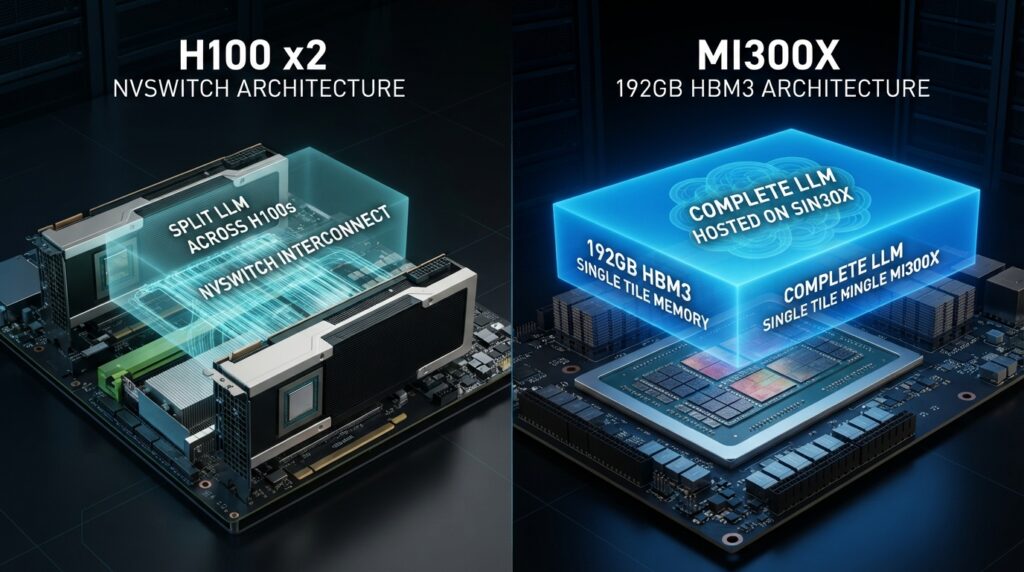
- Superior Memory Economics for Inference: Custom builds let you pick alternative accelerators like the AMD Instinct MI300X, which features 192GB of HBM3 memory compared to the 80GB standard on an NVIDIA H100 SXM card.
Weaknesses
- Severe Deployment Friction: Assembling an open-architecture server requires manual hardware integration and complex driver alignment. Aligning kernel versions with container runtimes often causes driver mismatches and system instability. Expect deployment cycles to take anywhere from 6 to 18 months.
- High Engineering Overhead: To maintain a custom infrastructure stack safely, your organization must employ specialized system software developers. Retaining this advanced platform engineering talent can easily cost $150,000 to $300,000 annually per engineer.
Best For
Hyperscalers, established cloud providers, and enterprise technology divisions that run high-volume inference applications where optimizing hardware margins and token throughput outweighs rapid setup speed.
Performance Deep Dive: The Memory Layout Reality
When evaluating real-world application costs, the architectural differences between a monolithic appliance chip and an alternative custom server layout become highly practical. Consider the math required to serve a 70-billion parameter model like LLaMA 2 in standard 16-bit precision.
Your baseline memory calculation requires:
$$\text{Memory}_{\text{base}} \approx 70 \times 10^9 \times 2 \text{ Bytes} = 140 \text{ GB}$$
Once you account for a standard 25% allocation buffer to handle concurrent user requests and the active KV cache, your production environment requires approximately 180 GB of active memory.
- The Appliance Path (NVIDIA H100): With an 80GB capacity per card, you cannot host this model on a single GPU. The weights must be split across two separate cards, introducing communication latency over the PCIe bus or external fabrics.
- The Custom Server Path (AMD MI300X): With 192GB of HBM3 memory on a single accelerator chip, the entire 70B model fits easily on a single card. This layout bypasses inter-GPU bottlenecks entirely, reducing your token delivery costs by more than 20% compared to a split-card layout.
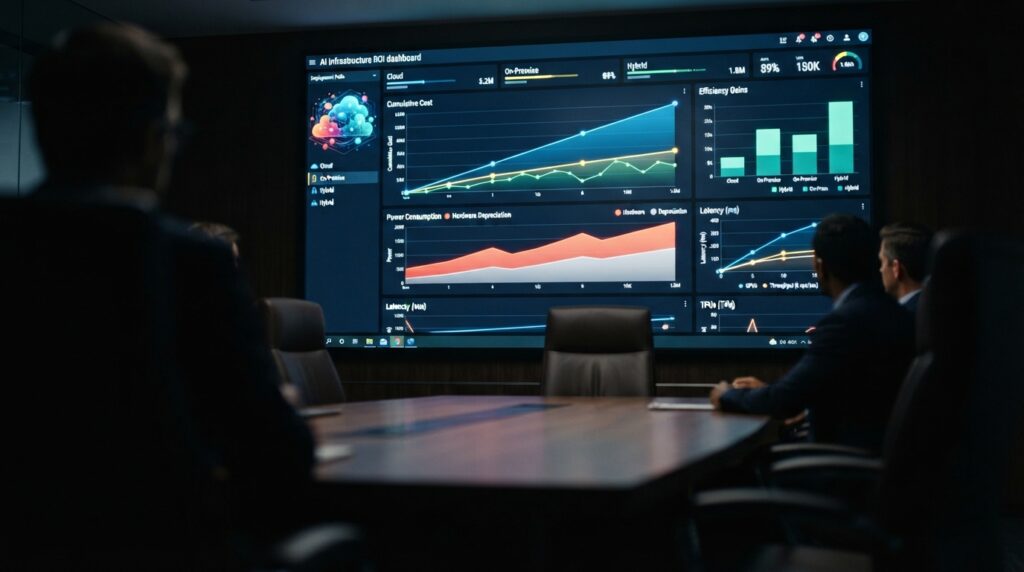
Pricing & Total Cost of Ownership (TCO)
- Upfront Capital Expenditures (CapEx): Pre-configured appliances carry an extreme single-vendor premium. A single turnkey 8-GPU node sits between $300,000 and $520,000. Custom server components can be sourced modularly, lowering hardware acquisition costs by up to 40% if alternative accelerators are integrated.
- Ongoing Energy Expenditure (OpEx): Powering high-density compute is a major operational drain. A single high-performance 10.2 kW node running continuously draws significant energy:
$$\text{Energy}_{\text{daily}} = 10.2 \text{ kW} \times 24 \text{ hours} = 244.8 \text{ kWh/day}$$
$$\text{Energy}_{\text{annual}} = 244.8 \text{ kWh/day} \times 365 \text{ days/year} = 89,352 \text{ kWh/year}$$
At a standard industrial rate of $0.12 per kWh, this translates to $10,722 annually in direct power per node. When you add a standard 15% data center cooling overhead, the practical energy footprint scales to $12,000 to $16,000 per year for each system container.
While an alternative custom accelerator like the MI300X draws slightly more peak power per unit (750W vs 700W), its ability to run large models on a single card instead of a dual-card configuration cuts your overall data center power and cooling draw for inference by roughly 46%.
Frequently Asked Questions
Can AI appliances integrate with mixed-vendor GPU environments?
It depends on the deployment architecture. Turnkey AI appliances are typically validated around a specific hardware ecosystem, while custom dedicated AI servers provide greater flexibility for integrating accelerators, storage, and networking components from multiple vendors. Organizations planning heterogeneous environments should verify driver compatibility and orchestration support before procurement.
How long does it typically take to deploy an AI appliance versus a custom AI server?
A pre-configured AI appliance can often be installed and placed into production within one to three weeks because the operating system, drivers, and software stack are factory validated. In contrast, custom dedicated AI servers may require several months for hardware integration, operating system tuning, container optimization, and production testing.
Is liquid cooling mandatory for modern AI infrastructure?
Not always. Smaller inference servers often operate efficiently with advanced air cooling. However, high-density multi-GPU systems running continuous AI training workloads frequently benefit from liquid cooling or immersion cooling to improve thermal efficiency, reduce operational costs, and support higher rack densities.

Final Recommendation
Do not buy AI infrastructure based on raw technical specifications alone. Buy based on your internal engineering constraints and your primary application profile.
- If your priority is fast time-to-market and your team is lean: Choose a Pre-Configured Turnkey AI Appliance. The factory-validated software environment saves you months of compiler errors, and the integrated fabric lets you scale out to massive workloads seamlessly.
- If your priority is optimizing unit costs for high-volume inference: Choose a Custom Dedicated AI Server. Building a modular environment around open-hardware standards allows you to bypass single-vendor hardware premiums, scale memory capacity efficiently, and implement custom fluid cooling configurations.
What to Do Next
Before signing a hardware procurement contract, perform an internal talent audit. Ask your engineering team if they have documented experience compiling custom kernel drivers and configuring parallel file storage links. If the answer is no, a pre-configured appliance will save your organization hundreds of hours of configuration downtime.
Infrastructure References & Internal Roadmaps
To align your procurement strategy with global open-hardware deployment designs and efficiency standards, review the official engineering frameworks:
- Open Hardware Standards: Consult the server design frameworks directly through the [Open Compute Project Official Documentation].
- Factory-Validated Architecture: Explore system topology and fabric metrics inside the [NVIDIA AI Enterprise Resource Center].
- Alternative Accelerator Specifications: Review high-capacity memory layouts via the [AMD Instinct Compute Architecture Portal].
Deepen Your Enterprise Private AI Knowledge
Once your data center infrastructure path is set, complete your operational and compliance blueprint with our hands-on engineering deep dives:
- Sovereign Platform Comparison: Review how turnkey hardware appliances stack up against corporate virtualized environments and DIY setups in [5 Best Zanus AI Alternatives for Enterprise Private AI].
- Physical Server Architecture: Discover the literal space requirements, power distribution rules, and whisper-quiet cooling dynamics of on-premises arrays in [Zanus AI Hardware Architecture & Server Setup Guide].
- Financial TCO Breakdown: Calculate your exact return on investment and see how physical servers eliminate recurring token fees over a 5-year cycle in [Zanus AI Pricing & ROI: The Real Cost of On-Premises AI].
- Legal & Data Liability Compliance: Learn how localized data residency prevents multi-million dollar privacy lawsuits and protects attorney-client privilege in [How to Deploy Air-Gapped AI for HOA Property Management]