

Quick Summary
When evaluating Zanus AI Hardware, deploying private, on-premises artificial intelligence is no longer just an option for data-sensitive enterprises—it has become a necessity. The Zanus AI platform operates as a turnkey appliance, completely eliminating cloud dependencies by combining its custom Zanus AI OS, the Precision Vector Store, and local Large Language Models (LLMs).
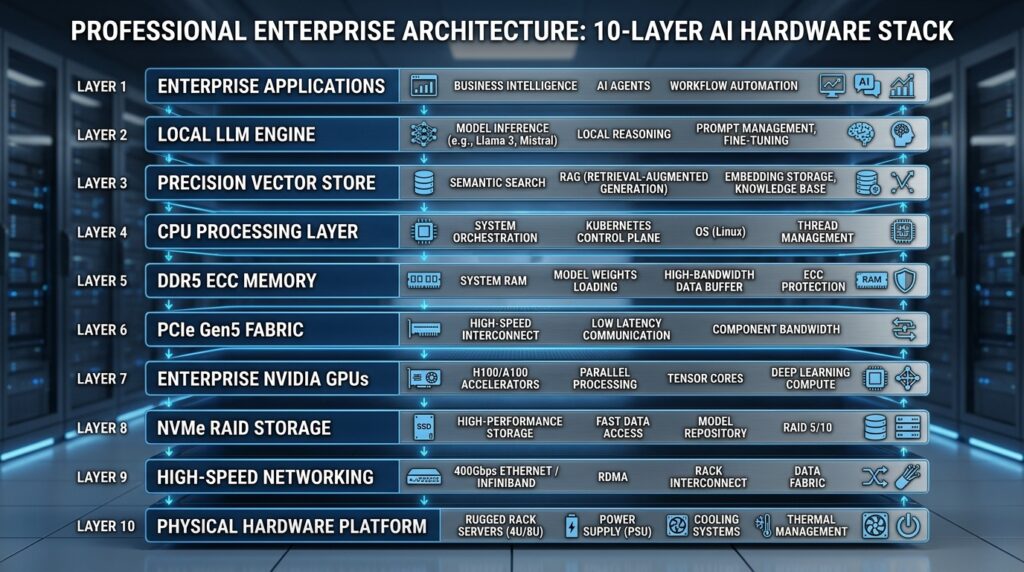
However, running heavy models locally requires eliminating physical hardware bottlenecks. This guide breaks down the hardware architecture of the Zanus AI ecosystem, evaluates its two main configurations (Prime and Quantum), and provides a step-by-step physical deployment blueprint to ensure your infrastructure delivers real-world outcomes.
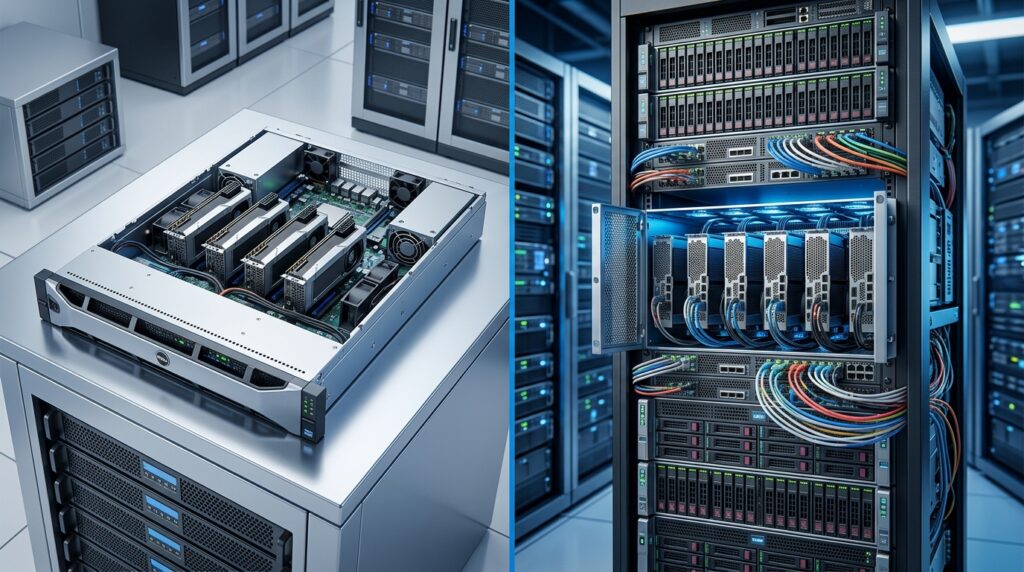
Zanus AI Infrastructure: Prime vs. Quantum
Before investing in hardware, you must choose the setup that aligns with your data volume and user base. Zanus AI is split into two primary hardware tiers:
| Hardware Attribute | Zanus AI Prime (Standard) | Zanus AI Quantum (High-Performance) |
| Primary Focus | Standard enterprise workflows, local RAG, high-efficiency business modules. | Extended deep reasoning, massive concurrent sessions, long-context analysis. |
| Recommended CPU | AMD Threadripper PRO 7965WX / EPYC 9354 | AMD EPYC 9554 / EPYC 9654 (Turin/Genoa) |
| GPU Configuration | 2× or 4× NVIDIA RTX 6000 Ada (48 GB GDDR6 ECC) | 4× or 8× NVIDIA RTX 6000 Ada or Blackwell WS (48–96 GB ECC) |
| Total System VRAM | 96 GB – 192 GB | 192 GB – 384 GB+ |
| System RAM | Minimum 256 GB DDR5 ECC RDIMM | 512 GB – 1024 GB DDR5 ECC RDIMM |
| Local Document Storage | 2,000,000+ text documents | 5,000,000+ text documents (Expandable to 50M+) |
| Video Ingestion Capacity | 50,000+ hours of corporate video | 100,000+ hours (Supports LTO robotic tape libraries) |
| Networking | Dual-link 10GbE / 25GbE SFP+ | Dual-link 25GbE or 100GbE with RoCE v2 |
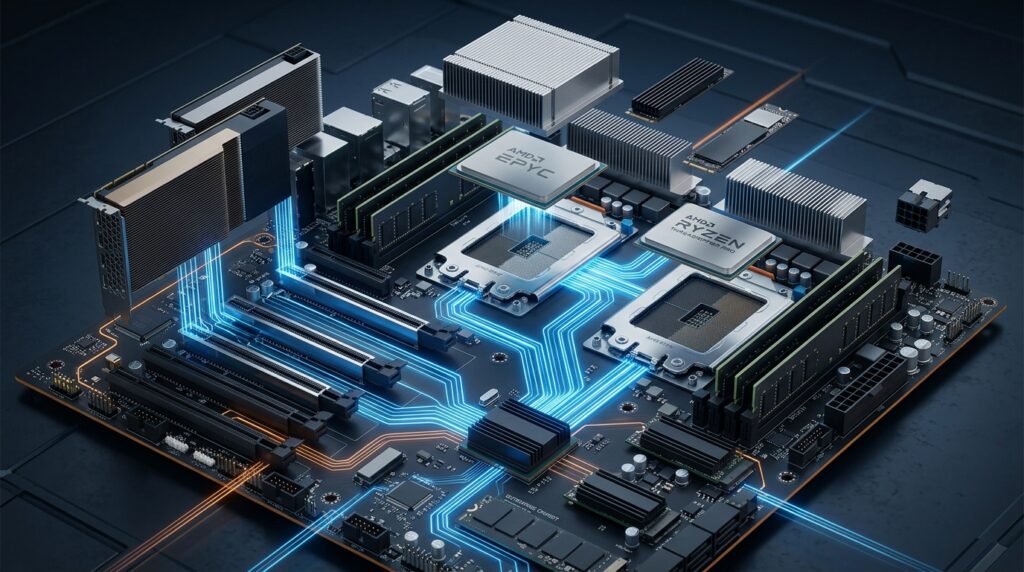
1. Compute Infrastructure: CPU & System Architecture
While GPUs handle the heavy matrix multiplication during model inference, the CPU acts as the traffic controller. In the Zanus AI OS architecture, the CPU manages data preprocessing, multi-model routing, tokenization, real-time OCR, and vector store queries.
Workstation vs. Enterprise Server Naming Conventions
Choosing the right processor platform dictates your PCIe lane availability and prevents data starvation to the GPUs:
- Workstation Tier (AMD Threadripper PRO): Utilizing the WRX90 platform (such as the ASUS Pro WS WRX90E-SAGE SE), this provides up to 128 PCIe Gen 5.0 lanes. It is the gold standard for single-node setups running up to 4 GPUs without bandwidth splitting.
- Enterprise Tier (AMD EPYC 9004/9005 Series): Designed for high-density rack deployments, a single EPYC socket offers up to 160 PCIe Gen 5.0 lanes (320 lanes in dual-socket setups). Its 12-channel DDR5 memory support delivers up to 576 GB/s of memory bandwidth, keeping data pipelines fully saturated.
Editor’s Note: Do not cut corners on CPU cache. A larger L3 cache directly accelerates data loader workers, preventing your expensive GPUs from sitting idle while waiting for the CPU to process raw text or images.
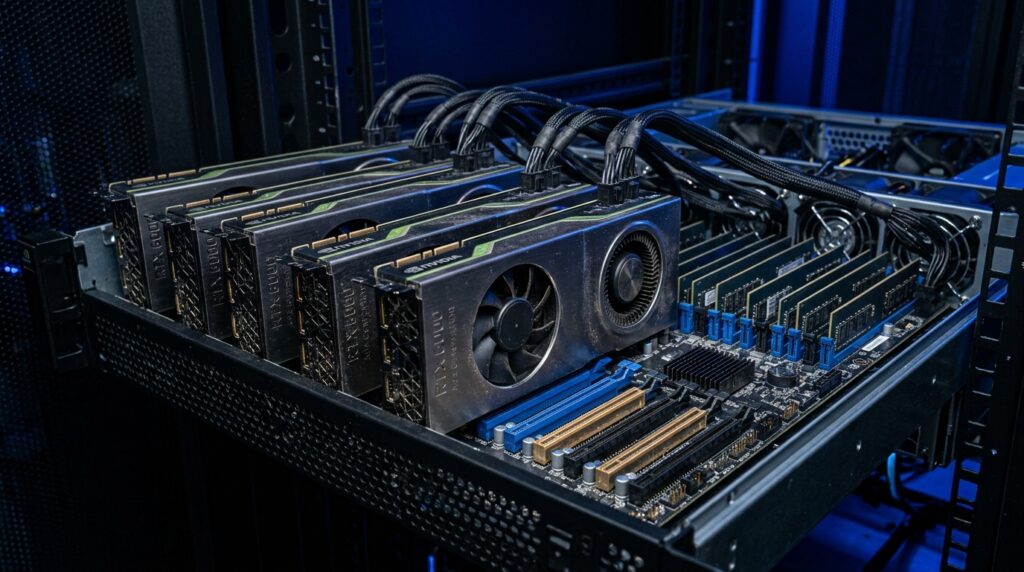
2. Hardware Acceleration: Demystifying VRAM & GPU Selection
To run local LLMs without severe latency penalties, the entire model weight profile—plus its context window requirements—must fit directly inside the GPU’s Video RAM (VRAM).
Calculating True VRAM Needs
To prevent the system from offloading data to slower system RAM, use the following engineering formula to determine your minimum physical VRAM footprint:
$$VRAM_{\text{total}} = VRAM_{\text{weights}} + VRAM_{\text{KV\_Cache}} + VRAM_{\text{buffer}}$$
The static model weight size ($VRAM_{\text{weights}}$) depends on its parameter count ($P$) and quantization bit depth ($B$):
$$VRAM_{\text{weights}} = \frac{P \times B}{8} \times (1 + \gamma)$$
(Where $\gamma$ is a 10% to 15% safety overhead for embedding tables).
For example, running a 70-billion parameter model (70B) quantized at 4-bit (Q4 GGUF) requires:
$$VRAM_{\text{weights}} = \frac{70 \times 10^9 \times 4}{8} \times 1.10 \approx 38.5\text{ GB}$$
However, the Key-Value Cache ($VRAM_{\text{KV\_Cache}}$) grows linearly with context length ($L$) and concurrent user sessions ($S$):
$$VRAM_{\text{KV\_Cache}} = 2 \times n_{\text{layers}} \times n_{\text{heads}} \times d_{\text{head}} \times L \times S \times \text{bytes-per-element}$$
When scaling to long-context tasks (32k to 128k tokens) on the Zanus AI Quantum tier, the dynamic KV Cache can quickly surpass the static weight sizes. This makes large VRAM capacities non-negotiable.
The Verdict on GPUs: Enterprise vs. Consumer
- Enterprise Cards (Recommended: NVIDIA RTX 6000 Ada / Blackwell WS): These offer 48 GB to 96 GB of VRAM equipped with Error-Correcting Code (ECC) memory. ECC stops bit-flip errors from crashing long-running deep reasoning sessions. Additionally, their blower-style coolers allow tight stacking within a server chassis without thermal throttling.
- Consumer Cards (NVIDIA RTX 4090 / 5090): While attractive for budget test labs, open-air consumer cards take up 3 to 4 slots each, exhaust hot air directly inside the case, and lack ECC memory. Stacking four of these requires massive power distribution (above 2000W) and non-standard cooling configurations.
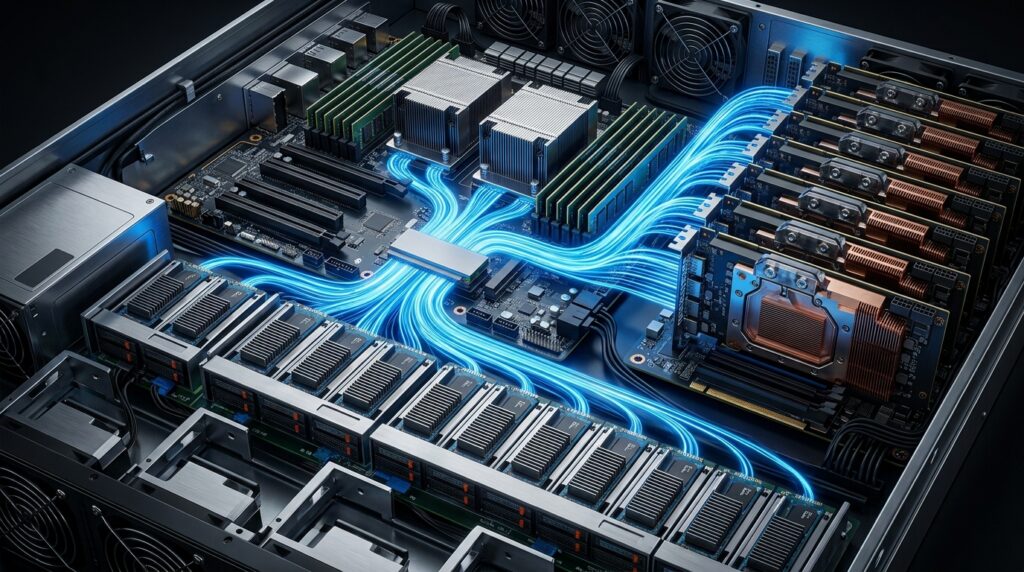
3. Storage and Memory Subsystems
Local AI models cannot perform efficiently on standard storage arrays. The relationship between your storage speed and model load times is stark:
[SATA SSD]      ||| 550 MB/s           → Takes ~72.7 seconds to load a 40 GB model
[PCIe Gen 4]    |||||||||||| 7,000 MB/s  → Takes ~5.7 seconds to load a 40 GB model
[PCIe Gen 5]    ||||||||||||||||||||||| 14,000 MB/s → Takes ~2.8 seconds to load a 40 GB model
Zanus AI nodes utilize an enterprise NVMe RAID 10 configuration. This striping and mirroring setup doubles sequential read performance while providing hardware redundancy. If a drive fails, the system triggers an alert allowing a hot-swap replacement without interrupting live user sessions.
System RAM Rules
Your system RAM must be at least 2× to 3× the total VRAM of all installed GPUs. It serves as the primary staging area for model files and hosts the operational footprint of the Precision Vector Store database. For the Prime configuration, stick with a minimum of 256 GB; for the high-throughput Quantum configuration, scale between 512 GB and 1024 GB of DDR5 ECC Registered memory (RDIMM).
4. Local Networking & Ingestion Throughput
Because Zanus AI operates 100% air-gapped from the cloud, all document parsing, embeddings, and chat requests happen within your local area network (LAN).
If you are batch-importing 45 Terabytes of data (roughly 50,000 hours of high-quality internal training video encoded at 2 Mbps), your network pipeline is the ultimate gatekeeper:
- 1 GbE Pipe: Takes ~106.3 hours to upload, crippling office network performance.
- 10 GbE Pipe: Reduces transit time to ~10.6 hours.
- 25 GbE Pipe: Optimizes ingestion to just ~4.2 hours.
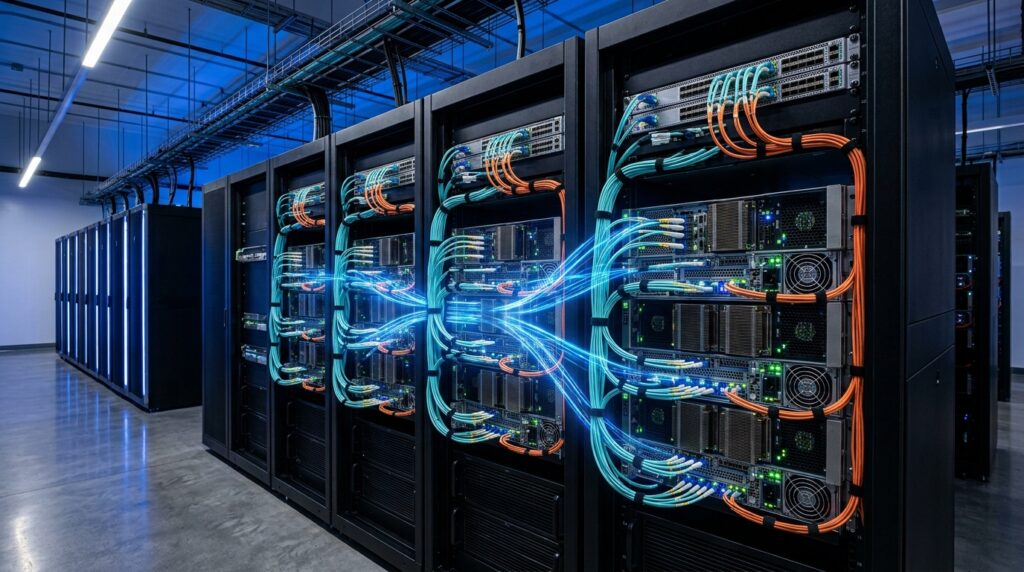
For multi-node deployments (Zanus AI Enterprise Cluster), nodes must be cross-connected via dual 25GbE or 100GbE switches using SFP+ DAC or fiber cables. To facilitate distributed inference across distinct server nodes with minimal latency, implementing RoCE v2 (RDMA over Converged Ethernet) is mandatory.

5. Physical Setup Blueprint & Environmental Integration
The Zanus AI appliance packages massive computing density into a standard form factor. While it delivers infrastructure capacity comparable to tier-one data center blocks, it is engineered to operate comfortably within a standard corporate environment or IT closet.
Step-by-Step Installation Roadmap
Step 1: Mount Heavy-Duty Rails to 19" Rack (8U Space Required)
  ↓
Step 2: Dual-Person Slide-In Lift & Secure Front Ear Locks
  ↓
Step 3: Route 4x Heavy-Duty C19 Power Cables to Isolated AC Lines
  ↓
Step 4: Connect Dual 10/25GbE Interface to Secure Local Switch
  ↓
Step 5: Perform Air-Gap Audit (Disconnect WAN/Internet Uplinks)
  ↓
Step 6: Power On & Monitor Patented 12-Fan Airflow System
  ↓
Step 7: Access Local IP UI Dashboard to Initialize Vector Store
Critical Space & Airflow Requirements
- Chassis Size: 8U Rackmount form factor. Actual dimensions measure 19″ Wide × 14″ High × 25.5″ Deep. You must account for an extra 2.5″ at the front for handles and 2.0″ at the rear for heavy-duty power cable bend radiuses. Ensure your server rack has a total working depth of at least 30″.
- Weight Overhead: The unboxed chassis weighs roughly 120 lbs (54.4 kg) without modifications. Always position the appliance at the bottom of your rack to maintain a low center of gravity, and use high-capacity, heavy-duty sliding rails.
- Side-Exhaust Dynamics: The patented cooling array employs 12 industrial high-pressure fans (pulling cool air through the front panel, discharging through 4 rear and 8 side-flank exhaust fans). Crucial Warning: If this server is placed in a completely sealed, solid-sided rack cabinet, the side exhaust air will back-draft into the core, causing immediate thermal throttling. You must maintain at least a 4 to 6-inch clearance on both sides or use mesh-perforated side rack panels.
Power Infrastructure Rules
The appliance pulls a maximum peak load of 6 kW (idling at roughly 1 kW). The rear interface splits this across 4× IEC 60320 C20 inputs. To prevent safety breakers from tripping on inrush currents, distribute your connections across completely independent AC lines based on your region:
- Americas (115V): Total draw reaches 52A (~13A per input). Connect across separate NEMA 5-15 or NEMA 5-20 circuits. Never plug all 4 inputs into a single standard power strip or extensions.
- Europe (220V): Total draw sits at 27.3A (~6.8A per input). Power via standard Schuko / CEE 7 outlets rated for 16A.
- UK / Australia (240V): Total draw sits at 25A (~6.3A per input). Route via standard BS 1363 (13A) or AS 3112 (10A) utility circuits.
Editor’s Take & Final Recommendation
Choosing an on-premises AI footprint comes down to identifying the scale of your business decisions:
- Choose Zanus AI Prime if your organization needs an independent, secure environment to process standard text documentation, internal manuals, and up to 50,000 hours of video analytics with low-to-medium user concurrency. It fits comfortably within existing high-end enterprise workstation environments or modest IT server racks.
- Choose Zanus AI Quantum if your team is executing complex multi-step reasoning, processing ultra-long legal or financial context lengths (above 32k tokens), or building multi-department automation hubs requiring massive concurrent sessions.
Your Immediate Next Step: Audit your internal network topology and calculate your target document ingestion volume. If your data includes highly sensitive corporate IP or regulated consumer records, verify that your server room has the dedicated 30″ rack depth and isolated power lines needed to successfully run an air-gapped machine.
Deepen Your Private AI Knowledge
Building a secure, local AI infrastructure requires looking at both hardware capabilities and financial efficiency. Explore our complete research series to optimize your deployment:
- Financial Reality: Is local hardware cheaper than the cloud? Read our data-driven breakdown in [Zanus AI Pricing & ROI: The Real Cost of On-Premises AI].
- Core Assessment: Read our full evaluation of the platform’s core workflow, features, and security protocols in our [Zanus AI Review].
- Strategic Decision: Is the hardware truly worth the shift from public cloud models? Read our comprehensive analysis on [Is Zanus AI Worth It?].