Best AI tools for HOA managers can help community boards save time on resident communication, inspections, accounting, maintenance, and compliance.
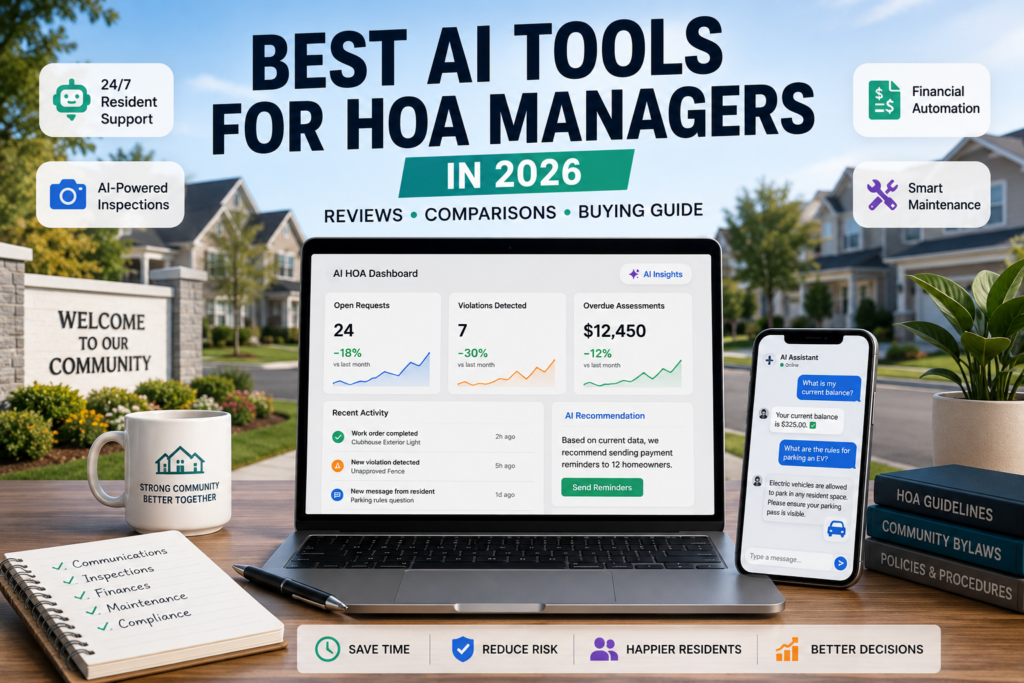
Managing a Homeowners Association (HOA) has traditionally meant drowning in paperwork, answering repetitive resident inquiries, and driving around the neighborhood with a clipboard to spot rule violations. It is a time-consuming, friction-heavy process that often strains relations between boards and residents.
A quiet shift is underway. AI tools are moving into the property management space, transforming standard databases into active automation hubs. For HOA boards and community management companies, this means a chance to offload administrative tasks, speed up response times, and reduce human bias.
Here is a look at how AI is changing community management, an evaluation of the leading tools on the market, and a roadmap for adopting them safely.
The New HOA Tech Stack: Core Systems vs. AI Operations
To understand where these new tools fit, it helps to divide community technology into two distinct layers:
- Property Management Systems (PMS): This is the traditional core database (e.g., Vantaca, CINC, eUnify, or Buildium). It serves as your system of record, storing resident lists, ledger balances, and governing documents.
- The AI Operations Layer: This sits on top of your PMS. It does not just hold data; it acts on it. It reads emails, analyzes images, reconciles accounts, and automates workflows.
When these layers connect, they divide HOA automation into four primary areas:
| Focus Area | Traditional Workflow | The AI Upgrade | Primary Technology |
| Resident Care | Manual emails, phone tags, repetitive notifications. | 24/7 conversational assistants answering specific policy questions. | Large Language Models (LLMs) & Retrieval-Augmented Generation (RAG) |
| Rule Enforcement | Manual property drives, paper notes, manual warning letters. | Computer vision flags architectural changes and parking violations via photos. | Computer Vision & License Plate Recognition (LPR) |
| Finance & Accounting | Manual invoice entry, manual debt reminders. | Automated OCR scanning, automated bank reconciliation, debt trend forecasting. | Agentic AI & Optical Character Recognition (OCR) |
| Maintenance | Taking phone calls, creating work orders, calling contractors. | Automated dispatching from resident report to technician scheduling. | Dedicated Maintenance Agents & Optimization Algorithms |
Deep Dive: The Leading AI Tools for HOAs
1. STAN AI: The Conversational Co-Pilot
Category: Resident Care & Communication
STAN AI operates as a multi-channel virtual assistant powered by an advanced retrieval architecture (RAG) running on top of models like Claude and GPT. It plugs directly into existing databases (including Vantaca, CINC, eUnify, and Buildium) to pull real-time, personalized account data.
[Resident sends question via SMS] ──> [STAN AI (RAG & LLM Layer)] ──> [Core PMS Database (Vantaca/CINC)]
                                                                                  │
[Answers account balance & texts link] <── [Verifies Account & Extracts Policy] <──┘
The Real-World Application
Imagine a resident texting the community line at 10:00 PM: “What is my current balance, and what are the rules for parking an electric vehicle?” Instead of waiting days for a manager to reply, STAN AI logs into the PMS, checks that specific home’s ledger to state the exact balance, scans the HOA’s uploaded PDF guidelines, and texts back the precise EV parking rules instantly.
- Pros: Works directly through standard SMS or web chat so residents do not need to download another app; supports over 130 languages; filters out up to 70% of routine inbound traffic.
- Cons: Requires a highly complex API integration with your existing PMS; if your community’s internal policy documents are disorganized or outdated, the AI can confidently hallucinate incorrect answers.
- Pricing: Custom enterprise pricing based on community size and integration needs.
- Who Should Use It: Large management companies or high-volume communities handling massive amounts of daily text and email inquiries.
- Who Should Skip It: Smaller communities running on basic spreadsheets without a compatible, modern PMS.
- Best Alternative: TownSq (for communities already locked into that specific ecosystem).
2. TownSq (Suggested Reply & Request Interception)
Category: Resident Care & Communication
TownSq approaches communication from an defensive standpoint. Instead of just answering questions, it uses smart contextual search to stop duplicate work orders before they are submitted, while giving managers AI-drafted responses for approval.
The Real-World Application
A homeowner logs into the TownSq app to report a broken light fixture in the common clubhouse. As they type “clubhouse light out,” the system interrupts them with a prompt: “We are already aware of an electrical issue in the main hall. A technician is scheduled for 3:00 PM today. Do you still want to submit this?” If the resident clicks cancel, a duplicate ticket is avoided.
- Pros: Highly affordable add-on at around $20/month; built directly into the familiar TownSq ecosystem; clean interface for users.
- Cons: Entirely passive—it only works if residents proactively log into the TownSq platform, missing those who prefer traditional SMS or standard email.
- Pricing: Budget-friendly add-on, typically around $20/month per association.
- Who Should Use It: Self-managed or mid-sized HOAs already using TownSq looking for a low-cost efficiency boost.
- Who Should Skip It: Teams needing omni-channel automation that interacts across SMS, WhatsApp, and external email.
- Best Alternative: STAN AI.
3. ARCH Inspect: The Automated Compliance Officer
Category: Rule Enforcement & Inspections
ARCH Inspect applies computer vision to community enforcement. Trained on millions of residential property photos, the software analyzes visual data to spot property changes and community violations over time.
The Real-World Application
During a standard neighborhood drive, a staff member takes photos of street fronts through their smartphone. ARCH Inspect processes the images, comparing them to past photos of the same homes. It automatically flags that Home 405 has painted its window trim an unapproved color and that the lawn at Home 412 exceeds height limits. It maps these findings directly to the community’s specific rules and drafts the notice.
- Pros: Connects directly with physical mail services (like Lob) to print and mail violation letters with one click; creates an objective, photographic audit trail.
- Cons: Costs add up quickly at $4 to $5 per generated violation report; performance drops significantly in bad weather, poor lighting, or bad camera angles.
- Pricing: Usage-based model, averaging $4 to $5 per processed violation report.
- Who Should Use It: Large, single-family home communities with strict architectural guidelines (CC&Rs) and expansive acreage to monitor.
- Who Should Skip It: High-rise condominium buildings or communities where exterior maintenance is completely handled by the association.
- Best Alternative: Zanus AI (for teams prioritizing data privacy).
4. Zanus AI (Compliance Module): Private, Local Automation
Category: Secure Document Analysis & Compliance
Zanus AI addresses the security concerns of data-sensitive communities. It deploys as an on-premises AI server installed right in the management office, utilizing high-performance local GPUs and offline LLMs to process community data without sending it to the cloud.
The Real-World Application
A luxury gated community wants to review complicated architectural modification requests (ARC requests) against their strict construction codes. Because of privacy mandates, they cannot upload resident blueprints or property files to public cloud networks. Zanus AI scans the uploaded digital blueprints locally, checks them against the local vector database of community rules, and highlights specific issues where a proposed deck crosses a setback line.
- Pros: Elite data privacy; resident information never leaves the local office server; helps protect against data breaches.
- Cons: Very high upfront hardware procurement and deployment costs; requires local technical expertise to manage and maintain physical servers.
- Pricing: Premium upfront enterprise hardware and licensing costs.
- Who Should Use It: High-end luxury developments, high-security properties, or boards with strict data-privacy mandates.
- Who Should Skip It: Standard communities looking for quick, affordable, cloud-based software tools.
- Best Alternative: ARCH Inspect (if cloud deployment is acceptable).
5. AppFolio Property Manager (Realm-X)
Category: Financials, Accounting & All-in-One Operations
Realm-X is an autonomous AI agent integrated into the core architecture of AppFolio. It holds a strong 79% G2 satisfaction score for its ability to handle complex accounting tasks, review vendor transactions, and manage workflows independently.
The Real-World Application
The best AI tools for HOA managers are not just chatbots; they are workflow systems that connect communication, compliance, finance, and maintenance.
At the end of the month, dozens of invoices pour in from pool cleaners, security firms, and landscapers. Realm-X scans the documents using OCR, matches them against existing vendor agreements, and checks the budget. If it notices a maintenance bill that exceeds the annual budget line item, it flags the invoice, writes an anomaly report for the accountant, and drafts an email asking the vendor for a line-item breakdown.
- Pros: Saves substantial administrative time (averaging 10.3 saved hours per week for administrative staff); features high staff adoption rates (89%); keeps accounts clean.
- Cons: AppFolio is built as a broad platform for rental, commercial, and mixed-use portfolios; it sometimes lacks the specialized fund accounting tools found in dedicated HOA management systems.
- Pricing: Integrated within AppFolio’s mid-to-high tier subscription packages.
- Who Should Use It: Professional management companies overseeing diverse portfolios that include both rentals and HOAs.
- Who Should Skip It: Standalone, self-managed HOA boards needing highly specific, boutique HOA fund accounting.
- Best Alternative: Dedicated CAM (Community Association Management) accounting suites.
6. Aptly (Maintenance Agent)
Category: Maintenance & Operations
Aptly is a conversational AI agent designed specifically for maintenance workflows. It interprets resident maintenance issues reported in plain language, judges urgency, and matches requests to internal standard operating procedures (SOPs).
The Real-World Application
A water pipe bursts in the community fitness center at midnight. A resident emails a frantic message and an attached photo of the flooding. Aptly reads the email, identifies keywords like “flooding” and “burst pipe,” categorizes it as a Priority 1 Emergency, logs a work order in the system, and automatically texts the on-call emergency plumber.
- Pros: Converts messy, emotional resident emails into structured, technical work orders; cuts down emergency response delays to preserve property value.
- Cons: Lacks a native internal accounting module; must sync data cleanly with a primary PMS to track and approve maintenance bills.
- Pricing: Modular pricing based on total unit count and active integration endpoints.
- Who Should Use It: High-density condo communities or large associations with complex shared amenities that require fast maintenance dispatching.
- Who Should Skip It: HOAs where homeowners are entirely responsible for their own property maintenance and common areas are minimal.
- Best Alternative: Core PMS built-in ticketing modules.
Is It Worth Paying For?
The short answer is yes, but only if you align the tool with your biggest operational bottleneck.
If your staff spends hours responding to the same ten email inquiries, a tool like STAN AI pays for itself by clearing out the queue. If you are losing track of vendor bills or struggling with delayed financial reports, AppFolio’s Realm-X delivers clear ROI by giving your team back roughly 10 hours a week. However, buying these tools without clean, updated digital records will lead to frustration and wasted budget.
The Legal Reality: Navigating the Fair Housing Act
Handing over administrative or monitoring power to an AI system introduces serious legal liabilities. HOA boards are ultimate fiduciaries, meaning they—not the software company—are legally responsible for any discriminatory outcomes.
The Fair Housing Act (FHA) & Automated Bias
The U.S. Department of Housing and Urban Development (HUD) has made it clear that FHA rules apply fully to AI algorithms used in housing. This impacts HOAs in two major areas:
- Disparate Impact: An AI system does not need an explicit intent to discriminate to get you sued. Under the legal doctrine of Disparate Impact, if an algorithm uses proxy variables (like income sources, employment types, or zip codes) that result in a statistically higher rate of fines or application rejections for protected classes, the HOA can be held liable. The court looks at the outcome, not the intent.
- The “Algorithm’s Fault” Defense is Useless: You cannot blame a software vendor for an illegal enforcement action or a discriminatory application rejection. The multi-million dollar settlement against SafeRent Solutions in late 2024—where an AI model systematically scored voucher-holding applicants lower—proves that courts will penalize organizations that blindly follow automated recommendations.
Data Privacy Pitfalls
A common mistake is when board members or managers copy sensitive resident information—such as payment defaults, dispute histories, or health notes related to parking accommodations—and paste them into free, public AI tools like the basic version of ChatGPT. Doing so uploads private data to external servers, which can train public models and expose the association to data privacy violations.
A Step-by-Step Implementation Roadmap
To deploy AI safely without risking legal trouble or community pushback, use this step-by-step approach.
Step 1: Clean Your Internal Knowledge Base
An AI assistant is only as good as the documents it reads. Before onboarding any tool, gather your CC&Rs, bylaws, architectural guidelines, and internal procedures. Ensure they are digitized, clearly formatted, and up to date. If your governing rules are contradictory, fix them before letting an AI read them.
Step 2: Demand a Strict Data Processing Agreement (DPA)
When signing a contract with any AI provider, get a written DPA ensuring two things:
- The vendor will never use your residents’ private data, financial records, or communication history to train public, shared AI models.
- Your association’s data must be completely siloed and isolated from other properties to prevent cross-community data leaks.
Step 3: Enforce a “Human-in-the-Loop” System
Set a hard boundary for automated decisions. AI is excellent at processing data: sorting work orders, drafting emails, analyzing line items, and flagging potential rule violations.
However, a human manager must review and sign off on any action that involves financial penalties, architectural denials, or legal escalations. Never let an AI issue a fine or deny a request on its own.
Step 4: Run a 60 to 90-Day Parallel Pilot
Deploy the tool within a limited scope—either targeting just 5% of your properties or limiting it to one specific workflow. Run your new AI tool alongside your traditional process for two to three months. This lets you spot algorithmic errors and adjust prompt settings without disrupting the entire community.
Step 5: Track Performance KPIs Before Scaling
Before rolling the software out to the entire community, grade the pilot against these target metrics:
- Resolution Time: Aim for a 50% reduction in average ticket resolution times.
- Inbound Deflection: The AI should catch and answer 30% to 45% of routine, repetitive inquiries.
- Algorithm Accuracy: Human managers should be able to approve 85% or more of AI-generated line-item audits or violation drafts without needing to rewrite them.
- Resident Satisfaction (CSAT): Post-interaction automated surveys should maintain a minimum rating of 4.2 out of 5.0.
Continue Exploring AI Solutions
If you’re evaluating AI tools for your organization, don’t stop with HOA management. Different AI platforms excel at different tasks, and understanding their strengths can help you build a more effective workflow.
- Best AI Tools for Teachers in 2026 – Discover how educators are using AI to simplify lesson planning, grading, and classroom management.
- ChatGPT Review – Learn where ChatGPT shines for writing, brainstorming, and day-to-day productivity.
- Google Gemini Review – Explore Gemini’s strengths in research, document analysis, and multimodal AI workflows.
Choosing the right AI tool is rarely about finding one platform that does everything. It’s about combining the right solutions for your specific workflow, industry, and operational needs.
Quick Verdict
For most communities, the best AI tools for HOA managers are the ones that solve one painful workflow first before expanding into full automation.
AI tools have evolved past basic chatbots into practical assistants capable of handling real community work. If your HOA is struggling with administrative delays, mounting paperwork, or slow response times, platforms like STAN AI or AppFolio offer clear paths to efficiency. Just remember that technology handles the execution, but the board retains the responsibility. Keep human oversight at the center of your workflow to keep your community modern, efficient, and legally protected.