
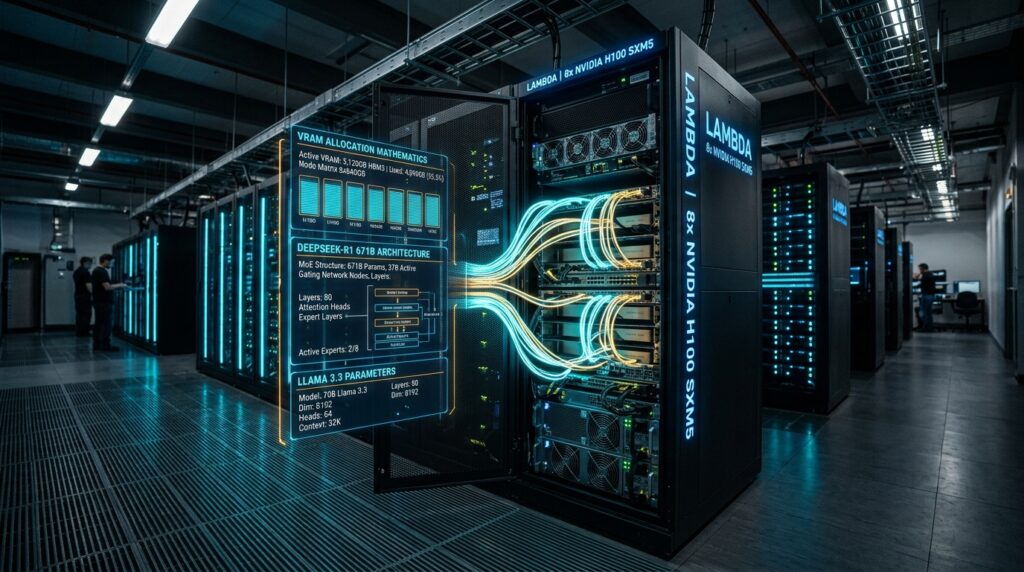
When building a Sovereign LLM Hardware Sizing Guide: DeepSeek-R1 on Lambda infrastructure, buying GPU compute isn’t just an investment—it is a million-dollar balance between performance SLAs and capital efficiency. When deploying open-weights foundation models within an enterprise boundary, standard cloud rules don’t apply. You aren’t paying per token; you are paying per second of idle silicon.
Hardware sizing for modern foundation models requires a clear understanding of architectural mechanics. Choosing the wrong GPU cluster topology, miscalculating Key-Value (KV) cache scaling, or underestimating Mixture-of-Experts (MoE) interconnect bottlenecks leads directly to two outcomes: degraded user experience or massive financial waste.
This guide provides a practical, decision-focused framework for sizing, configuring, and deploying Llama 3.3 70B and DeepSeek-R1 671B on Lambda Labs infrastructure.
The Decision Matrix: What Problem Are You Solving?
Before looking at GPU specs, identify your primary operational goal:
                  ┌──────────────────────────────────────────────┐
                  │ Is your workload Dense or MoE Architecture?  │
                  └──────────────────────┬───────────────────────┘
                                         │
                 ┌───────────────────────┴───────────────────────┐
                 ▼                                               ▼
     ┌───────────────────────┐                       ┌───────────────────────┐
     │  Llama 3.3 70B (Dense) │                       │ DeepSeek-R1 671B (MoE)│
     └───────────┬───────────┘                       └───────────┬───────────┘
                 │                                               │
     ┌───────────┴───────────┐                       ┌───────────┴───────────┐
     ▼                       ▼                       ▼                       ▼
┌─────────┐             ┌─────────┐             ┌─────────┐             ┌─────────┐
│Low Load │             │Enterprise│             │Dev/Eval │             │Scale/SLA│
│1-5 Users│             │100+ User│             │1-10 User│             │100+ User│
└────┬────┘             └────┬────┘             └────┬────┘             └────┬────┘
     │                       │                       │                       │
     ▼                       ▼                       ▼                       ▼
[4x RTX 6000]           [8x H100 SXM5]          [8x PCIe H100]          [8x B200 SXM]
 (PCIe Gen4)              (NVLink 4)             (INT4 AWQ)              (NVLink 5)
- For Dense 70B Models (Llama 3.3 70B): Memory capacity and Tensor Parallelism (TP) throughput are your main bottlenecks. Focus on High Bandwidth Memory (HBM) capacity and memory bandwidth.
- For Massive MoE Models (DeepSeek-R1 671B): Interconnect bandwidth is the single critical bottleneck. Total parameter footprint requires deep memory reserves, while dynamic expert routing demands high-speed GPU-to-GPU mesh topologies.
Key Rule: Never run DeepSeek-R1 671B across PCIe-only buses for high-concurrency production environments. Expert routing will stall compute execution, ruining your latency SLAs.
Architectural Memory Dynamics & Precision Math
To size host nodes accurately, you must budget for three distinct VRAM components:
$$\text{Total VRAM} = \text{Model Weights} + \text{KV Cache Pool} + \text{Runtime \& Communication Overhead}$$
VRAM Allocation Breakdown:
+-----------------------------------------------------------------------+
|  Model Static Weights (TP Partitioned)                                |
+-----------------------------------------------------------------------+
|  Dynamic KV Cache Pool (GQA/MLA Compressed)                           |
+-----------------------------------------------------------------------+
|  Activations & Intermediate Workspace Buffers                        |
+-----------------------------------------------------------------------+
|  CUDA Context & Framework Overhead (NCCL buffers, Graph execution)    |
+-----------------------------------------------------------------------+
|  Reserved Safety Buffer (15% - 20% Headroom for OOM prevention)       |
+-----------------------------------------------------------------------+
1. Static Model Weight Footprint
The base footprint depends on total parameters $N$ and weight precision bytes $p$:
$$M_{\text{weights}} = N \times p$$
- 16-bit (FP16/BF16): $p = 2\text{ bytes/param}$
- 8-bit (FP8/INT8): $p = 1\text{ byte/param}$
- 4-bit (INT4 AWQ/GPTQ): $p \approx 0.5\text{ bytes/param}$
In DeepSeek-R1’s Mixture-of-Experts architecture, all 671 billion parameters—both shared and expert layers—must remain resident in GPU memory simultaneously. Because routers select experts on a per-token basis, expert offloading to host system RAM creates severe latency bottlenecks.
| Model Architecture | Total Parameters | FP16/BF16 (p=2) | FP8/INT8 (p=1) | INT4 AWQ/GPTQ (p=0.5) |
| Llama 3.3 70B | 70.6 Billion | 141.2 GB | 70.6 GB | 35.3 GB |
| DeepSeek-R1 671B | 671.0 Billion | 1,342.0 GB | 671.0 GB | 335.5 GB |
2. Dynamic KV Cache Mechanics: GQA vs. MLA
The dynamic KV cache footprint dictates how many concurrent users your cluster can serve before running out of memory.
GQA (Llama 3.3): Caches Full Key/Value Matrices Across Grouped Heads
[Query Heads] -------> [Grouped KV Heads] -------> [Full Projection Cache]

MLA (DeepSeek-R1): Compresses Key/Value States into Low-Rank Latent Space
[Query Heads] -------> [Low-Rank Latent Vector (d=512) + RoPE (d=64)] ---> [Compressed Cache]
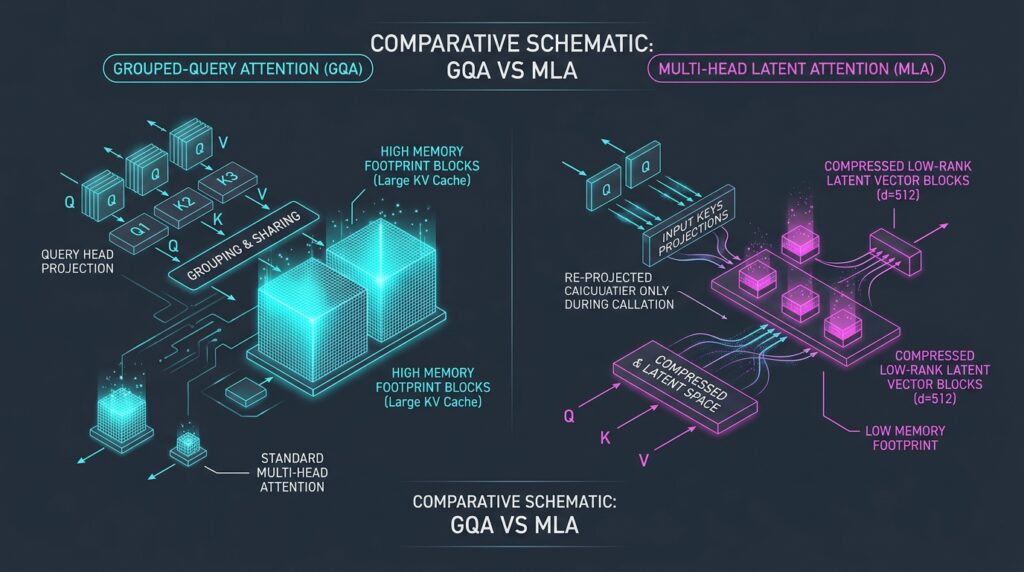
Grouped-Query Attention (GQA) — Llama 3.3 70B
GQA compresses standard Multi-Head Attention by grouping query heads across $h_{\text{kv}} = 8$ key-value heads. For $L$ layers, head dimension $d$, and precision $p_{\text{kv}}$, the KV cache size per token ($S_{\text{GQA}}$) is:
$$S_{\text{GQA}} = 2 \times L \times h_{\text{kv}} \times d \times p_{\text{kv}}$$
For Llama 3.3 70B ($L=80, h_{\text{kv}}=8, d=128$):
- FP16 ($p_{\text{kv}}=2$): $\approx 0.3125\text{ MiB/token}$
- FP8 ($p_{\text{kv}}=1$): $\approx 0.15625\text{ MiB/token}$
Multi-Head Latent Attention (MLA) — DeepSeek-R1 671B
DeepSeek-R1 uses MLA to project key and value states into a low-rank latent space ($d_{\text{latent}}=512$) alongside a decoupled RoPE key dimension ($d_{\text{rope}}=64$). Serving frameworks cache only the latent vector and RoPE key, keeping memory usage low:
$$S_{\text{MLA}} = L \times (d_{\text{latent}} + d_{\text{rope}}) \times p_{\text{kv}}$$
For DeepSeek-R1 671B ($L=61, d_{\text{latent}}=512, d_{\text{rope}}=64$):
- FP16 ($p_{\text{kv}}=2$): $\approx 0.06702\text{ MiB/token}$
- FP8 ($p_{\text{kv}}=1$): $\approx 0.03351\text{ MiB/token}$
Takeaway: Despite having nearly ten times the parameter count, DeepSeek-R1’s per-token KV cache is 4.66× smaller than Llama 3.3’s. MLA makes deep context scaling feasible on standard enterprise clusters.
| Model | KV Precision | 8k Context | 32k Context | 64k Context | 128k Context |
| Llama 3.3 70B (GQA) | FP16 | 2.50 GiB | 10.00 GiB | 20.00 GiB | 40.00 GiB |
| FP8 | 1.25 GiB | 5.00 GiB | 10.00 GiB | 20.00 GiB | |
| DeepSeek-R1 671B (MLA) | FP16 | 0.54 GiB | 2.14 GiB | 4.29 GiB | 8.58 GiB |
| FP8 | 0.27 GiB | 1.07 GiB | 2.14 GiB | 4.29 GiB |
Interconnect Topologies: NVLink vs. PCIe in MoE Routing
When serving dense models like Llama 3.3 70B, system performance depends primarily on Tensor Parallelism (TP), which uses All-Reduce primitives across attention projections and feed-forward networks.
Dense Model (Tensor Parallelism):
GPU 0 <== All-Reduce ==> GPU 1 <== All-Reduce ==> GPU 2 <== All-Reduce ==> GPU 3

MoE Model (Expert Parallelism):
GPU 0 ---- All-to-All Dispatch ----> GPU 1, 2, 3 (Routed Tokens)
GPU 0 <--- All-to-All Combine  ----- GPU 1, 2, 3 (Returned Activations)
Mixture-of-Experts models like DeepSeek-R1 use Expert Parallelism (EP). Tokens are dynamically routed to specific expert GPUs in three distinct steps:
- Dispatch Phase: Tokens are scattered across GPUs to reach their assigned experts.
- Execution Phase: Selected experts run local matrix multiplications on routed tokens.
- Combine Phase: Expert output tensors are gathered back to the originating GPU.
On an 8x PCIe H100 node, All-to-All communication crosses the PCIe Gen5 bus, capping unidirectional transfers at 64 GB/s. Under high concurrency, token routing stalls on the PCIe bus, causing communication latency to exceed actual GPU compute time.
On an 8x H100 SXM5 node, NVLink 4 delivers 900 GB/s of bidirectional bandwidth per GPU over an NVSwitch mesh. This high bandwidth allows token routing to complete in sub-millisecond windows, running concurrently with layer computations. The 8x B200 SXM node expands this throughput to 1.8 TB/s per GPU via NVLink 5, eliminating communication bottlenecks for large-scale enterprise workloads.

Hardware Profile Specification: Lambda Labs SKUs
Matching your workload requirements to the correct host topology prevents both operational bottlenecks and budget overruns.
| Hardware SKU | Architecture | Total HBM VRAM | Peak Memory Bandwidth | Interconnect Topology | Interconnect Bandwidth |
| 4x RTX 6000 Ada | Ada Lovelace (PCIe) | 192 GB (4x 48GB) | 960 GB/s per GPU | PCIe Gen4 x16 | 31.5 GB/s (unidirectional) |
| 8x PCIe H100 | Hopper (PCIe) | 640 GB (8x 80GB) | 2.0 TB/s per GPU | PCIe Gen5 x16 | 64.0 GB/s (unidirectional) |
| 8x H100 SXM5 | Hopper (SXM5) | 640 GB (8x 80GB) | 3.35 TB/s per GPU | NVLink 4 + NVSwitch | 900.0 GB/s (bidirectional) |
| 8x B200 SXM | Blackwell (SXM) | 1,440 GB (8x 180GB) | 8.0 TB/s per GPU | NVLink 5 + NVSwitch | 1,800.0 GB/s (bidirectional) |
Operational Impact & Field Considerations
- PCIe Nodes: Best suited for offline processing, single-user developer testing, or dense models with limited cross-GPU communication. Avoid PCIe nodes for production MoE deployments under multi-user concurrency.
- NVLink SXM Nodes: Essential for real-time enterprise serving, long-context evaluation, and dynamic MoE routing. High inter-GPU bandwidth keeps token processing speeds steady under variable traffic loads.
Throughput & Latency Benchmarks
Choosing between vLLM and TensorRT-LLM depends on your operational goals:
- vLLM: Ideal for fast deployments, native OpenAI API compatibility, and high prefix-caching workloads (such as multi-turn RAG).
- TensorRT-LLM: Best for strict production SLAs, offering compiled execution graphs, low Time-To-First-Token (TTFT), and high single-user decoding speeds.
Benchmark Projections (1k Input, 512 Output Tokens)
Llama 3.3 70B Sizing Performance
| Hardware Node | Engine | Precision | Total System Throughput | Single-User Speed | TTFT p50 | TTFT p99 |
| 4x RTX 6000 Ada | vLLM | INT4 AWQ | ~650 tok/s | ~28 tok/s/user | 110 ms | 280 ms |
| 8x PCIe H100 | vLLM | FP8 | ~1,850 tok/s | ~52 tok/s/user | 42 ms | 125 ms |
| 8x H100 SXM5 | TRT-LLM | FP8 | ~3,200 tok/s | ~85 tok/s/user | 18 ms | 48 ms |
| 8x B200 SXM | TRT-LLM | NVFP4 | ~10,500 tok/s | ~165 tok/s/user | 8 ms | 21 ms |
DeepSeek-R1 671B Sizing Performance
| Hardware Node | Engine | Precision | Total System Throughput | Single-User Speed | TTFT p50 | TTFT p99 |
| 8x PCIe H100 | vLLM | INT4 AWQ | ~450 tok/s | ~12 tok/s/user | 420 ms | 1,150 ms |
| 8x H100 SXM5 | TRT-LLM | FP8 | ~2,850 tok/s | ~48 tok/s/user | 120 ms | 290 ms |
| 8x B200 SXM | TRT-LLM | NVFP4 | ~30,000+ tok/s | ~250+ tok/s/user | 15 ms | 38 ms |
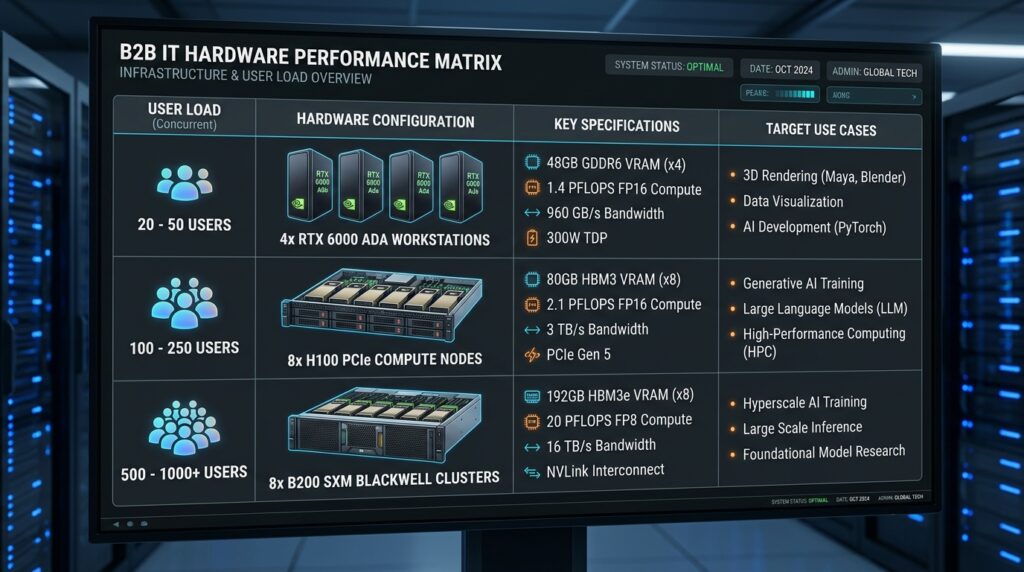
DeepSeek-R1 On Lambda Hardware Sizing Matrix & Deployment Rules
Use this matrix to map target workloads directly to Lambda infrastructure SKUs and serving engine parameters:
| Target Model | Concurrency | Context | Recommended Lambda SKU | Engine & Precision | Trade-offs & Limitations |
| Llama 3.3 70B | 1–5 users | Up to 32k | 4x RTX 6000 Ada Workstation | vLLM (INT4 AWQ) | Cost-effective entry point. High-concurrency requests will hit memory bandwidth limits quickly. |
| Llama 3.3 70B | 10–50 users | Up to 64k | 8x PCIe H100 Cloud Node | vLLM (FP8) | Balanced mid-tier configuration. Interconnect latency rises if context windows expand beyond 64k. |
| Llama 3.3 70B | 100+ users | Up to 128k | 8x H100 SXM5 Cluster | TRT-LLM (FP8) | Enterprise production standard. NVLink removes TP communication barriers, ensuring stable token generation. |
| DeepSeek-R1 671B | 1–10 users | Up to 32k | 8x PCIe H100 Cloud Node | vLLM (INT4 AWQ) | Low-cost entry point for evaluation. PCIe interconnect limits user concurrency and increases TTFT. |
| DeepSeek-R1 671B | 10–50 users | Up to 64k | 8x H100 SXM5 Cluster | TRT-LLM (FP8) | Production enterprise standard. Non-blocking NVLink handles dynamic MoE expert routing effectively. |
| DeepSeek-R1 671B | 100+ users | Up to 128k | 8x B200 SXM Cluster | TRT-LLM (NVFP4) | High-performance sovereign tier. Large HBM reserves host FP8/NVFP4 weights while maintaining high system throughput. |
Enterprise Deployment Guidelines
1. Match Precision Strategy to Hardware Architecture
- Standardize on FP8 for Hopper-based deployment nodes (H100) and NVFP4 for Blackwell-based nodes (B200) using Transformer Engine acceleration. Switching from FP16 to FP8 doubles serving throughput while maintaining model accuracy within operational boundaries.
- Use FP8 precision for KV caches across both GQA and MLA architectures. This halves KV memory footprint compared to FP16, allowing twice the serving concurrency per node.
2. Standardize Operating Engines based on SLAs
- Use vLLM for internal productivity tools, dynamic RAG platforms, and services requiring native OpenAI API compatibility with flexible deployments.
- Transition to TensorRT-LLM for customer-facing production APIs where strict SLAs mandate minimal TTFT metrics and high single-user generation speeds.
3. Maintain Memory Safety Reserves
- Leave a 15% to 20% VRAM buffer on every host node.
- Dynamic activation spikes during prefill phases, variable-length input sequences, and framework overhead (such as NCCL ring buffers and CUDA contexts) can trigger Out-Of-Memory errors if VRAM usage is budgeted too aggressively.
Next Steps for Infrastructure Teams
- Audit Your Workload Profiles: Measure your average context lengths, prompt-to-completion ratios, and peak concurrent request rates before ordering host hardware.
- Benchmark Local Execution: Validate your context scaling using lighter model runs on target host nodes to establish baseline TTFT and generation speed metrics.
- Set Up Unified Metrics: Monitor VRAM usage, KV cache cache hit rates, and GPU interconnect utilization using Prometheus and Grafana dashboards.
- Deploy a Staging Node: Set up a pilot deployment on a single 8x H100 SXM5 host node to refine engine compile parameters before scaling across production clusters.
To evaluate how turn-key GPU sizing compares with bare-metal hosting, on-premise hardware, and cloud bandwidth economics, explore our technical benchmarks across the enterprise AI ecosystem:
- On-Premise GPU Hardware & Deployment: Compare turn-key systems versus custom builds in Turn-Key vs DIY GPU Nodes TCO Analysis, inspect baseline specs in our DeepSeek-R1 Hardware Review, and evaluate enterprise platforms in the Top 5 On-Premise AI Platforms.
- Bare-Metal Infrastructure & Network Optimization: See how single-tenant servers host local LLMs in Deploying DeepSeek-R1 on NovoServe Bare-Metal and learn how to eliminate cloud exit taxes in How to Slash Cloud Egress Fees.
- Hosting Benchmarks: Review flat-rate hosting models in our NovoServe vs Hetzner vs DigitalOcean Review. Bookmark AI Review Zones for continuous MLOps and infrastructure coverage.
References
- NVIDIA Technical Documentation: NVIDIA TensorRT-LLM Architecture and Optimization Guide
- vLLM Project: PagedAttention and Distributed Inference Engine Documentation
- DeepSeek AI Research: DeepSeek-R1 Technical Report & Architecture Specifications
- Meta AI Engineering: Llama 3 Herd of Models Technical Reference
- Lambda Labs Infrastructure: Lambda Cloud GPU Instances Specs and Interconnect Topologies
- NVIDIA Developer Blog: Optimizing MoE Models with Transformer Engine and NVLink Switch System