We have all been there: you have a killer idea for an article or an email, but the thought of typing it all out feels like a chore. Voice dictation promises to solve this, but traditional tools like Apple Dictation or Google Voice Typing are frustratingly literal. They capture every “um,” “ah,” and awkward repetition, leaving you with a messy transcript that takes longer to clean up than it would have taken to type the text manually.
Wispr Flow promises a completely different experience. Instead of just transcribing your raw audio, it uses an AI framework to automatically clean up your speech, fix your grammar, and format the output into clean, structured text in real time.
But does it actually deliver on the promise of turning your unstructured brain dumps into SEO-ready paragraphs, or is it just another over-engineered utility app? To find out, we put Wispr Flow through its paces, looking at its real-world productivity gains, user experience bottlenecks, software bugs, and ongoing privacy controversies.
Wispr Flow Review: Real-World Performance & Output
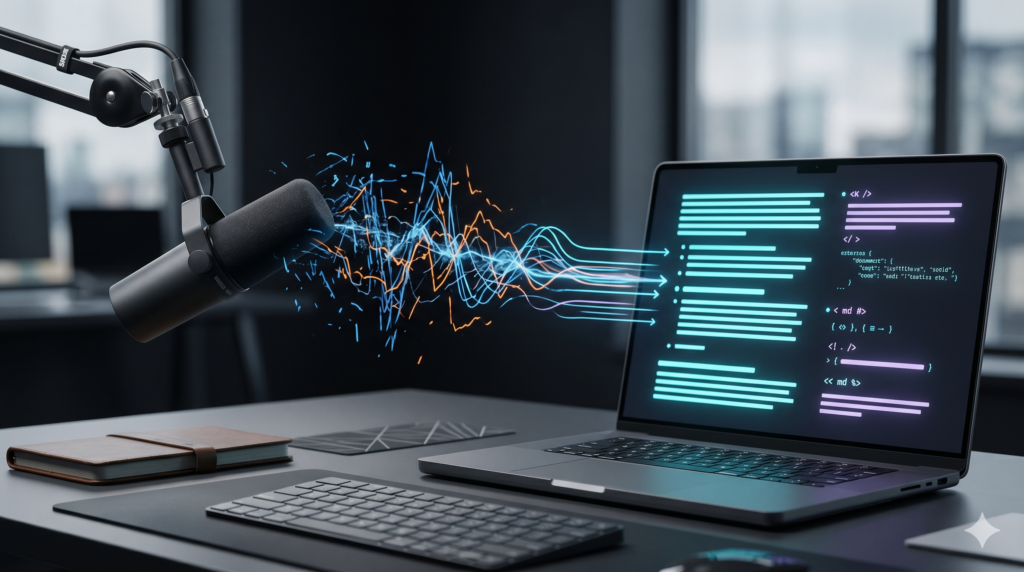
Wispr Flow operates system-wide through a mechanism called “cursor focus routing.” Once installed on macOS or Windows, the software links directly with your operating system’s text input controls. You hold down a global keyboard shortcut, speak naturally into your microphone, and release the key. The finalized, formatted text immediately dumps directly into whatever application or text box your cursor is currently occupying—whether that is Slack, an email draft, or your code editor.
- Why it matters: It completely removes the tedious loop of opening a separate voice notes app, waiting for a transcript, and copying it over manually.
- Who benefits: Fast-paced professionals, marketers, and developers who need to capture ideas immediately across different software tools without losing momentum.
- What the trade-off is: Because it injects text directly into active windows, it requires broad accessibility permissions over your operating system, which can trigger security alerts in strict IT environments.
The system targets a processing delay of less than 700 milliseconds, ensuring the text appears almost instantly after you stop speaking.
- Why it matters: Sub-second response times keep you in your creative flow without making you wait around for the AI to “think.”
- Who benefits: High-volume writers and power users who dictate entire articles or long email responses back-to-back.
- What the trade-off is: Achieving this speed requires a fast, uninterrupted cloud connection; it cannot process your voice locally if your network drops.
Plaintext
[User Speaks] ──► [Global Hotkey Release] ──► [Cloud AI Cleanup] ──► [Text Injected Instantly at Cursor]
Handling Accents and Language Blending
Wispr Flow does not rely on a single speech-to-text model. Instead, it uses a dynamic routing tool that automatically swaps between premium models like Scribe and Gemini depending on the language it hears, paired with an accent confidence scoring algorithm.
- Why it matters: It accurately tracks regional accents and handles language blending—like “Vietlish” or “Spanglish”—without crashing or outputting gibberish.
- Who benefits: Bi-lingual users, international remote teams, and technical professionals who constantly mix English industry jargon with their native language.
- What the trade-off is: The app currently lacks a customizable user dictionary. If you frequently use highly specialized technical acronyms or unique company product names, the accuracy drops off, requiring manual corrections after the paste.
Real-World Productivity: The Output Style Test
The real magic is how well it handles unorganized rambling. Wispr Flow offers several style presets: Formal, Casual, Very Casual, and Minimal (which only fixes basic spelling errors without rewriting your sentence structure).
- For Content Creators and SEO Marketers: You can pace around your office, dictating a messy stream of thoughts about heading structures, internal links, and bullet points. Wispr Flow automatically irons out your vocal stumbles and structures the concepts into clean Markdown bullet points.
- For Internal Communications: Responding to an endless mountain of Slack messages or customer emails usually drains your day. In our tests, dictating responses directly into the message window cut down composition times for 200-word messages from over four minutes to under a minute.
To see exactly how much time you save, here is how physical typing compares to using Wispr Flow across our standard productivity benchmarks:
| Performance Metric | Physical Keyboard Input | Wispr Flow Dictation | Real-World Efficiency Gain |
|---|---|---|---|
| Average Entry Speed | 30−45 WPM (Words Per Minute) | ≈220 WPM (Natural Speech Rate) | 4.8x to 7.3x faster entry speed |
| 200-Word Email Draft | ≈4.5 Minutes | ≈55 Seconds | Saves 80% of your drafting time |
| Technical SOP Documentation | 25 Minutes | 6 Minutes | Saves 76% of your writing time |
| Contextual Text Accuracy | Highly dependent on personal typing skills | 95% – 97.2% accuracy out of the box | Minimizes manual typo fixes |
- Why it matters: The tool lets you dump raw, unedited thoughts and instantly generates clean, ready-to-send copy.
- Who benefits: Creative writers struggling with blank-page anxiety, fast-moving managers dealing with message fatigue, and individuals managing dyslexia or physical mobility challenges.
- What the trade-off is: The AI makes stylistic choices for you. If you choose a “Formal” preset, it will heavily rewrite your sentences, which can sometimes erase your personal conversational voice.
User Experience Bottlenecks and Software Bugs
Despite its impressive speed, Wispr Flow is far from perfect. If you are planning to add it to your daily routine, there are several glaring technical limitations you need to consider.
The Cloud Dependence Tax
Wispr Flow runs completely in the cloud and lacks an offline processing mode.
- Why it matters: The app requires a constant internet connection to translate and clean up your voice.
- Who benefits: Desktop office workers with stable, fiber-optic internet connections.
- What the trade-off is: If you work on a spotty cellular connection, an airplane, or slow hotel Wi-Fi, the sub-second processing speed completely breaks down, stretching out to painful 5-to-10-second delays, or failing entirely.
Background Resource Consumption
The desktop app is built on Electron for Windows and uses a heavy background architecture on macOS, consuming an average of 800MB of RAM and maintaining a constant 8% CPU load at idle.
- Why it matters: It consumes a substantial amount of hardware resources just sitting in the background waiting for a hotkey press.
- Who benefits: Users with high-end desktop setups or modern workstations with plenty of unified memory.
- What the trade-off is: On lightweight ultraportable laptops, it drains battery life noticeably faster than lean, native offline speech-to-text tools like MacWhisper or Superwhisper.
Platform Disparities and Mobile Friction
While the macOS version feels smooth and native, the Windows variant lacks native ARM64 support, and mobile versions face strict operating system restrictions.
- Why it matters: The app experience is highly fragmented depending on the device you own. On Android, its text-pasting automation requires deep Accessibility Permissions, which often causes high-security banking apps to automatically lock down or block the software.
- Who benefits: Primary macOS desktop users get the best, most unhindered experience.
- What the trade-off is: Windows Qualcomm Snapdragon users cannot run the app natively, and mobile users (iOS and Android) have to deal with manual keyboard toggles or security blocks that slow down workflow efficiency.
Data Privacy and Security Controversies
Because Wispr Flow requires full access to your microphone and text input system, its security practices deserve intense scrutiny. The platform currently holds a 2.7/5 rating on Trustpilot, with a recurring theme among user complaints centered around stability and privacy transparency.
The Screen Tracking Controversy
A major controversy erupted when users discovered that Wispr Flow’s “Context Awareness” feature was capturing background screenshots of their active workspace window every few seconds and sending them to cloud servers so the AI could better understand what the user was working on.
- Why it matters: The app was collecting visual data from your screen quietly in the background without clear warnings during initial onboarding, sparking immediate backlash from the privacy community.
- Who benefits: The AI engine benefits by gaining more context to improve transcription accuracy for code or specific documents.
- What the trade-off is: Massive privacy risks. If you have confidential client data, bank statements, or private messages open on your screen, that data could be captured. While you can now turn this feature off in the settings, the initial lack of transparency damaged user trust.
Cloud Routing vs. Privacy Mode
When you trigger the app, your encrypted voice audio is streamed directly to cloud servers located in the US East region for processing. Wispr Flow does offer a Privacy Mode that enforces a strict Zero Data Retention policy, meaning audio files and text transcripts are deleted from their servers the moment the text is pasted.
- Why it matters: It prevents your sensitive dictations from being permanently stored or used to train future AI models.
- Who benefits: Individual creators and remote workers who want basic assurance that their daily drafts aren’t being logged.
- What the trade-off is: Even with Privacy Mode turned on, data is still processed in the US. For European businesses operating under strict GDPR compliance, sending voice data outside EU borders without a dedicated local data residency option remains a compliance risk.
⚖️ Product Comparison: How Wispr Flow Stacks Up
| Feature Checklist | Wispr Flow | Aqua Voice | AudioPen |
|---|---|---|---|
| Core Product Focus | System-wide AI Voice Keyboard utility | Dedicated voice-driven document editor and IDE | Brainstorming voice note filter |
| Real-World Latency | Ultra-fast (Sub-700ms processing) | Fast, supports active inline corrections | Slow (Processes text only after recording ends) |
| Structural Accuracy | Very High (Cleans up filler words cleanly) | High technical accuracy for code and syntax | High, but rewrites your words completely |
| Ecosystem Processing | Cloud-only; no offline processing | Cloud-only infrastructure | Cloud-only backend processing |
| Subscription Cost | $15/mo (monthly) or $12/mo (billed annually) | $12/mo (billed annually) or $16/mo (monthly) | $99/year flat rate or $33 for 3 months |
The Verdict: The Smart Way to Use It
Wispr Flow represents a massive leap forward for voice dictation software. The ability to speak an unorganized stream of thoughts and see it clean itself up into structured Markdown notes or professional emails in under a second can fundamentally rewrite your daily writing habits. However, its total dependence on cloud servers and its controversial past with screen tracking mean you shouldn’t install it blindly.
- Choose Wispr Flow if: You want a fast, hands-free typing experience across multiple desktop apps (especially on macOS), your daily writing does not involve highly confidential corporate data, you routinely write SEO outlines or long emails, and you always work next to a high-speed, stable internet connection.
- Avoid Wispr Flow if: You are a lawyer, doctor, financial executive, or enterprise developer handling sensitive client data, proprietary source code covered by non-disclosure agreements (NDAs), or medical records bound by legal HIPAA rules. If you operate inside a locked-down corporate network, you should opt for secure, local offline alternatives like Superwhisper, MacWhisper, or Voibe instead.
🔗 Related Technical Reviews on AI Review Zones
To see how these AI development frameworks stack up against other modern coding tools and search engines, check out our deep-dive benchmarks:
- The OpenClaw Mirage: Why This Hyped AI Agent Is an Expensive Engineering Disaster — An unvarnished post-mortem looking into what happens when autonomous subagents are given full write permissions over codebase context without strict boundaries.
- Gemini Pro Deep Research vs Perplexity AI: The Ultimate 2026 Battle of AI Search Titans — Learn how frontier data-gathering models execute deep verification steps to surface verified technical documentation without hallucination.
- Agentic AI Market Analysis 2026: The Definitive Ultimate Breakdown — A high-level view analyzing how modern companies are shifting away from standalone AI prompts toward reliable, deterministic multi-agent orchestration frameworks.